What should you look for when buying?
Start with your platform and game, then check the pedals and mounting before considering how the steering feels.
| Buying consideration |
What to look for |
Who is it important to? |
| Platform and game |
Check the exact model variant and whether it is supported by the specific game you play. |
If I want to race on PC or a particular console, the wheel needs to work with my system and game. Around 33% of consumers prioritise platform and game compatibility. |
| Throttle and brake |
Compare the number of pedals and the adjustment options, and check that the pedals will stay stable where you plan to use them. |
For repeated laps, I want to be able to control the throttle and brake precisely. Pedal control is the main consideration for around 27% of consumers. |
| Mounting and seating position |
Check your desk thickness, the clamp and the space for the pedals. Set up the screen from your usual seated position. |
If I race from a dedicated seat, the wheel, pedals and screen all need to be comfortably positioned. Around 20% of consumers focus on mounting and seating position. |
| Steering range and feedback |
Check the steering range and in-game settings rather than focusing solely on a torque figure. |
If you want to tailor the steering feel to the virtual car, calibrate the steering range in the game you play. For around 20% of consumers, steering feel is the most important consideration. |
Joybuy products for oval training
The Joybuy picks below include force-feedback racing wheels with pedals for PC and PlayStation, as well as Xbox versions, depending on the model. Check exact platform and game compatibility before you buy.
 No image available
Logitech G923 SE racing wheel with pedals
An option if you are looking for a racing wheel with pedals; check that the exact set is compatible with your platform and game.
The title lists PlayStation, Xbox, PC and Mac. The description specifies a 900° steering angle, a pressure-sensitive brake pedal, three pedals and integrated desk clamps.
Joybuy
 No image available
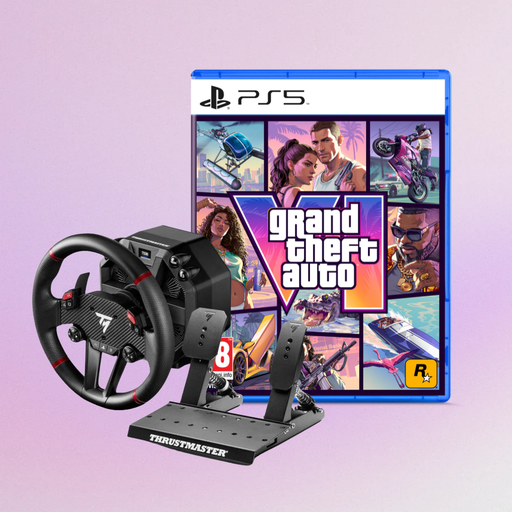
Thrustmaster T598-P with Grand Theft Auto VI PS5 German Edition
This bundle may suit you if you are looking for a force-feedback wheel for one of the listed platforms and would also like the included PS5 game edition.
The title lists Direct Axial Drive, force feedback, and PS5, PS4 and PC; the bundle also includes Grand Theft Auto VI PS5 German Edition as a code in a box.
Joybuy
 No image available
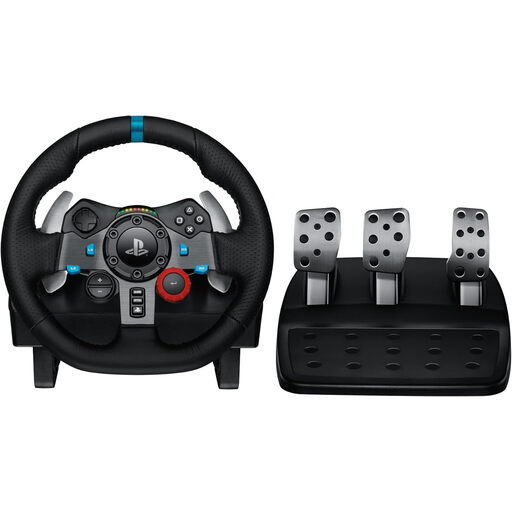
Logitech G29 Driving Force for PlayStation
An option for PlayStation players looking for a racing wheel with pedals and a desk clamp; check that your specific game supports it, too.
The title lists PS3, PS4 and PS5. The description specifies a 900° steering angle, dual-motor force feedback, three pedals and an integrated desk clamp.
Joybuy
 No image available
Thrustmaster T128-P Force Feedback (PC/PS4/PS5)
An option if you are looking for a force-feedback racing wheel for PC or PlayStation and the desk mounting works for your set-up.
The description specifies a steering angle of 270° to 900°, magnetic pedals, a two-pedal T2PM set and a desk clamp for surfaces up to 5,5 cm thick.
Joybuy
 No image available
Thrustmaster T598-P Direct Axial Drive Force Feedback (PS5/PS4/PC)
An option if you are looking for a Direct Axial Drive force-feedback wheel for PS5, PS4 or PC; check that it will fit your desk or rig.
The description specifies a removable 30-cm wheel rim, a display and a pedal set.
Joybuy
Frequently asked questions
How do I set up the wheel and pedals before my first oval laps?
In iRacing, first let the system detect your devices, then configure and calibrate them in the simulator. You may need to recalibrate if you use a different USB port; brake settings also depend on the type of pedals you have. Other games have their own set-up options.
How do I adjust the virtual view to suit my seating position?
iRacing recommends measuring the screen distance and width from your usual seated position, then adjusting the display, horizon and virtual driver height. For another game, use its own display settings.
What should I check about pedals, upgrades and possible ongoing costs?
Check exactly what is included, as the bundles described come with different pedals and mounting options. Keep the model name and proof of purchase in case you need support or want to make a claim. A manufacturer's voluntary warranty is separate from your statutory rights against the retailer.
What are my rights when buying online in Germany?
According to the Verbraucherzentrale, online purchases generally come with a 14-day right to cancel, which must be explained to you. If a product is faulty, your statutory rights against the retailer are separate from any voluntary warranty; exceptions and the terms of the specific purchase should also be considered.
Is the CE mark an independent quality mark for a racing wheel?
No. According to the European Commission, the manufacturer uses the CE marking to declare that the product meets the relevant EU requirements; there is no central EU body that issues blanket approval or a certificate for it. The applicable marking requirements depend on the product and relevant regulations.


