Drivers practising pit entries
If you want to hit your braking point before the pit-lane speed limit line consistently, look for an easily reachable brake pedal and suitable button mapping. iRacing explains that the limiter doesn’t brake for you.


For practising virtual pit entries, choose a wheel set whose pedals can be positioned securely where you practise and which works with your platform and simulation. The key is to brake under control before the pit-lane speed limit line: iRacing points out that the pit limiter won’t brake for you. On supported cars, you can assign it to a button that’s easy to reach. Set up your headphone audio separately on your PC or console.
If you want to hit your braking point before the pit-lane speed limit line consistently, look for an easily reachable brake pedal and suitable button mapping. iRacing explains that the limiter doesn’t brake for you.
If you race on a particular console or PC, you’ll need a wheel set that works with it, plus working audio output for your headphones. Logitech, MOZA, PlayStation Support and Xbox Support outline platform-specific requirements.
If you practise at a desk, check that the wheel can be secured firmly and the brake pedal placed stably. MOZA and Fanatec list desk clamps for the bundles described here.
First, check that the set and simulation work on your platform. Then consider the position of the brake pedal, how you’ll operate the limiter and whether the setup will work at your desk.
| Consideration | What to check before buying | Who is it most relevant to? |
|---|---|---|
| Controlled braking | Check that a brake pedal is included, what adjustments are available and whether the pedals will sit securely. | If I want to hit my braking point before the pit-lane speed limit line consistently, pedal position is crucial. Around 36 % of consumers put controlled braking first. |
| Platform and game support | Check the model version and that it’s supported by the simulation you use. | If I want to race on my existing console or PC, the whole set needs to be compatible. Around 29 % of consumers prioritise compatibility with their platform. |
| Limiter and headphone audio | Test a button in your game and set up headphone output on your gaming device. | If I want to operate the limiter and hear game audio through headphones, I check both separately. Around 21 % of consumers put these controls and audio considerations first. |
| Mounting and upgrades | Check what’s included, the edge of your desk, the space available for the pedals and compatibility with any upgrades you want. | If I practise at a desk or plan to upgrade my pedals and wheel rim later, the setup needs to fit my space. Around 14 % of consumers prioritise mounting and expandability. |
According to iRacing Support, the limiter in iRacing doesn’t brake for you. If you rely on it, you could miss the braking point you need before entering the pit lane.
Practise braking before the pit-lane speed limit line, then check the limiter button mapping for the car you’re using.
Logitech distinguishes between the G29 and G920 by console family. MOZA states that the R5 Bundle isn’t a PlayStation solution; you shouldn’t assume it supports Xbox either.
Check the full model and set name against your platform and the support offered by your simulation.
If the platform doesn’t match, you may need different components that are explicitly compatible.
A clamp will only fit if it can be attached to your desk. The Load Cell Kit for Fanatec CSL Pedals is sold separately.
Before buying, check what’s included, the edge of your desk, the space available for the pedals and compatibility with any upgrades you may want.
Remember to budget separately for any pedal upgrade sold separately.
The G29 and G920 are wheel-and-pedal sets for different console families as well as PC. Logitech lists dual-motor force feedback and controls on the wheel.
According to Thrustmaster, the T300RS GT Edition is designed for PlayStation and PC. It includes a detachable wheel rim and T3PA-GT pedals.
The R5 Racing Bundle pairs a Direct Drive wheelbase with an ES wheel, SR-P Lite pedals and a desk clamp for PC. MOZA lists peak torque of 5.5 Nm.
According to Fanatec, the CSL DD Ready2Race WRC Bundle (5 Nm) is an Xbox and PC option that includes CSL Pedals and a desk clamp.
These products are wheel sets for pedal-based sim racing. Check the platform information for each model and make sure your simulation supports it.
 No image available
According to the product information, this wheel-and-pedal set is designed for PlayStation, Xbox, PC and Mac. Check that it’s also supported by your simulation.
The description lists a progressive, pressure-sensitive brake pedal, integrated desk clamps and buttons that can be mapped using Logitech G HUB.
 No image available
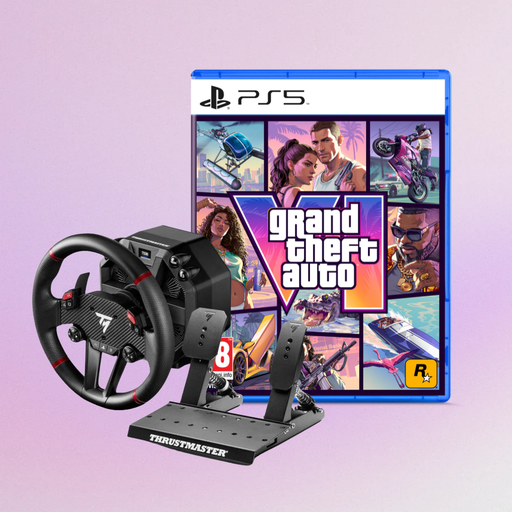
This bundle pairs a force-feedback racing wheel with Grand Theft Auto VI PS5 German Edition. Check that both the wheel’s platform and the game version work with your setup.
According to the product name, the wheel is designed for PS5, PS4 and PC; the game is listed as a code in the box.
 No image available
The set is listed for pedal-based practice on PC, PS4 and PS5. Check that it’s supported by the game you’ll be playing.
The description lists a T2PM two-pedal set, magnetic paddle shifters and a desk clamp for tabletops up to 5.5 cm thick.
The description lists 13 action buttons.
 No image available
According to the product name, the wheel is designed for PS5, PS4 and PC. Also check that your simulation supports it.
The description lists a detachable wheel, a Race Dash Display and an included Raceline Pedals LTE set.
According to the description, the wheelbase can be attached to a rig or desk using clamps or screws.
 No image available
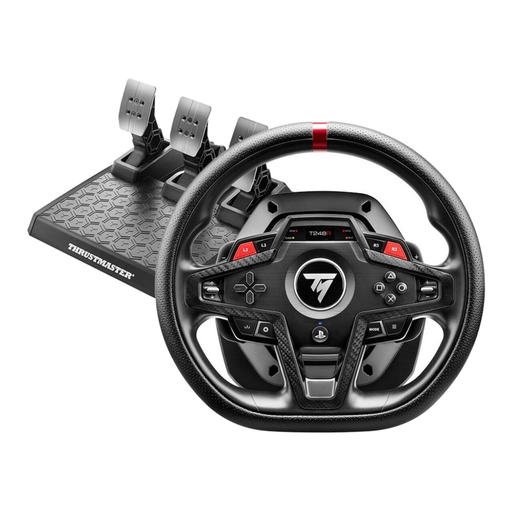
The wheel is listed for PS5, PS4 and PC. Check that it’s compatible with the game you use.
The listed contents include a T3PM three-pedal set with four brake pressure modes and a clamp for tabletops up to 45 mm thick.
The description lists 25 action buttons and an integrated LCD display.
In iRacing, the limiter won’t brake for you. According to iRacing Support, this applies to both the manual limiter and the automatic limiter described there. An assigned button only works in cars with the relevant function. Check the rules for other simulations separately.
Set up audio output on your gaming device rather than assuming the wheel has a headphone socket. PlayStation Support explains how to use headphone output on PS5, while Xbox Support lists compatible headsets for its controller. In iRacing, competing exclusive audio access can interfere with game sound.
First, check that the wheel is secure and the pedals are positioned properly. Calibrate the inputs in your simulation, then test your chosen button mapping in the car you’ll be driving. For the R5 Bundle, MOZA lists a desk clamp and adjustable pedals; iRacing explains that limiter mapping depends on the car.
If an item is faulty, consumers can generally exercise their statutory rights against the seller within two years of delivery for newly purchased goods, as explained by Verbraucherzentrale. Many online purchases also generally come with a 14-day right to cancel; Verbraucherzentrale explains the conditions and exceptions. This is separate from any voluntary manufacturer’s warranty.
Electrical waste must not go in household rubbish. The German Environment Agency lists local recycling centres and suitable take-back points at retailers, among other options.