Drivers practising pit entry
If you want to practise slowing down before the pit lane and using a pit limiter, a stable pedal position and accessible, mappable controls are essential. iRacing Support notes that the limiter doesn’t brake for you.


Choose a racing wheel and pedal set that’s compatible with your PC and game, can be mounted securely and has enough accessible buttons for the pit functions available. In iRacing, the pit limiter won’t brake for you. You’ll need to set up multiple monitors separately on your PC and in the game.
If you want to practise slowing down before the pit lane and using a pit limiter, a stable pedal position and accessible, mappable controls are essential. iRacing Support notes that the limiter doesn’t brake for you.
If you want to use pit options while driving without mixing up your inputs, check your wheel’s button layout. iRacing Support explains that pit macros can be assigned to keys or buttons.
If you use three screens, you’ll need a suitable driving position and will have to configure the display output on your PC and in the simulator. iRacing Support describes separate multi-screen and seating-position settings for this.
First, check that the brake and controls are right for your vehicle and game. Then plan the mounting and multi-screen setup separately. In iRacing, the pit limiter won’t brake for you, and pit macros can be assigned to keys or buttons (iRacing Support).
| Buying priority | What to look for when buying | Who is it important for? |
|---|---|---|
| Controlling braking and pit-lane speed | Check which pedals are included, the brake sensor type and whether the pedals can be positioned securely in your setup. | If I want to practise braking before pit entry, I need a pedal that can be positioned securely in my setup. Around 33% of consumers put brake control first. |
| Using pit functions | Check the specific game and vehicle, as well as the number and accessibility of the mappable buttons. | While driving, I want to reach the limiter or pit commands without mixing up my inputs. Around 27% of consumers prioritise access to these pit functions. |
| Driving with multiple monitors | Check the graphics outputs, monitor positions and multi-screen settings in the game you use. iRacing explains that this is configured separately from the wheel. | If I connect three screens, I want to adjust the field of view and seating position to suit my setup. Around 20% of consumers prioritise integration with a multi-screen setup. |
| Mounting and a complete set | Check individually whether the wheel, base, pedals and clamp or rig mount are included. | I want to secure the set in my space and use the intended components straight away. Around 20% of consumers prioritise mounting and a complete set. |
In iRacing, you need to slow down sufficiently before entering the pit lane yourself. iRacing Support also explains that not every vehicle has a pit limiter.
Practise braking and assigning the limiter with the vehicle you actually drive.
Display output and viewing angles are configured separately from the wheel. iRacing Support describes settings for this on your PC and in the game.
Check your graphics outputs, monitor positions and the game’s multi-screen setup separately from your choice of wheel.
According to Fanatec, the Load Cell Kit isn’t included in the documented standard package for the Fanatec CSL DD QR2 Ready2Race Bundle (5 Nm).
Check the brake sensor type for the specific bundle and see whether your preferred upgrade is available separately.
The Load Cell Kit for the CSL Pedals is a separate product. Include it when putting your setup together only if you want this type of brake.
Thrustmaster distinguishes the T248R from the older T248. A cockpit offer may also specifically exclude the wheel and pedals.
Check the full model name and the components actually included before making your decision.
In the version described, the CSL DD QR2 Ready2Race Bundle (5 Nm) is a PC set with a table clamp and CSL Pedals.
In the version described, the R5 Racing Bundle is a PC set with a table clamp.
The T248R is a hybrid force feedback set for PC and the PlayStation platforms listed.
The G29 is a wheel and pedal set with dual-motor force feedback.
The Joybuy options below include racing wheels with pedals for PC, and in some cases PlayStation or Xbox systems. Multi-screen configuration is handled by your PC and game.
 No image available
This is listed as a wheel and pedal bundle for the platforms shown; check that the version is compatible with your gaming system.
 No image available
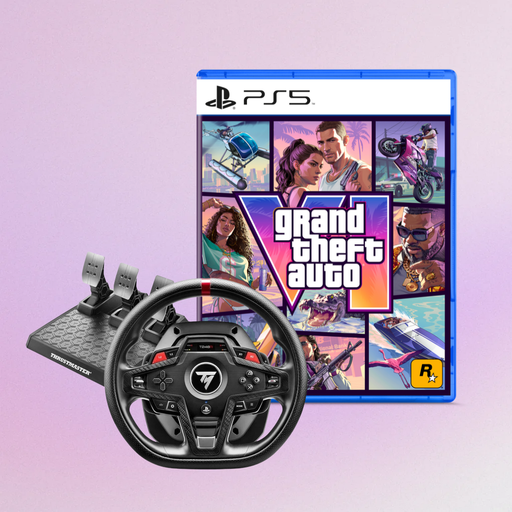
If you’re looking for plenty of easily accessible controls and a pedal set with an adjustable brake, the T248R is worth considering.
Thrustmaster lists 25 action buttons and three T3PM pedals with an adjustable brake. Check that the platforms listed are compatible with your setup.
 No image available
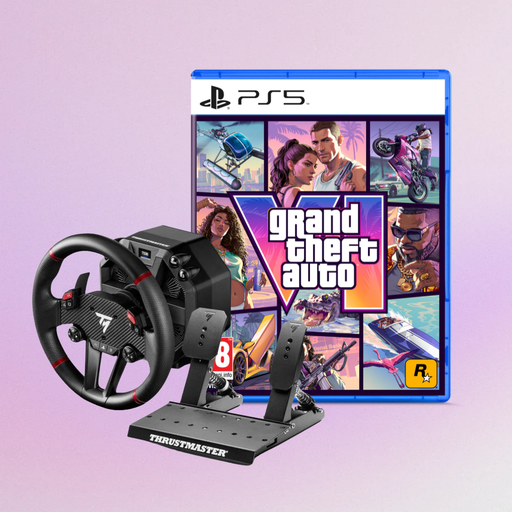
This is listed as a force feedback racing wheel for the PlayStation platforms and PC shown; check compatibility with your game.
 No image available
The T128-P is listed as a force feedback wheel for PC, PS4 and PS5; check the platform details against your gaming system.
If you use the table clamp described, it’s designed for tables up to 5.5 cm thick.
 No image available
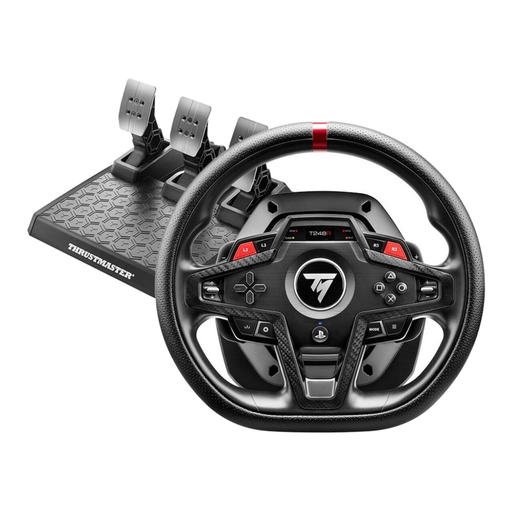
If mappable controls and adjustable braking are important to you, the T248R is a good option to compare.
Thrustmaster lists 25 action buttons and three T3PM pedals with an adjustable brake. If you use the table clamp described, it’s designed for table tops up to 45 mm thick.
No, the pit limiter doesn’t brake for you. On vehicles with a mappable limiter, it limits further acceleration; some vehicles don’t have one. Practise slowing down in the vehicle you actually drive (iRacing Support).
No, the multi-screen display is set up through your PC’s graphics output and the simulator. iRacing Support describes using a window stretched across three monitors or a full-screen mode provided by the graphics card driver.
In iRacing, measure the distance from your seated position to the centre screen, as well as the screen widths and angles, then enter these figures in the display settings (iRacing Support). Other games may work differently.
Not necessarily: in iRacing, documented pit macros can be assigned to a key or button (iRacing Support). Check the settings in other games to see whether a specific command is available.
Goods sold in the EU must comply with the applicable product safety rules. A product must carry the CE mark if the relevant regulations require it; the mark isn’t an independent quality seal (Your Europe, European Union).