Start by choosing a set that works with your gaming system and can be mounted securely at your setup. For practising your racing line, consistent steering, braking and throttle inputs matter more than maximum torque. A basic force-feedback wheel bundle may be enough to get you started, while an upgradeable direct-drive set is worth considering if you train regularly and plan to upgrade later. Compare your laps by looking at your braking point, turn-in and corner exit: the wheel alone can’t tell you whether you’re taking the right line.
Who is a racing wheel for practising racing lines suited to?
Learning racing lines at a desk
If you want to practise your braking point, turn-in and corner exit repeatedly from your chair, look for a mountable set with pedals. Sim Racing Telemetry explains how telemetry data can display details such as brake pressure, throttle and steering angle. Check whether your game or software provides this data.
Console players
If you already play on PlayStation or Xbox, make sure the exact model variant is compatible with your platform. Logitech G and Thrustmaster offer separate models or variants for different consoles.
Regular trainers planning to upgrade
If you practise regularly on PC and may want to change your wheel or pedals later, compare what’s actually included in the bundle with the available upgrades. MOZA Racing and Fanatec describe upgrade options for certain systems; accessories sold separately aren’t automatically included.
What should you look for when choosing one?
If you’re choosing a wheel and pedal set for practising virtual racing lines while seated, the key things to check depend on what matters most to you.
| Priority |
What to check before buying |
Who should pay particular attention? |
| Inputs for practising racing lines |
Check whether throttle and brake pedals are included, and whether your game or telemetry software supports them. |
If you want to compare your braking point, steering angle and throttle on corner exit repeatedly, separate, consistent inputs are important. Around 33% of shoppers are likely to prioritise practising racing lines and braking points. |
| A stable setup at your seat |
Check the desk clamp and desk measurements. Also consider whether the pedals will sit securely and be easy to reach at your setup. |
If you’re using your existing chair and want to mount the set to your desk, it needs to fit your space. Around 25% of shoppers are likely to prioritise mounting the set at their seat. |
| Platform and game compatibility |
Check the full model variant and make sure it’s supported by the specific game you play. |
If you’ve already chosen your console or PC, the set should be compatible with it. Around 25% of shoppers are likely to put platform compatibility first. |
| What’s included and upgrade options |
Check which pedals and accessories are included, and which upgrades are sold separately. |
If you may want to change your wheel or pedal feel later, a clear upgrade path is important. Around 17% of shoppers are likely to prioritise future upgrade options. |
Which buying mistakes should you avoid?
-
Assuming similar model names mean the same console compatibility
The G29 and G920, as well as the PlayStation/PC and Xbox/PC versions of the Thrustmaster T128, are not the same platform variant.
Before buying, check the full model name, the platforms it’s explicitly licensed for and the specific game you play.
-
Confusing upgradeable parts with what’s included in the bundle
A replaceable wheel, extra pedals or a separate power supply aren’t automatically part of the starter bundle. Fanatec specifies that the compatible Boost Kit 180 is required to upgrade the CSL DD to 8 Nm peak torque.
Check what’s included and make sure each upgrade is compatible before planning your setup.
Adding pedals later or buying the right power supply means an extra purchase.
-
Assuming more steering force automatically means a better racing line
A study involving 59 experienced sim racers in a particular iRacing setup reported faster laps with medium force-feedback intensity than with high or no steering force. This doesn’t prove there’s an ideal setting for every game or guarantee you’ll improve.
Start with a setting you can control. Judge your racing line by comparing repeated laps and any driving data available, rather than by maximum torque.
Key brands at a glance
These brands are relevant for the product lines outlined below. The details apply to the models and bundles described, not necessarily to every product from each brand.
Thrustmaster
The T128 range includes compact sets with a desk clamp and two pedals. The T300RS GT is a separate belt-driven range with a replaceable wheel.
- Thrustmaster says the T128 has magnetic pedal sensors. The PlayStation/PC and Xbox/PC versions are separate variants.
- The T300RS GT Edition includes T3PA-GT pedals. This specification doesn’t apply to the T128.
Logitech G
The G29 is a complete set with three pedals for PlayStation and PC. The G920 is the separate Xbox/PC option.
- Logitech G lists dual-motor force feedback and a three-pedal set for the G29 and G920.
- Console compatibility depends on the model variant you choose. Manufacturer information about feedback doesn’t prove that you’ll improve.
MOZA Racing
The R5 Bundle is a direct-drive set for Windows PCs, with a wheel, SR-P-Lite pedals and a desk clamp.
- MOZA lists 5.5 Nm peak torque for the R5 and compatible upgrades.
- MOZA says the R5 Bundle is limited to Windows PCs. The potential Xbox use of a differently configured R5 base doesn’t automatically apply to this bundle.
Fanatec
The CSL DD WRC Bundle includes a 5 Nm base, wheel, pedals and desk clamp, and is designed for Xbox and PC.
- Fanatec describes an upgrade to 8 Nm using the compatible Boost Kit 180.
- This upgrade requires the specified power supply. According to the manufacturer, a different, more powerful power supply isn’t an equivalent replacement.
Joybuy products for practising at your setup
This selection from Joybuy includes racing wheel sets for practising at a desk or from a mounted seat, with options for PC and consoles.
 No image available
Logitech G923 SE Racing Wheel + Pedals Bundle, Black
This set suits a desk setup if you want to practise steering, braking and accelerating with three pedals.
The product name lists PlayStation, Xbox, PC and Mac, as well as Direct Drive. The description lists 900° of rotation, force feedback, a pressure-sensitive brake and built-in desk clamps.
Joybuy
 No image available
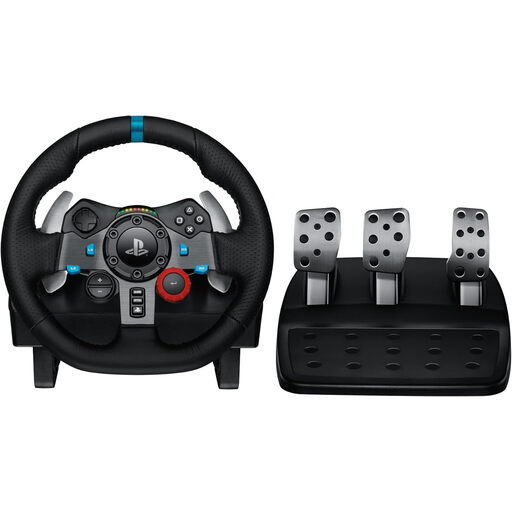
Logitech G29 Driving Force Racing Wheel
The G29 is an option if you want to drive on a supported PlayStation or PC with three pedals, including a clutch.
The product description lists PS3, PS4 and PS5, dual-motor force feedback, a pedal set and a built-in desk clamp.
Joybuy
 No image available
Thrustmaster T128-P Force Feedback Racing Wheel, Black
The T128-P is worth considering if you want to practise at a desk with two pedals and use a PlayStation or PC.
The product description lists PC, PS4 and PS5, force feedback, magnetic pedals and a steering angle of 270° to 900°. The desk clamp is designed for desks up to 5.5 cm thick.
Joybuy
 No image available
Thrustmaster T598-P Direct Axial Drive Force Feedback Racing Wheel
The T598-P suits a PS5, PS4 or PC setup if you’re looking for a force-feedback wheel with a pedal set and the option to make changes later.
The product name lists PS5, PS4 and PC. The description lists a detachable wheel, a display, a modular system and a possible brake upgrade. The wheel base and pedals need to be secured to a stable structure.
Joybuy
 No image available
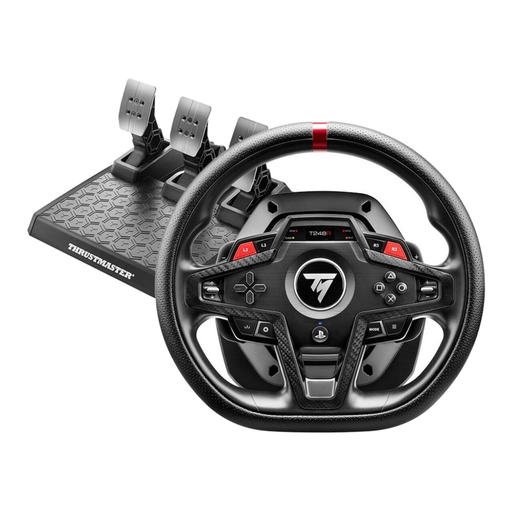
Thrustmaster T248R Racing Wheel, Black
The T248R is an option if you want a three-pedal set and an on-screen display of driving data at your desk.
The product name lists PS5, PS4 and PC. The description lists force feedback, three pedals and an LCD display with telemetry data. The clamp system is designed for desks up to 45 mm thick.
Joybuy
Frequently asked questions
How can I use a racing wheel to practise a virtual racing line?
Drive the same car and track combination repeatedly, then compare your turn-in point, braking, throttle and corner exit. If your game or telemetry software displays this data, you can check for differences between laps. An on-screen ideal line isn’t a substitute for making these comparisons.
Can I use a direct-drive wheel from my chair at a desk?
The MOZA R5 and Fanatec CSL DD bundles mentioned include a desk clamp. You’ll need to check that your desk, chair and pedals are stable in your particular setup. The clamp alone doesn’t secure the pedals.
Should I set force feedback to its strongest level straight away?
No. You don’t need maximum steering force to practise. A study involving 59 experienced sim racers in an iRacing setup reported faster laps under its test conditions with medium steering force than with high or no steering force. This doesn’t establish an ideal setting for every game or guarantee that beginners will improve.
What are my rights when shopping online, and how should I dispose of an old wheel?
When you buy online as a consumer in Germany, you generally have a 14-day right to cancel. The consumer advice centre says the cancellation period starts when the contract is concluded or when you receive the goods you ordered. According to the European Union, the statutory legal guarantee against the seller lasts for at least two years from receipt of the goods. This is separate from any voluntary manufacturer’s warranty. Electrical and electronic waste must not go in household rubbish. The German Environment Agency lists recycling centres and participating retailers as free return options.


