Desk-based drivers with limited space
If you want to practise on the track and clear your desk afterwards, mounting, pedal position and storage are key things to consider.


First, choose a wheel and pedal set that works with your platform and game, and can be securely mounted in the space you have available. For repeated steering and braking practice, a stable pedal setup and consistent force feedback are important. Direct drive is another option, provided the mounting and extra space it requires work for you.
If you want to practise on the track and clear your desk afterwards, mounting, pedal position and storage are key things to consider.
Whether you play on PC, PlayStation or Xbox, first check you’re looking at the right model version and that your particular game supports it.
For repeated cornering and braking practice, it’s important to have the right pedals and a stable setup.
First, check that the model version and game work with your system. Then decide how you’ll mount and store the wheel and pedals, and consider the type of feedback in the context of your setup.
| What matters | What to look for | Who should pay particular attention |
|---|---|---|
| Mounting and storage | Check the desk edge and whether there’s enough room for the clamp. Also consider pedal position and where you’ll store everything once it’s dismantled. | If I need my desk clear again after driving, I want to be able to set up and put away the kit without leaving a cockpit in place. Around 36% of consumers put space and dismantling first. |
| Platform and game | Check the exact model version against the game you want to play and the features it supports. | If you drive with a particular console or PC game, you need to make sure that exact combination is supported. Around 29% of consumers prioritise platform and game compatibility. |
| Pedal stability and braking | Consider the number of pedals, how they’re mounted, the floor surface and your seating position together. | If I want to practise my braking points repeatedly, I need to be able to reach the accelerator and brake from a consistent seating position, without the pedals slipping. Around 21% of consumers put pedal and braking control first. |
| Steering feel | Consider the force feedback drive and the manufacturer’s torque specifications alongside mounting and pedal stability. | If you want to choose your steering feedback carefully, weigh it up once you’ve sorted out space, platform and pedals. Around 14% of consumers prioritise steering feel. |
Product ranges can include separate PC, PlayStation and Xbox versions. A similar product name on its own doesn’t mean the version you want will work with your console and game.
Before buying, check the full model name against your system and confirm that the exact version is supported by your game.
A desk clamp secures the wheel to the edge of your desk, but the pedals sit separately on the floor and may move while you’re driving.
Check the floor, chair and pedal position together. If you’re using a stand, also make sure your particular pedal set can be mounted on it.
Bundles can vary in the number and type of pedals included. According to Logitech, the G29’s clutch function also depends on whether the game supports it. Logitech recommends the Driving Force Shifter for proper use.
Check what’s included with the exact version against the game features you want and any accessories you’ll need.
Figures such as 3,9 N·m for the MOZA R3 or 5 Nm for the Fanatec CSL DD WRC Bundle describe the hardware, according to the respective manufacturers. On their own, they don’t prove that you’ll make faster progress.
Factor the type of drive into your decision, but also check platform compatibility, mounting and pedal stability.
Logitech describes the G29 as a set with two-motor force feedback, three pedals and an integrated desk clamp, for supported PlayStation systems and PC games.
Thrustmaster offers the T128 as a force feedback set with a quick-release mounting system and a magnetic T2PM two-pedal set. PlayStation/PC and Xbox/PC versions are sold separately.
MOZA lists a direct-drive base with 3,9 N·m peak torque, pedals and a desk clamp in its R3 bundles. The PC and Xbox/PC versions come with different wheels.
Fanatec describes the CSL DD Ready2Race WRC Bundle as a set with a 5-Nm base, wheel, pedals and CSL DD desk clamp.
The foldable Wheel Stand Lite 2.0 is a mounting option for anyone who’d rather not leave their wheel and pedals attached to their desk.
The following products include force feedback racing wheels for desk-based practice, as well as direct axial drive models. Platform compatibility and any bundled games vary by version.
 No image available
For steering practice with force feedback. The product name lists PlayStation, Xbox, PC and Mac as compatible platforms. Check that the exact version works with your game.
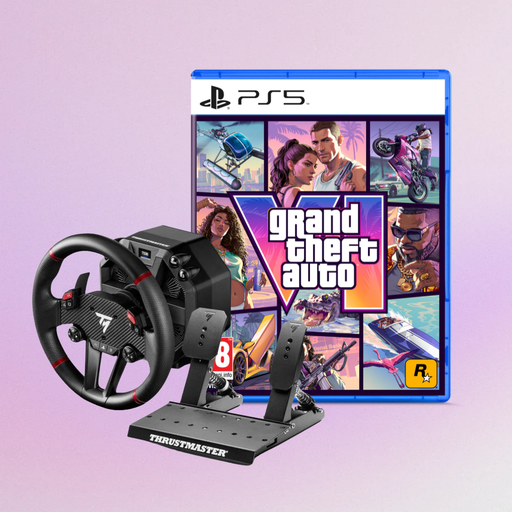 No image available
This bundle pairs a direct axial drive force feedback racing wheel with the game named in the product title. Check that the platform and game edition suit how you plan to use it.
 No image available
For steering practice with direct axial drive force feedback. The product name lists PS5, PS4 and PC. Also check that your particular game is supported.
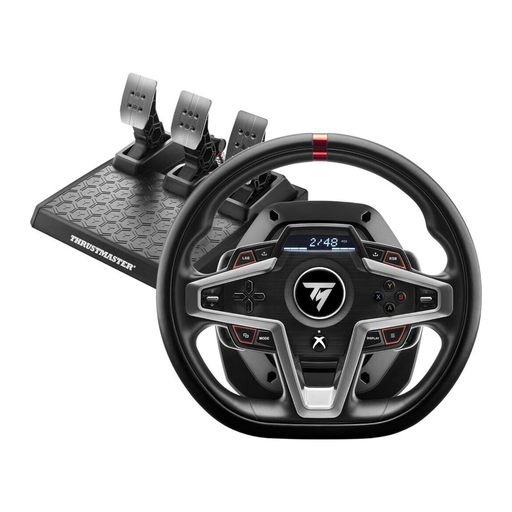 No image available
For force feedback steering practice on the Xbox systems listed in the product name or on PC. Check that the exact version works with the racing game you want to play.
A desk clamp can save you from needing a permanent cockpit, but you’ll still need a stable place for the pedals while driving. Logitech says the G29 pedals can either sit on the floor or be bolted down. A foldable stand is another option if you have floor space for it while driving.
Logitech recommends connecting the power supply and pedals before tightening the built-in clamps underneath the wheel unit. Arrange the cables so they won’t get in the way while you’re driving or when you pack everything away.
No. According to Logitech, the game you’re playing must support the clutch function. Logitech lists PlayStation 4, PlayStation 5 and PC as supported systems, and recommends the Driving Force Shifter for proper use.
When you buy goods from a trader in the EU, there is generally a minimum two-year legal guarantee from the date you receive them. The seller is responsible for this. Online purchases also generally come with a 14-day right to cancel, subject to relevant exceptions. A voluntary manufacturer’s warranty doesn’t replace your statutory rights.
For products within its remit, Germany’s Federal Network Agency lists checks including correct CE marking, identifiable manufacturer details and German-language instructions with any necessary warnings. These checks don’t confirm that a particular product listing has already been assessed.