What to look for when buying
First, check whether your game offers the pit function you want for the car you’re using. Then make sure the pedals, platform compatibility and mounting options suit your setup. iRacing Support notes that the pit limiter doesn’t brake for you.
| What matters when buying |
What to check |
Who it matters most to |
| Braking before the pit lane |
Check the pedals and box contents for the specific set; calibrate the brake in the game and practise entering the pit lane without time pressure to start with. |
If I want to hit the braking point consistently, having a suitable brake and stable pedal position matters to me. Around 33% of consumers prioritise braking precision. |
| Operating the pit limiter |
Check whether the function is available for the specific game and car, and whether it can be assigned to a wheel button that’s easy to reach. |
If you want to operate the limiter yourself as you enter the pit lane, you should be able to reach the button without losing control of the wheel. Around 27% of consumers say pit controls are their top priority. |
| Platform and game support |
Check the exact wheel model, whether you’re using a PC or console, and the functions supported by the specific game and car separately. |
If I want to keep using my existing system, the exact model variant needs to be compatible. Around 20% of consumers prioritise system compatibility above all else. |
| Mounting and longer sessions |
Check the desk clamp and box contents, and consider where you’ll mount the set, how much space you have for the pedals and which grip surface you prefer. |
For longer sessions, I want to be able to position the wheel and pedals to suit my space. Around 20% of consumers prioritise mounting and handling. |
Wheel and pedal sets at Joybuy
This selection features wheel and pedal sets for repeated braking practice and use at your gaming desk. Before you start practising, check the platform variant, the exact box contents and your game’s control options.
 No image available
Logitech G923 SE Racing Wheel + Pedals Bundle
As a wheel and pedal bundle, it could be suitable for repeated practice sessions; check that the controls you need are available in your game.
The product name lists PlayStation, Xbox, PC and Mac as platforms. Before buying, check exact compatibility with your system and game.
View at Joybuy
 No image available
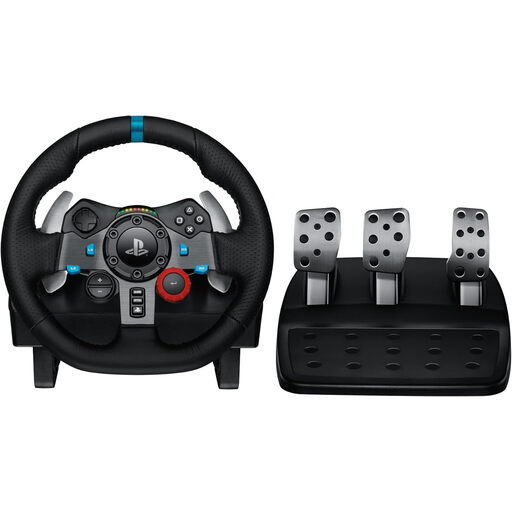
Logitech G29 Driving Force Racing Wheel
This wheel and pedal set could suit repeated braking practice if you use a compatible PlayStation or PC.
Logitech G lists the G29 for PlayStation and PC; the product name for this variant specifies PS3, PS4 and PS5. Also check whether the pit function you want can be assigned to a button that’s easy to reach in your game.
View at Joybuy
Frequently asked questions
Does the pit limiter automatically slow you down as you enter the pit lane?
In iRacing, the pit limiter doesn’t brake for you. According to iRacing Support, the manual limiter and the automatic limiter described there restrict acceleration; you need to brake yourself before reaching the speed limit. The options available depend on the car and session.
Can I assign the pit limiter to a button on my wheel?
In iRacing, you can assign the function to a control for cars that have a pit limiter. Check the options in your specific game and test the button mapping; this doesn’t mean the feature is available in every racing game.
What should I set up before a long practice session?
Position the wheel and pedals to suit your setup, then test the steering, brake and button mapping in the game first. The R5 and CSL DD bundles described by MOZA Racing and Fanatec each include a desk clamp.
Who should I contact if a product develops a fault after I buy it in Germany?
Statutory rights relating to faulty goods generally apply against the seller; a voluntary guarantee is separate. The Verbraucherzentrale and Your Europe, the European Union’s information portal, explain that new goods are generally covered by a two-year period for claims relating to defects. Whether a specific claim applies depends on the circumstances of the fault.
Can I return a wheel bought online if it isn’t faulty?
For a distance sale to a consumer, there is generally a 14-day right to cancel. The Publications Office of the European Union notes that statutory exceptions apply; the specific circumstances of the contract should be taken into account. The right to cancel is separate from claims relating to faulty goods.


