Beginners with a triple-monitor PC
You want to get your steering and field of view set up just right. Additional screens are a separate display and graphics setting, not a feature of the wheel.


Choose a wheel with pedals that’s compatible with your platform and racing game, and can be mounted securely and calibrated accurately. For consistent braking points, the pedals and their settings are just as important as the steering feel. Triple monitors are set up separately in the simulator and through your graphics output.
You want to get your steering and field of view set up just right. Additional screens are a separate display and graphics setting, not a feature of the wheel.
You practise corner entries repeatedly and want to consider the pedals and their calibration carefully when choosing your setup.
You want to choose a drive system and potential upgrade options to suit your needs, and can check whether the mounting system and available space will work with your setup.
First check your platform and game, then the pedals and drive system. Finally, make sure the mounting options and independently configured multi-screen view suit your driving space.
| Priority | What to check before buying | Who cares about this? |
|---|---|---|
| Steering feel and consistent inputs | Check the drive system, what’s included in the set, game compatibility and the steering and force feedback settings available. | If I want to take the same corner repeatedly, having suitable, adjustable steering matters more to me than a single torque figure. Around 31% of consumers focus primarily on steering feel and repeatable inputs. |
| Controlled braking points | Compare the pedal set, brake sensor and available settings in your simulator. | If I’m practising braking points, I want to know which pedals are included and how I can adjust them in the game. For around 25% of consumers, braking control comes first. |
| Game, platform and monitors | Check the exact platform variant and racing game support. For iRacing, measure your seating distance, screen widths and side-monitor angles. | If I want to race with several screens, the display needs to work with my game and platform, regardless of the wheel’s drive system. Around 25% of consumers prioritise getting this setup right. |
| Mounting and what’s included | Check that it can be mounted to your specific desk or cockpit, and separately confirm whether a clamp, pedals and monitors are included. | If I’m building my setup around my existing driving space, I need a suitable mount and a clear list of what’s included. For around 19% of consumers, setting up their driving space is their main buying priority. |
The percentages are rough, topic-specific guides, not survey results.
For iRacing, iRacing Support describes both a window spanning three monitors and a display combined through the graphics card. Its guide to seating position takes the distance to the central screen, monitor widths and angles into account when setting the field of view. New controllers need to be calibrated in iRacing.
Multi-screen display is set up in the simulator and through your graphics output, not by the wheel motor.
First check the game, graphics connections, monitor arrangement and field-of-view settings. Then choose your wheel based on its controls, pedals and platform compatibility.
MOZA describes the R5 figure as peak torque, while Thrustmaster quotes constant torque for the T598. These figures refer to different things.
Read each manufacturer’s specifications in context and compare the complete set, rather than looking at the figures alone.
What’s included depends on the specific set. Thrustmaster lists a separate kit for desk mounting the T598.
Check the contents of the exact model, how it can be mounted and which pedals are included.
A separate mounting part or a later pedal upgrade may mean extra purchases and installation work.
For a Joybuy cockpit with a triple-monitor mount, the monitors, wheel and pedals are explicitly listed as not included.
Check the product category and what’s excluded from the package, even if the title mentions compatible wheel models.
With this type of cockpit offer, you may need to buy the wheel, pedals or monitors separately.
The G29 and G920 are wheel-and-pedal sets for different platforms.
The range includes various belt-driven and direct-drive options.
The R5 Racing Bundle is a PC-focused direct-drive set with pedals and a desk clamp.
The CSL DD QR2 Ready2Race GT3 Bundle is a direct-drive option for Windows PC and Xbox.
PXN lists the V10 as a PC-compatible racing wheel.
The selection below includes racing wheels for different platforms, as well as a bundle with a console and racing wheel. Before buying, check the exact model variant, game compatibility and listed contents.
 No image available
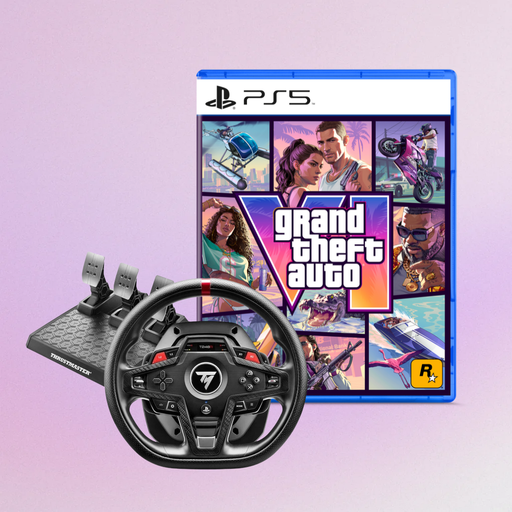
The product name lists a racing wheel with pedals for PlayStation, Xbox, PC and Mac. Check support for your specific platform and game.
 No image available
The product title describes a force feedback racing wheel for PS5, PS4 and PC, plus GTA VI as a PS5 German Edition in code-in-a-box format. Check compatibility with your specific game.
 No image available
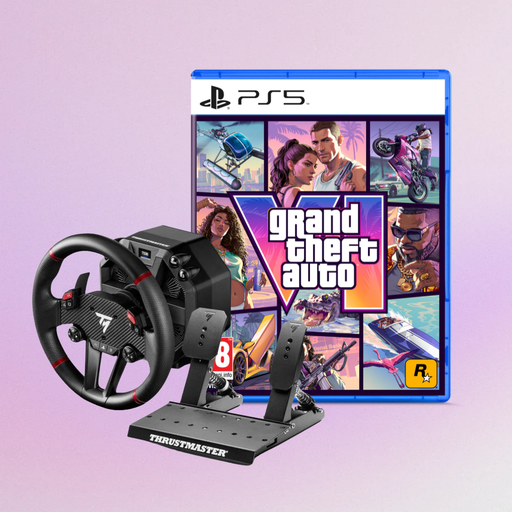
According to Thrustmaster, the T598-P is designed for PlayStation and PC. The manufacturer lists 5 Nm of constant torque and two pedals. The product title lists GTA VI as a PS5 German Edition in code-in-a-box format.
 No image available
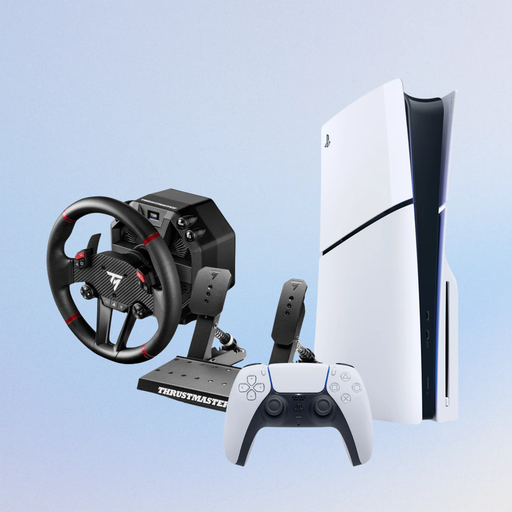
The product title lists a PS5 Slim Disc Edition 1TB with a T598-P racing wheel for PS5, PS4 and PC. Check that this console and wheel bundle suits your existing setup.
 No image available
The product name describes a force feedback racing wheel for PC, PS4 and PS5. Check support for your racing game and the exact variant before buying.
No. The iRacing guide doesn’t require a particular class of wheel for a three-monitor setup. Check the wheel and display output separately: iRacing Support describes both a window spanning three screens and a display combined through the graphics card.
From your usual seating position, measure the distance to the central monitor, the width of each screen including and excluding its bezel, and the angle of the side monitors. iRacing Support describes these measurements as the basis for setting the field of view; other games may have their own menus and requirements.
In iRacing, you need to calibrate the controls during initial setup and whenever you connect new controllers. The iRacing guidance on Brake Force Factor distinguishes between potentiometer and load-cell pedals; don’t apply specific settings to other simulators without checking first.
Check whether the desk mount you want and compatible pedals are included in the set; for example, the T598 Desk Mounting Kit is sold separately. For distance contracts involving consumer goods, § 355 BGB generally provides a 14-day cancellation period, while § 312g BGB sets out exceptions. If goods are faulty, § 437 BGB provides further buyer rights; these claims are separate from the right to cancel. This information comes from Gesetze im Internet, provided by the Federal Ministry of Justice and the Federal Office of Justice.
The Federal Network Agency lists checks for market surveillance that include correct CE marking, identifiable manufacturer details and German-language instructions with any necessary warnings. This doesn’t confirm that an individual offer complies with the requirements.