Considerate evening gamers
If someone else needs peace and quiet in the bedroom, click and scroll-wheel noise should be key factors in your choice. Check both separately.


For railway management games in a shared bedroom, a mouse with explicitly quiet main buttons is a sensible starting point. Assess the scroll wheel and middle click separately. In Transport Fever 2, zoom and camera controls use the scroll wheel and middle button, among other controls, as described by the Transport Fever 2 Wiki. If you often switch between the map and long lists, look for controlled scrolling and easy-to-reach buttons. A quiet everyday mouse could suit you, though depending on the model it may have fewer extra buttons than a gaming mouse.
If someone else needs peace and quiet in the bedroom, click and scroll-wheel noise should be key factors in your choice. Check both separately.
If you often zoom and pan around maps or work through longer menus, controlled scrolling and an easy-to-reach middle button can make a difference. In Transport Fever 2, the scroll wheel and middle button are part of the camera controls, as the Transport Fever 2 Wiki explains.
For longer sessions, choose a shape that suits your hand size and whether you’re left- or right-handed. Buttons should also be easy to reach without having to shift your grip uncomfortably.
First, assess the main buttons, scroll wheel and middle click separately. Then consider scroll control, fit and the features you’ll actually use.
The Transport Fever 2 Wiki says that in Transport Fever 2, you zoom using the scroll wheel and move the camera using the middle button. Controls may differ in other games.
| Buying criteria | What to look for | Who should pay particular attention? |
|---|---|---|
| Click and scroll-wheel noise | Assess the main buttons, scroll-wheel movement and middle click individually. A claim that the buttons are quiet doesn’t automatically tell you anything about the wheel. | If you play in the evening while someone else in the same room needs peace and quiet, you’ll want repeated inputs to be as unobtrusive as possible. Around 36% of consumers say low noise is their main concern. |
| Maps, zoom and lists | Test whether the scroll wheel and middle button are easy to control and hold down. A fast-scrolling mode may not be suited to precise zooming. | If you often switch between the map, camera movement and long menus, controlled scrolling is essential. Around 29% of consumers prioritise map controls. |
| Fit and reach | Compare the size and handedness, and check whether you can reach the scroll wheel and side buttons without changing your grip. | For longer sessions, you’ll want a shape that fits your hand and feels comfortable to use. Around 21% of consumers say fit is their most important selection criterion. |
| Connection and extra buttons | Check which connection you need and decide whether you’ll actually use programmable buttons. | If you want a straightforward connection and just the features you need, choosing the right type of connection matters more than a long list of specifications. Around 14% of consumers prioritise a simple set-up. |
A manufacturer’s claim about quiet main buttons doesn’t automatically cover the scroll wheel or middle click. These inputs can be important for zooming and camera movement.
Check the buttons, scroll-wheel movement and middle click separately, ideally in a quiet environment.
A high maximum DPI doesn’t prove that a mouse is quiet, has a suitable shape or offers controlled scrolling.
Base your choice on the inputs your game actually uses and whether you can control the pointer and scroll wheel comfortably.
A Joybuy listing for the CORSAIR KATAR PRO XT gives different model names in the title and description. This makes it unclear which version is being offered.
Before buying, compare the full model name and connection type with the manufacturer’s details. Don’t assume conflicting versions are identical.
The M650 and MX Master 3S are worth considering if quiet operation and scrolling features matter more to you than a dedicated gaming profile.
The GENTIX SILENT is a straightforward wired option if quiet buttons matter more to you than extra gaming buttons.
The KATAR PRO XT is a wired gaming mouse for players who prioritise programmable inputs.
According to the manufacturer, the Pro Click Mini is a compact mouse with quiet switches and a selectable scroll mode.
The Yvi+ is a compact wireless mouse for everyday work; it isn’t explicitly marketed as a gaming mouse.
This selection includes mice for quiet operation, map controls and different connection or feature requirements.
 No image available
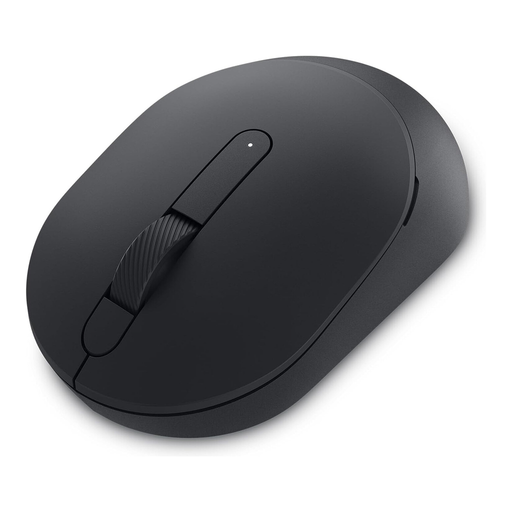
An option if you’re looking for an office mouse described as quiet, with wireless connectivity and adjustable pointer speeds.
The product name lists 2.4G+BT, multiple DPI settings and a 1xAA battery.
 No image available
This mouse is worth considering if you’re looking for a model described as quiet and fitted with a scroll wheel.
Check the main buttons, scroll wheel and middle click separately to make sure the operating noise suits your use in the bedroom.
 No image available
A possible choice if you switch between precise map zooming and fast scrolling through long lists.
Logitech describes this model as having quiet clicks and a quiet MagSpeed wheel. These are manufacturer claims, not independent noise measurements.
 No image available
The L version is described as a model for large hands; Logitech lists SilentTouch and SmartWheel for the M650 series.
Check that the size suits your hand and that the connection type meets your needs.
 No image available
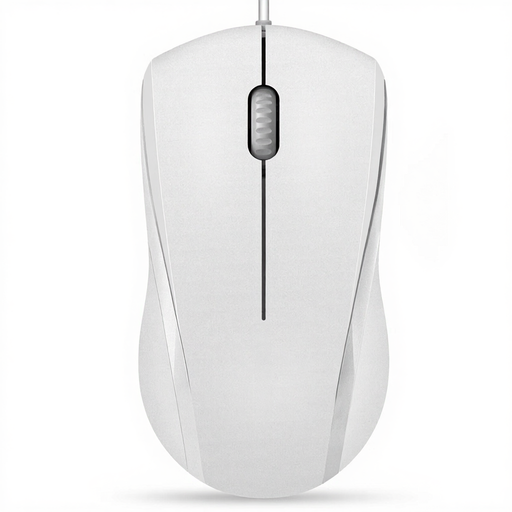
A straightforward wired option if you’re looking for a symmetrical shape and quiet left and right buttons.
The product details explicitly don’t describe the middle click as quiet; near-silent scrolling is only mentioned for slow scrolling. The product name lists three buttons and a 5ft cable.
The controls in Transport Fever 2 don’t point to any particular minimum DPI. First, check whether you can control the pointer, scroll wheel and middle button comfortably for map navigation. Other games may use different controls.
In Transport Fever 2, you zoom using the scroll wheel by default. Holding down the middle button rotates or tilts the camera, while the right button pans it. The game manual also covers mouse settings and key bindings.
Assess the main buttons, scroll wheel and middle click separately, as a claim about quiet buttons doesn’t cover every input. If you play in a shared room, test the noise in a quiet setting if possible.
For products covered by the relevant rules, Germany’s Federal Network Agency lists correct CE marking, traceability and accurate manufacturer details among the points to check. For wireless products, the applicable requirements for radio equipment are also relevant; a brand name alone doesn’t prove that a specific version complies.
For online purchases from a business seller, you generally have a 14-day right to cancel, subject to statutory exceptions and the specific terms. This right is separate from your statutory warranty rights if the goods are faulty.