Rally drivers with a compact rig
If you want to position a single screen close to your seat and keep your rig narrow, the monitor’s width, stand and mounting options matter more than choosing the largest possible screen.


Choose a single monitor based on your viewing distance, the space available on your rig and how your chosen rally game displays its image. A 21:9 screen can be a good middle ground, 16:9 may suit a compact setup, while 32:9 takes up more space and demands more graphics power. Then check what frame rate your PC can actually deliver at your chosen resolution through the connection you plan to use. A higher refresh rate or wider screen alone won’t prove that your training is more effective.
If you want to position a single screen close to your seat and keep your rig narrow, the monitor’s width, stand and mounting options matter more than choosing the largest possible screen.
Compare the frame rate your PC achieves in your game at your chosen resolution, rather than looking at the monitor’s maximum refresh rate in isolation.
If you have room on your rig for a 21:9 or 32:9 screen, also check whether your game supports the format and whether your seating position lets you make good use of the larger display area.
A good fit if: you have limited space on your rig or don’t prioritise extra screen width.
The trade-off: You get less horizontal screen space than with an ultrawide display.
A good fit if: you want more screen width and the monitor, game and PC suit your setup.
The trade-off: This format sits between 16:9 and 32:9. What the game actually shows depends on its display and camera settings.
A good fit if: your rig has enough space and your game displays the format well.
The trade-off: A 32:9 monitor with 5120 × 1440 pixels takes up more space and demands more graphics power than a 3440 × 1440 model.
| Priority | What to check before buying | Who is it important for? |
|---|---|---|
| Usable field of view | Measure the distance from your eyes in your normal driving position and check the available width on your rig; check the format and camera settings in your specific game. | If I want to adjust the view to suit my seating position and the in-game camera, that matters more to me than screen size. Around 36% of consumers say a usable field of view is their top buying priority. |
| Smooth visuals | Check your frame rate in your game at your target resolution; compare the monitor’s specifications for the input you plan to use. | If I want a consistent image without pushing my PC beyond its capabilities, the right combination of resolution and frame rate comes first. Around 29% of consumers prioritise this. |
| Space and mounting | Check the monitor’s width and stand depth against your rig; check the VESA pattern and the mount’s load capacity. | With limited room around my driving seat, I want to know whether the screen and mount will fit securely in the space available. Around 21% of consumers put placement and mounting first. |
| Running costs and cover | Compare the EU energy label for the specific model; for OLED, check the warranty terms and your statutory rights separately. | If ongoing energy use and the terms of any cover after purchase matter to me, I check both before deciding. Around 14% of consumers rank this as their top priority. |
Screen size alone says little about the view you’ll get while driving. Your seating position and the in-game camera affect what you see.
Measure the distance between your eyes and the screen in your usual driving position, and check the camera settings for your specific game before comparing formats. iRacing’s seating-position guide explains a method for iRacing; its steps don’t automatically apply to other games.
The frame rate you can achieve also depends on your PC, game, resolution and input. For example, Dell lists different maximum rates for DisplayPort and HDMI on the Alienware AW3423DWF.
Check how your PC performs in your own game at your target resolution, and read the specifications for the connection you’ll actually use.
Xiaomi gives the G34WQi’s figure as MPRT, while LG lists a GtG figure for the 34GN850P-B. The measurement labels aren’t directly comparable.
Read the measurement method and its conditions alongside the response time in milliseconds. Don’t use the figures to rank models without checking how they were measured.
A manufacturer’s warranty is voluntary and comes with its own terms. Your statutory rights against the seller are separate, as explained by Verbraucherzentrale.
For an OLED model, check the warranty terms for the specific model and offer, and consider them separately from your statutory rights.
The G34WQi is a 34-inch 21:9 option for a single ultrawide setup.
The UltraGear 34GN850P-B is a 34-inch 21:9 IPS option.
The MAG 341CQP QD-OLED is a 34-inch 21:9 option.
The Odyssey OLED G9 G93SC, model number LS49CG934SUXEN, is an especially wide 32:9 single monitor.
These products cover single-monitor setups in 16:9, 21:9 and 32:9 formats. Compare the screen area and resolution with the space on your rig and your PC’s performance in your specific rally game.
 No image available
A 21:9 option if you want more horizontal screen space from a single display.
3440 × 1440 pixels, 200 Hz, FreeSync and a height-adjustable stand.
 No image available
A 21:9 option if your rig has room for a 34-inch monitor and you want to make use of the wider display area.
3440 × 1440 pixels and up to 180 Hz. Xiaomi Germany lists 1 ms MPRT; this measurement isn’t directly comparable with GtG figures. Xiaomi states that the monitor is 811.3 mm wide with the stand, with a VESA pattern of 75 × 75 mm.
 No image available
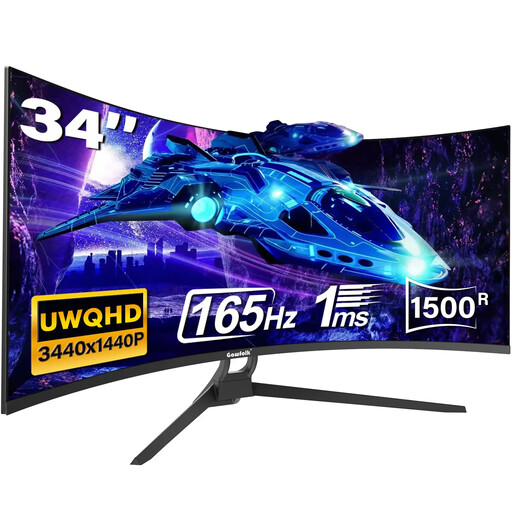
A wide single-monitor option if the format and mounting are right for your rig.
21:9, 3440 × 1440 pixels, 165 Hz and 1500R curvature. HDMI 2.1, DP 1.4 and a VESA pattern of 75 × 75 mm are listed; the response time is given as 1 ms MPRT.
 No image available
A 32:9 option for a rig with enough room and a PC capable of handling the native resolution in your chosen game.
5120 × 1440 pixels, 165 Hz, 1500R curvature and VESA mounting are listed. HDMI 2.1 and DP 1.4 are listed as connections. The larger screen area and higher resolution need more space and graphics power than a 3440 × 1440 setup.
 No image available
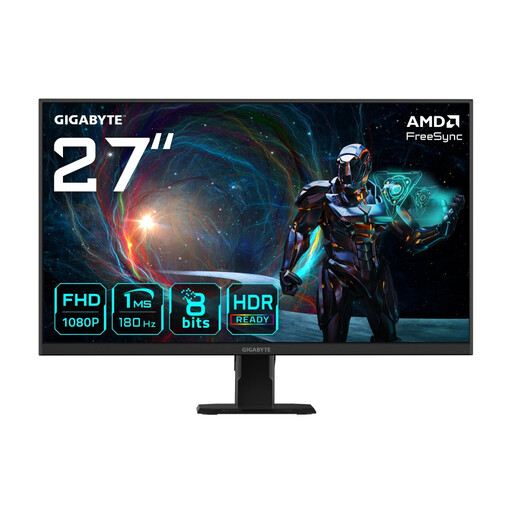
A 16:9 option if space on your rig is limited or extra screen width isn’t your top priority.
IPS panel, 1920 × 1080 pixels, 180 Hz, FreeSync and a VESA pattern of 100 × 100 mm. Compared with an ultrawide, this format offers less horizontal screen space.
Measure the shortest distance between your eyes and the screen, as well as the screen’s width, in your usual driving position. iRacing explains how to calculate the settings for its own display; don’t apply those figures to other games without checking. For EA SPORTS WRC, Electronic Arts lists separate sliders for cockpit and external cameras. The English-language information page doesn’t confirm general support for every ultrawide format.
Not on its own. What matters is also the frame rate your PC can deliver in your specific game at your chosen resolution through the connection you’re using. Dell lists different maximum rates for DisplayPort and HDMI on the Alienware AW3423DWF.
Compare the dimensions of the specific monitor with the space available, and check that the mount can support its weight. VESA mounting patterns vary by model; Xiaomi lists 75 × 75 mm for the G34WQi.
Compare the EU energy label for the specific device. If a product is faulty, you have statutory rights against the seller; a voluntary manufacturer’s warranty is separate, as explained by Verbraucherzentrale. Many online purchases of goods are generally covered by a 14-day right to cancel; check the relevant conditions and exceptions.
The European Commission classifies computer monitors as electronic displays covered by EU energy labelling rules. Germany’s Electrical and Electronic Equipment Act also governs the handling of waste electrical equipment; the Federal Environment Agency explains the legal framework.