If you often edit RAW files directly from an external drive or use it on the go, start by considering a portable SSD. For a large archive that you access less often, an external HDD may also be suitable. Work out the capacity you need based on your current collection and expected growth, and check that the connection and cable are compatible with your computer. A single drive is not an independent backup of your files.
Which type of drive is right for you?
A RAW archive when internal storage is limited
If you want to move a growing photo collection to an external drive, choose its capacity based on the storage you currently need and how much you expect your collection to grow. Western Digital and Toshiba offer portable HDDs with stated capacities that may suit this kind of archive.
Photographers who regularly edit RAW files
If you often access original files stored externally, consider the drive and your computer’s connection together. Adobe explains that photos can be stored separately from the Lightroom Classic catalogue, while the peak SSD speeds quoted by Samsung depend on having a compatible host device and cable.
Photographers who need a backup
If you want to free up internal storage without keeping your RAW files only on an external drive, you’ll need a separate backup. Germany’s Federal Office for Information Security recommends backing up data regularly. Adobe also points out that a catalogue backup does not automatically include image files.
What should you check before buying?
First decide whether the drive will mainly be used for archiving or as a working drive. Then you can choose a capacity, connection and file system that suit your day-to-day use, and plan an independent backup.
Portable external SSD
A good fit if: you often transfer RAW files or edit them directly from an external drive, and want something compact.
Things to consider: Check the capacity and specific model. Advertised peak speeds aren’t guaranteed on every computer.
Portable external HDD
A good fit if: you want to store lots of RAW files externally or archive photos you use less often, and working directly from the drive isn’t your main priority.
Things to consider: If you often work directly from the drive, check that the specific HDD suits the way you access your files. Toshiba says the Canvio Basics needs to be reformatted for use with a Mac.
| What you need |
What to check before buying |
Who should pay particular attention |
| Space for your current collection and future growth |
Compare the size of your folders and typical growth with the capacity of the specific model. |
If I move my RAW collection to an external drive, I want it to have room for new photos too. That’s why around 33 % of consumers put sufficient capacity first. |
| Speed when importing and editing |
Check that your computer’s port and cable meet the conditions stated by the manufacturer. |
If I regularly transfer large RAW folders or edit files directly from the drive, the right workflow matters to me. That’s why around 27 % of consumers prioritise editing and data transfer. |
| Keeping your RAW originals safe |
Plan for an additional, separate backup location, and account for catalogue files and image files separately. |
If the external drive held my only remaining copy, a drive failure could put my photo collection at risk. That’s why around 20 % of consumers prioritise an independent backup. |
| Portability and connectivity |
Check the connector, included cables and file system of the specific model. |
If I want to use the drive with several devices, its connections and file system need to suit the way I switch between them. That’s why around 20 % of consumers put portability and compatibility first. |
Which buying and usage mistakes should you avoid?
-
Assuming that RAW files are backed up just because they’re stored externally
If moving your files leaves you with only one external copy, a single drive failure could put your photo collection at risk. Germany’s Federal Office for Information Security recommends regular backups. Adobe says that a Lightroom Classic catalogue backup does not automatically include image files.
Before deleting the original files from your computer, make a separate copy and check that you can open files from it.
Allow for an additional, separate backup location and time to check that the backup works.
-
Assuming advertised peak SSD speeds are guaranteed in everyday use
Samsung states that the maximum speeds quoted for the T7 Shield require a compatible host device, suitable cable and UASP. A USB specification alone doesn’t tell you what transfer speeds your computer will achieve.
Check your computer’s port and cable before buying, and treat manufacturers’ figures as conditional peak speeds.
Depending on your computer, you may need a suitable cable or compatible port.
-
Filling a drive set up for Windows without checking first
Toshiba specifies NTFS as the file system for the Canvio Basics on Windows and says it needs to be reformatted for use with a Mac.
Check the operating system and file system of the specific model before copying your RAW collection to it.
If you need to reformat it later, you’ll need another place to store your files temporarily and time to move everything over.
-
Confusing a manufacturer’s warranty with your statutory rights
In Germany, statutory consumer rights relating to faulty goods apply against the seller; a voluntary manufacturer’s warranty is separate. The Verbraucherzentrale describes the statutory warranty for consumer purchases as generally lasting two years.
Check the seller, proof of purchase and warranty terms for the specific model separately.
Which brands are worth considering?
Samsung
Portable SSDs such as the T7 Shield may suit buyers who regularly work with RAW files and are considering a drive with a protective casing.
- Samsung quotes read speeds of up to 1.050 MB/s and write speeds of up to 1.000 MB/s for the T7 Shield. These manufacturer figures require a compatible host device, suitable cable and UASP.
- The IP65 rating is based on a controlled test and doesn’t guarantee protection against every kind of water damage. Samsung excludes liquid and dust damage from its warranty.
Kingston
The portable XS1000 is worth considering if you’re looking for a compact drive to use with USB-A and USB-C devices.
- Kingston offers XS1000 models with 1 TB and 2 TB capacities, quoting read speeds of up to 1.050 MB/s and write speeds of up to 1.000 MB/s. The manufacturer says cables and adapters are included.
- These are peak speeds quoted by the manufacturer, not measurements taken on your computer.
Western Digital
WD Elements Portable is an HDD range for storing photo collections externally. The specific 4-TB model described here has the model number WDBU6Y0040BBK-WESN.
- Western Digital specifies a 4 TB capacity for this model and says it connects to USB 3.2 Gen 1 and USB 3.0 devices.
- The model described is an HDD, not an SSD, so you shouldn’t expect SSD-style performance.
Toshiba
Canvio Basics is a portable HDD range for a straightforward RAW archive. The 4-TB model is listed as HDTB540EK3CA.
- Toshiba specifies USB bus power and USB 3.2 Gen 1.
- Toshiba says the drives come formatted as NTFS for Windows. They need to be reformatted for use with a Mac.
Crucial
External SSDs such as the X9 Pro range may be worth comparing, but check the available models and their service terms individually.
- Crucial says valid warranty claims will continue to be handled while it winds down its consumer business.
- The manufacturer warns that replacement stock is limited. A replacement product may not be available; for eligible claims, Crucial describes a refund under the stated conditions.
Joybuy products for RAW files
This selection includes portable external HDDs for storing photo collections and external SSDs for more frequent file access. Choose a capacity, connection and backup plan to suit your workflow.
 No image available
WD Elements Portable 5 TB USB-C
A portable HDD to consider if you want to store a photo collection externally.
5 TB; USB-C; USB 3.2 Gen 1; described as a 2.5-inch drive weighing 240 g.
View at Joybuy
 No image available
Samsung Portable SSD T7 2 TB, Indigo Blue
An external SSD for regularly accessing RAW files stored externally.
2 TB; USB 3.2 Gen 2; the product description lists USB-C-to-C and USB-C-to-A cables.
View at Joybuy
 No image available
WD My Passport 5 TB, USB 3.0
A portable HDD to consider if you want to store RAW files externally and make use of the stated encryption feature.
5 TB; USB 3.0; the product description lists 256-bit AES hardware encryption and password protection.
If you use it with an operating system other than Windows, the stated Windows format may need to be changed.
View at Joybuy
 No image available
Samsung MU-PG2T0B 2 TB USB Type-C
A portable SSD for storing and transferring RAW files externally.
2 TB; USB 3.2 Gen 2x2; the product description lists sequential read and write speeds of up to 2.000 MB/s, along with USB-C-to-C and USB-C-to-A cables. Check that your host device supports the connection required.
Described as compatible with PCs and Macs.
View at Joybuy
 No image available
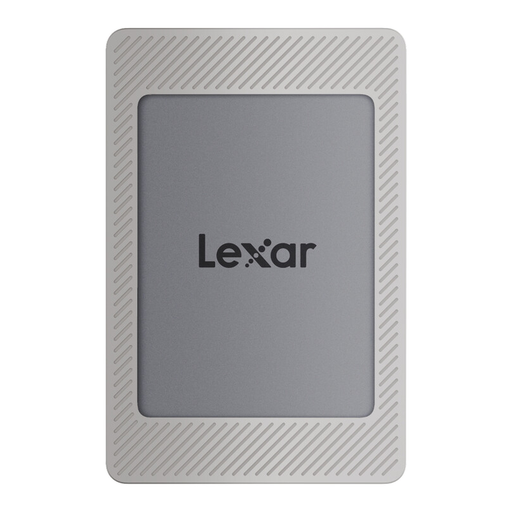
Lexar ES4 Portable SSD Magnetic Set 2 TB
A portable SSD for RAW files stored externally, if the stated capacity suits your collection.
2 TB; USB 3.2 Gen 2; the product description lists read speeds of up to 1.050 MB/s and write speeds of up to 1.000 MB/s, as well as USB-C-to-C and USB-A-to-C cables. These are quoted peak speeds.
Described as compatible with PCs and Macs.
View at Joybuy
Frequently asked questions
Can I store RAW files externally and continue editing them in Lightroom Classic?
Yes. Lightroom Classic can link to photos stored on an external drive. Adobe explains that photos can be kept in different locations. Make sure you can access the drive reliably, and check the links in your catalogue if you move files or connect the drive differently.
Does a Lightroom Classic catalogue backup also back up my RAW files?
No. Adobe describes a catalogue backup as a backup of the catalogue file, not an automatic backup of image files. Make sure you back up your RAW originals and exports separately.
Should I check an external Toshiba HDD before using it with a Mac?
Yes. Check the file system of the specific model before adding your files. Toshiba says Canvio Basics drives are formatted as NTFS for Windows and need to be reformatted for use with a Mac. This information applies to the product range and may not apply to every drive.
What are my rights in Germany if a drive I’ve bought is faulty?
For consumer purchases, statutory rights against the seller are separate from a voluntary manufacturer’s warranty. The Verbraucherzentrale describes the statutory warranty as generally lasting two years; your specific rights depend on the fault and the circumstances of the purchase.
Am I guaranteed a replacement drive if I make a valid Crucial warranty claim?
No. Crucial says replacement products may not be available while it winds down its consumer business. For eligible claims where no replacement is available, the manufacturer describes a refund under the stated conditions. Your statutory rights against the seller should be considered separately.


