
Lieferung heute & morgen

Qualitätsgarantie

Willkommens-Angebote freischalten: KOSTENLOSE Lieferung | Bis zu 80 % RABATT | Kostenlose 30-Tage-JoyPlus-Testphase
App herunterladen
A RayNeo Air 4 Pro AR glasses can display films, games and short videos on a virtual large screen without needing a television or projector. For many shoppers, that sounds like a straightforward solution for a private cinema. In practice, however, satisfaction depends heavily on connectivity, the source device and your usage scenario.
If you're looking to buy XR glasses, HDR10 AR glasses or video glasses for iPhone, you shouldn't just focus on the advertised screen size. What really matters is the actual compatibility, the refresh rate and the power supply.
Claims like "201-inch cinema screen" describe the perceived virtual display area. The glasses don't create a real screen of that size in the room. Instead, the image is projected within your field of view. For films and games, this can deliver an immersive, large-scale viewing experience, but the effect depends on your viewing distance, fit and personal perception.
A USB-C port can transmit data, video signals or just power. For a USB-C video glasses to work, the connected device must typically support video output over USB-C, often via DisplayPort Alt Mode. With smartphones, tablets, computers and games consoles, additional adapters may be needed.
Before you buy, you should check:
According to the manufacturer, the RayNeo Air 4 Pro features HDR10, up to 120 Hz and SDR content processing. That doesn't mean every video will actually play in HDR or at 120 frames per second. The source, the cable, the app and the connected device must all support the respective output.
For films, HDR10 is mainly relevant with compatible content. For gaming, a high refresh rate can make motion appear smoother, provided your console or handheld can output that frame rate.
The RayNeo Air 4 Pro is advertised with an HDR10 display, a Vision-4000 chip and a virtual 201-inch HueView 2.0 display. The manufacturer also claims it can show over ten billion colours. You should treat these as product features from the manufacturer; the visible effect also depends on the source material and your settings.
As a 3D glasses for films and gaming, this model supports native 3D content and can convert 2D material into a 3D display, according to the description. Check beforehand whether your preferred streaming apps and video files work with the intended 3D mode. Conversion doesn't automatically replace a natively produced 3D video.
The advertised AR glasses with 120 Hz are particularly interesting for gaming. For consoles like PS4 and PS5, or handhelds like Steam Deck and Nintendo Switch 2, the available frame rate depends on the game, output settings and adapter. According to the manufacturer, connection is via USB-C. For iPhone models or devices without a suitable video output, additional hardware may be required.
The product weight is stated as 76 g. Adjustable nose pads and flexible temples are designed to make fitting easier. The open design lets you still hear ambient sounds, which can be practical at home or on the go. Four speakers are intended to deliver spatial-sounding audio, according to the manufacturer. An optional sound tube accessory is sold separately.
The claims about 3840 Hz dimming, reduced blue light and flicker-free display are manufacturer statements, not medical recommendations. If you experience discomfort, you should stop using the glasses and consult a doctor if necessary. The glasses are not intended as protective or medical equipment.
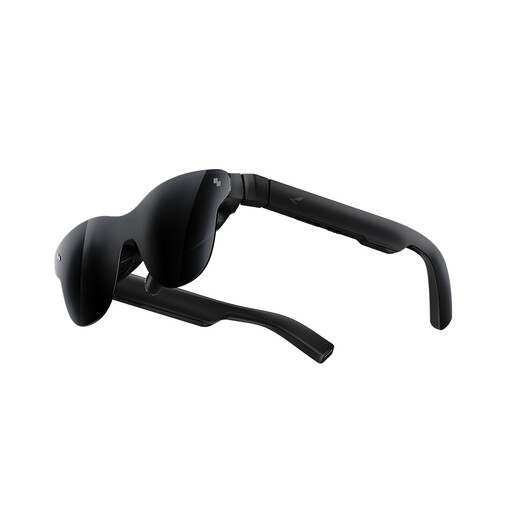
Why this product fits the profile: For users who want to watch films and games on a private virtual large screen and already own a compatible USB-C device.
The relevant details about USB-C, 120 Hz and supported devices can be checked before purchase. This helps reduce the risk of an incompatible connection.
According to the manufacturer: HDR10, up to 120 Hz, 3D support, four speakers and a stated weight of 76 g.
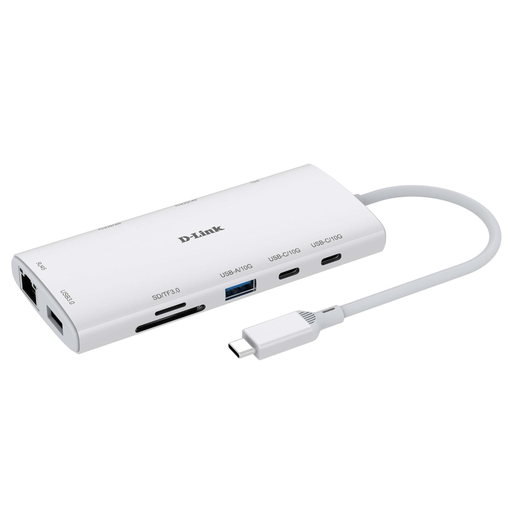
Why this product fits the profile: As a supplementary connectivity solution for users who want to connect video glasses to a laptop or tablet and use other devices at the same time.
The hub consolidates multiple ports. However, you still need to check whether the host port and the specific adapter support the desired video output.
Two HDMI ports, USB data ports, card reader, Gigabit Ethernet and USB-C Power Delivery according to the product description.
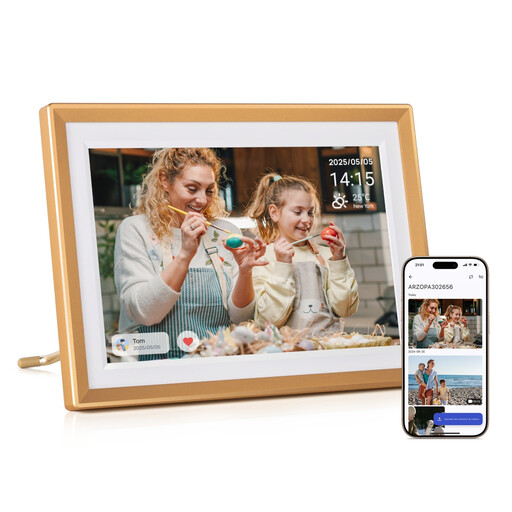
Why this product fits the profile: For households that want a separate device for photos and videos in daily life, alongside a personal film and gaming experience.
It is not marketed as a replacement for AR glasses. The clearly separate use prevents a small display from being mistaken for a virtual cinema experience.
10.1-inch LCD touchscreen, 1280 × 800 pixels, Wi-Fi, 32 GB storage and support for iOS and Android according to the product data.
For initial setup, first connect the glasses to a compatible USB-C output. With iPhone, PS4, PS5 or devices without direct USB-C video output, you may need a suitable adapter. Check whether the adapter can also supply power at the same time. For longer film nights, an external power source is a good idea, as video output and audio can drain the source device's battery.
Store the glasses in a dry place, protect them from knocks and clean them regularly with a soft, dry cloth. Children and pets must not chew on the device or accessories. The actual lifespan depends mainly on mechanical stress, cable quality, storage conditions and how often you use them.
According to the product information, they are designed for use with certain iPhone models. Whether a direct connection is possible depends on the specific iPhone's port and the required adapter. Before buying, you should check the video output and the compatibility of the adapter you plan to use.
The product description lists PS4, PS5 and Steam Deck as supported devices. In practice, you may need adapters, specific cables and system settings. With the PS5, you'll also need to check how the HDMI signal is transmitted to USB-C. With the Steam Deck, the USB-C port should provide the necessary video output.
The glasses themselves don't incur any monthly running costs. However, costs can arise from streaming subscriptions, adapters, replacement cables, additional power supplies or optional audio accessories. HDR and 3D content may also depend on the specific app or provider.