
Lieferung heute & morgen

Qualitätsgarantie

Willkommens-Angebote freischalten: KOSTENLOSE Lieferung | Bis zu 80 % RABATT | Kostenlose 30-Tage-JoyPlus-Testphase
App herunterladen
The search for a single headset that works seamlessly across PC, console, and mobile devices is often fraught with compromise. Many gamers invest in a supposed multi-platform headset, only to find that connectivity is cumbersome, long-term comfort is poor, or advertised features disappoint in practice. Before you make a decision, it's crucial to recognise common pitfalls that can lead to a bad investment.
To avoid these problems, you should focus on three key technical features when making your selection. These parameters define the true performance and utility of a headset in daily use.
The type of wireless connection determines a headset's versatility. A high-performance gaming headset for PC and console should support at least two modes.
A lightweight gaming headset is not a luxury, but a necessity for extended use. Pay attention to the following points:
The quality of voice transmission is critical in team-based gaming.
Based on these objective criteria, we have identified a few configurations suitable for specific user profiles in the UK and Europe.
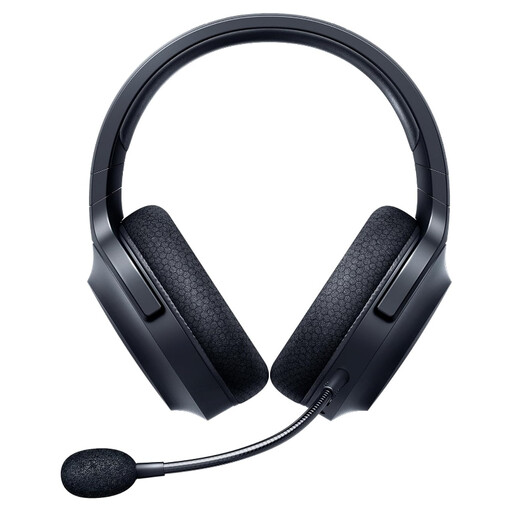
Why it's a match: This user frequently switches between PC, PS5, and their smartphone. The SmartSwitch Dual Wireless technology enables a smooth transition between low-latency gaming (2.4 GHz) and mobile use (Bluetooth) without needing to change headsets.
It solves the problem of poor integration with true dual-wireless and the comfort issue with its low 250g weight and breathable ear cushions.
Up to 50 hours of battery life (according to the manufacturer). Detachable cardioid microphone for flexible use.
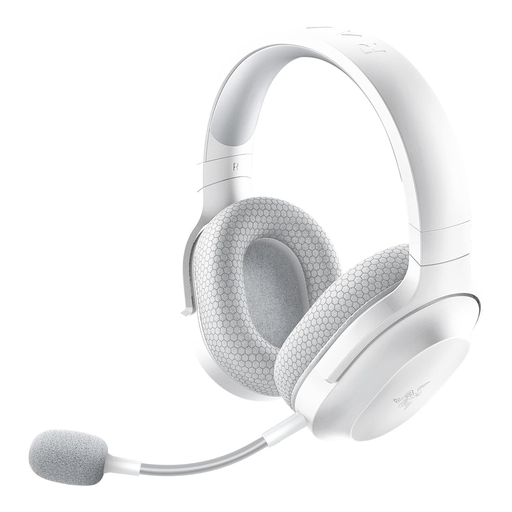
Why it's a match: For users who value a clean, minimalist setup. The white colourway is an ideal match for modern consoles and PC cases. The functionality is identical to the black version; the focus here is on aesthetics.
It refutes the assumption that gaming hardware must always look over-engineered. The design is subtle and suitable for everyday use without compromising on core features.
Razer TriForce 40mm drivers for clear audio. The detachable microphone turns it into a stylish pair of headphones for on-the-go use.
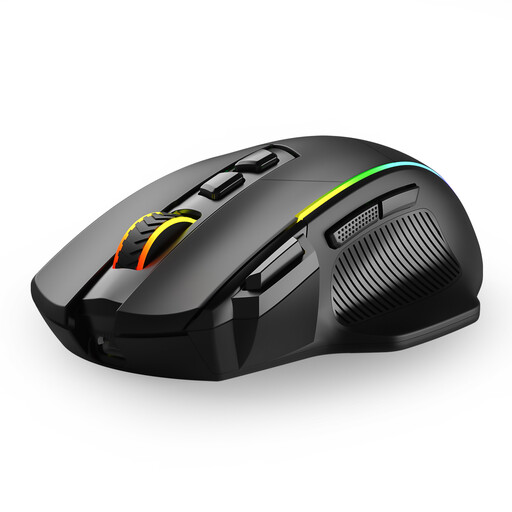
Why it's a match: This user is looking for a complete wireless setup. While the Barracuda X delivers the audio, a tri-mode mouse perfectly complements the setup. It also offers 2.4 GHz, Bluetooth, and wired operation for maximum flexibility and performance.
Instead of relying on a single, over-featured product, this creates a modular setup of specialised devices that together provide high performance without cable clutter.
Tri-mode connectivity (2.4G/USB-C/Bluetooth). 8 programmable buttons and a high DPI for precise aiming.
A reliable wireless setup requires a constant power supply. The battery life of modern wireless headphones for gamers is impressive, but a high-quality USB-C cable is crucial for charging to ensure battery longevity and fast charging times.
We have compiled a complete, up-to-date list of products that fully meet these strict selection criteria and European safety regulations.
1. How do I connect the Razer Barracuda X to my PS5? Plug the included USB-C wireless transceiver into a free USB-C port on the front of your PS5. The headset will connect automatically. If you need to use a USB-A port, use the included adapter cable.
2. Is the Barracuda X's detachable microphone suitable for streaming? The Razer HyperClear Cardioid Mic is optimised for clear in-game voice communication and suppresses background noise. For professional streaming, many users prefer dedicated desktop microphones, but it offers solid audio quality for getting started or occasional streaming.
3. How long does the Razer Barracuda X battery last with daily use? According to the manufacturer, the battery life is up to 50 hours. In practice, the actual duration depends on the volume and intensity of use. With average use (a few hours of gaming and listening to music per day), a single charge can last for more than a week.