Readers of illustrated books
You want to view paintings, captions and page layouts together, and are weighing up screen space against weight and how much room the device takes up.


If you’re mainly interested in image detail and full-page PDFs, a colour tablet around 11 inches is a sensible starting point. Check it with the pages from your own books: a larger display shows more of the page, but takes up more space and weighs more in the models compared here. If you mainly read continuous text, a colour E Ink device may also be an option. For PDF notes, check that the stylus, reading app and file format all work together. Download your books before you fly and test them without an internet connection.
You want to view paintings, captions and page layouts together, and are weighing up screen space against weight and how much room the device takes up.
You want to have books and PDFs ready before you fly, so you can open them without an onboard internet connection.
You highlight text or comment on illustrations, and want to make sure the device, stylus and file app all work together.
A good fit if: you want to read text and colour illustrations, and use the device in a cramped seat.
The trade-off: compared with a larger model, there’s less room to view full-page illustrations. So check your own PDFs and page layouts.
A good fit if: you often view large illustrations or PDF pages and can prop your tablet up.
The trade-off: Apple lists the Wi-Fi 13-inch iPad Air at 616 g, compared with 464 g for the 11-inch model; Samsung lists the Galaxy Tab S10 FE+ at 664 g, compared with 497 g for the Tab S10 FE.
A good fit if: you mainly read compatible text formats and a particular file displays well on your chosen colour E Ink device.
The trade-off: for the PocketBook Color Note, the manufacturer lists 76 dpi for colour and 227 dpi for greyscale. The greyscale figure doesn’t tell you how the pages in your art books will look in colour.
| What matters | What to check before buying | Who it matters most to |
|---|---|---|
| Colour images and page size | Open a typical art book PDF and check whether image details and captions are legible at the magnification you need. For colour E Ink, colour resolution matters, not just the greyscale figure. | If I want to view illustrations and their captions together, what matters to me is how they look on an actual book page. Around 33% of consumers put these image details first. |
| Offline access | Download books and PDFs in the app you plan to use, then try opening them in aeroplane mode. Apple Support describes a separate download step for purchased books on iPad. | If I want to read on a long-haul flight without an onboard connection, I want to save and test my books beforehand. Around 27% of consumers prioritise offline access. |
| Ease of use in your seat | Compare the dimensions and weight of the exact model, including any case you plan to use. Also consider whether you can prop up the larger device. | If I want to hold the tablet for a long time or stow it in a cramped space, a handy size matters more to me than the largest possible screen. Around 20% of consumers put portability first. |
| Notes and accessories | Check stylus compatibility, what’s included and which PDF app works with the exact model. Samsung lists an S Pen as included with the Galaxy Tab S10 FE; Apple doesn’t list a Pencil in the stated iPad Air package. | If I want to mark illustrations or passages of text, the stylus and file app need to suit the way I use them. Around 20% of consumers prioritise annotation features. |
PocketBook lists 76 dpi for colour and 227 dpi for greyscale on the PocketBook Color Note. The higher greyscale figure doesn’t tell you how finely a colour illustration will be rendered.
Compare a typical page from your art book on the device you plan to use, or check the stated colour resolution.
According to Apple and Samsung, the larger Wi-Fi versions of the iPad Air and Galaxy Tab S10 FE weigh more than their smaller counterparts. This can make a difference when holding or stowing the device in your seat.
Choose a larger screen only if it matters for your files and you can use the device comfortably or prop it up.
A case adds to the weight you’ll be carrying at your seat.
Stylus support doesn’t automatically mean a stylus is included. And a title in your library isn’t necessarily saved on your device already.
Check what’s included with the exact model, then open your downloaded files without an internet connection before you leave.
You may need to buy a separate stylus or charging adapter.
The iPad Air comes in 11- and 13-inch sizes for colour pages and PDFs. The iPad mini is a smaller alternative if portability is your priority.
The Galaxy Tab S10 FE and FE+ are Android colour tablets available in two screen sizes.
The Color Note is a 10.3-inch colour E Note with PDF support and a stylus.
The following Joybuy products are Android tablets ranging from 8.8 to 13.4 inches. Compare how your PDFs look, the screen space available and the accessories with what you plan to use the tablet for.
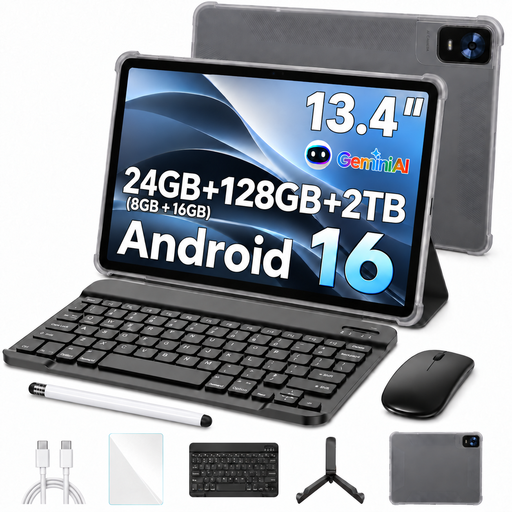 Image unavailable
The 13.4-inch screen could suit you if you prefer a larger view of the page; check your PDFs on the device before you fly.
FHD+ display, Android 16, 24 GB RAM (8+16 GB virtual), 128 GB storage, expandable up to 2 TB according to the product title, octa-core processor and 10,000 mAh battery. Includes a keyboard, mouse, passive stylus, case and stand function; Wi-Fi 5.
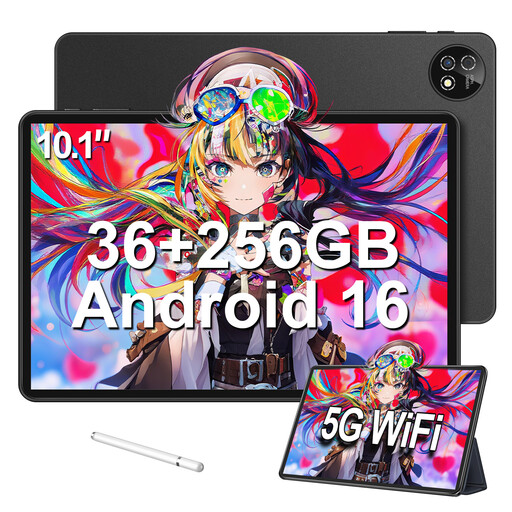 Image unavailable
The 10.1-inch size is a smaller alternative to the 13.4-inch tablet if you’re happy with less screen space for viewing pages.
Android 16, 36 GB RAM (6+30), 256 GB storage and TF card expansion up to 1 TB. The product title also lists a keyboard, mouse and protective case.
 Image unavailable
The 10.1-inch display may suit you if you’re looking for a more compact option than 13.4 inches. Check how your PDFs look on the screen first.
Android 16, 32 GB RAM (6+30), 256 GB storage and TF card expansion up to 1 TB. A keyboard and protective case are included according to the product title.
 Image unavailable
The 8.8-inch size is a more compact option if you’re happy to work with less screen space when viewing full-page art book PDFs.
Android 14, Qualcomm Snapdragon 7+ Gen3 and 7300 mAh. The product title states that a mains adapter isn’t included.
Download the specific title in the app you plan to use before you fly, then try opening it in aeroplane mode. Apple Support describes a separate download step for purchased books on iPad; the Books app can also open and mark up PDFs. Check the access conditions for individual protected titles in the app you’re using.
The European Union Aviation Safety Agency describes using tablets for reading in normal circumstances. Follow the instructions from your airline and use aeroplane mode as required. Separate rules apply to batteries and additional power banks. Check the requirements of the airline you’ve booked with before travelling.
It depends on the model: Samsung lists an S Pen as included with the Galaxy Tab S10 FE; Apple lists compatible Pencil models for the iPad Air, but doesn’t include a Pencil in the stated tablet package. Also check whether your PDF app supports the annotations you want to make.
No. If you buy from a commercial seller, you have statutory rights to claim for defects from the seller. Section 438 of the German Civil Code (BGB) sets a two-year limitation period from delivery in the usual case; any additional commercial guarantee must not restrict your statutory minimum rights.