Operators with visitor routes
If you want guests to be guided to destinations within a regularly used indoor space, check the mapping, potential obstacles and handover to staff in your own building.


For answering recurring queries at a fixed reception desk, a configurable voice and display solution may be suitable. For actual visitor guidance, you need a solution specifically designed for navigation, which you should test on the intended routes at your site. The key considerations are the specific configuration, handover to staff, transparent data flows, and a clearly defined operating and support plan. Manufacturer claims alone do not prove reliable ongoing operation in your visitor areas.
If you want guests to be guided to destinations within a regularly used indoor space, check the mapping, potential obstacles and handover to staff in your own building.
If your main priorities are recurring greetings and providing information, voice or display features could take centre stage – even without navigation.
Before using a robot regularly, clarify data flows, maintenance, fault procedures and its intended use as work equipment.
First, decide whether guests simply need information at reception or actual guidance. Then plan for data processing, handovers and day-to-day operations for the specific configuration.
| Priority | What to check before buying | Who should pay particular attention |
|---|---|---|
| On-site navigation | Test mapping, obstacles, changes to routes, aborting a journey and handing over to staff at your site. | If I want guests to be guided through my indoor space, the intended route must work even when there are obstacles or changes. Around 24% of consumers give navigation the highest priority. |
| Clear, helpful information | Decide which languages, display controls, dialogue content and error scenarios you need before placing your order. | If greetings and answers at a fixed reception desk matter more than guidance, I look for clear dialogue and an accessible human point of contact. Around 19% of consumers prioritise visitor information. |
| Camera, microphone and cloud use | For the configuration you are ordering, clarify which sensors are used, who receives the data, access rights, information for those affected and deletion rules. | If I need to check the handling of image and voice data particularly carefully, I need separate details for every enabled feature and any remote access. Around 24% of consumers put data control first. |
| Integration with reception | Define responsibilities, dialogue flows, available staff and an alternative for when something goes wrong. | If unusual queries or interrupted interactions need to be handed over to staff, the robot should fit into your existing reception process. Around 14% of consumers prioritise handover and integration with existing processes. |
| Maintenance and operation | Plan for set-up, spare parts, maintenance, remote access, on-site support and a risk assessment. | If the system is to be used regularly, I need clear responsibilities for faults, maintenance and safe operation. Around 19% of consumers prioritise safeguards for day-to-day operations. |
Local perception does not automatically tell you where voice conversations are processed or whether remote access takes place. United Robotics Group says that uMe’s voice dialogue uses an external AI service.
Check data processing and recipients separately for every enabled feature in the configuration you are ordering.
Claims about navigation or a defined pilot area do not show how reliably a device will cope with obstacles and visitor traffic on your routes.
Before planning ongoing visitor guidance, arrange tests using the intended routes, including aborted journeys and handovers to staff.
A stationary dialogue solution and a mobile, navigating configuration serve different purposes at reception.
Decide whether guests need to access information or be physically guided before comparing features.
An available remote feature does not set out response times, responsibilities or on-site services.
Make sure access rights, fault reporting, spare parts and on-site support are specified in the offer or contract.
The manufacturer describes uMe Uno as a voice and display solution for reception, and uMe Trio as a configuration with LiDAR mapping and navigation within a defined pilot area.
A German supplier describes the A2 Ultra as a robot for interaction and visitor guidance. The developer documentation covers maps, destinations and navigation tasks.
UBTECH describes Cruzr 1S as a wheeled humanoid service robot for greetings, answering questions and guiding visitors along routes.
The manufacturer describes Ameca as focused on conversation, information and visible interaction, rather than as a robot designed for autonomous visitor guidance.
This selection includes humanoid robots with stated interaction or development features. Product details alone do not prove that a robot is suitable for unsupervised reception or visitor guidance. Check the specific configuration, data flows and supervision arrangements before use.
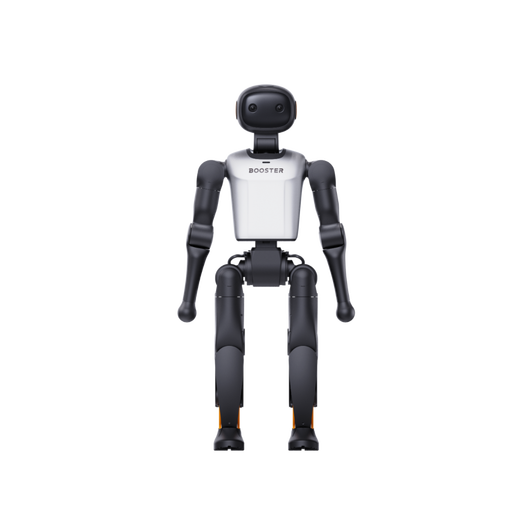 No image available
The product title presents this model as a development platform. Before using it at reception, confirm its interaction, navigation and software capabilities.
Specifications listed in the title: 48 TOPS and 22 degrees of freedom.
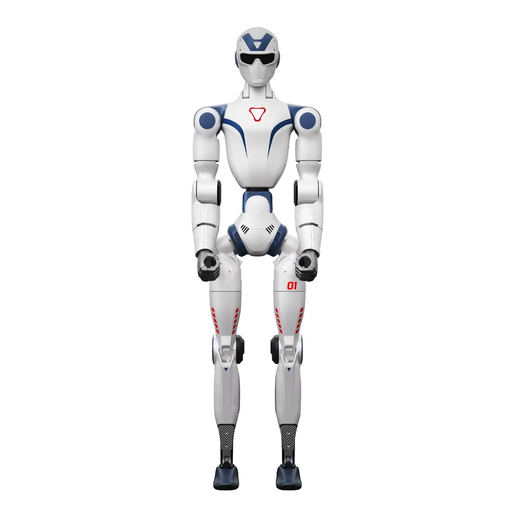 No image available
The product details mention voice-enabled interaction. For visitor information, clarify which languages you need, which dialogue service is used and how interactions are handed over to staff.
Specifications listed in the title: monocular camera, 20 degrees of freedom and integrated AI voice model.
The safety information advises against operating the robot near stairs, edges or uneven surfaces. Keep hands, hair and loose clothing away from moving joints.
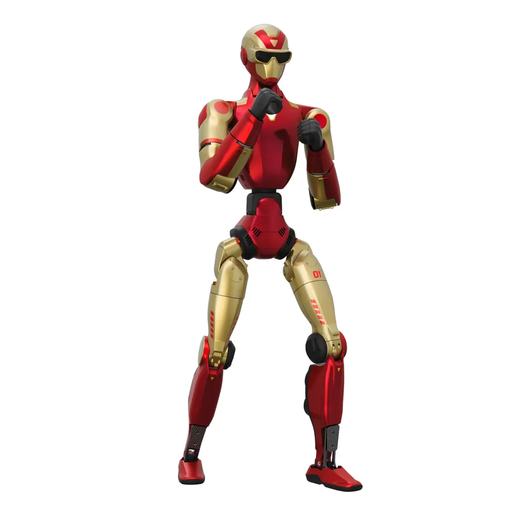 No image available
For recurring interactions, check in advance that the voice function and visual perception are suitable for your specific reception environment.
The product description lists 26 degrees of freedom, dual binocular cameras and 3D depth sensors; the title mentions an AI voice model and Smart Interaction.
The safety information advises keeping the area clear of the robot’s range of movement when starting it or making fast movements, and not moving its joints manually while it is switched on. Use the emergency stop if it behaves erratically.
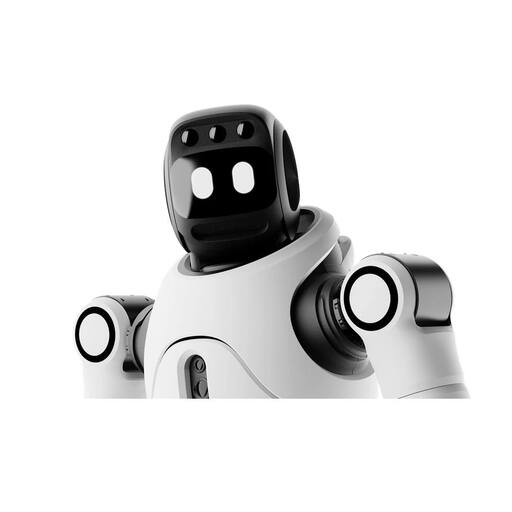 No image available
The description lists navigation and interaction features. For visitor routes, check supervision, how the robot handles obstacles and how it hands over to staff on site.
Features listed include 3D LiDAR, an RGB-D camera, an interactive screen, audio input and output, and support for secondary development.
The description warns that transparent surfaces, thin objects and sudden drop-offs may go undetected, and that autonomous operation should be supervised. The automatic charging function requires a separate charging station.
 No image available
For interaction at reception, clarify the scope of dialogue, supervision and integration with your existing processes for this configuration.
The product details list 27 degrees of freedom, an interactive screen, a microphone and a speaker. The X2 configuration is listed as not supporting secondary development.
The safety information recommends supervising autonomous operation and highlights possible limits to obstacle detection, including transparent surfaces, thin objects and drop-offs.
No. It does not automatically prove that the robot will work reliably on your visitor routes. Manufacturer materials for uMe Trio, AGIBOT A2 Ultra and Cruzr 1S describe navigation features. Test the robot with your intended destinations and visitor flows, including obstacles, interrupted tasks and handovers to staff.
Not necessarily. United Robotics Group describes uMe as processing perception on the device, while also using an external AI service for voice dialogue. Ask for separate details of camera, microphone, dialogue and remote maintenance data flows for the configuration you are ordering.
If personal data is processed, you must check the purpose, legal basis and necessity for the features actually enabled. The Data Protection Conference explains that this assessment must be made on a case-by-case basis. Also clarify what information is provided to people affected, whether recordings may be made, the criteria for deleting data and any remote access. The Federal Network Agency notes that products which transmit audio or images without people noticing are prohibited in Germany.
Ask for separate details covering mapping, dialogue set-up, training, maintenance, spare parts, and remote and on-site support. A published support channel does not, by itself, confirm specific response times or the scope of your contract.
For wireless functions, check the CE marking, declaration of conformity, and German operating instructions and warnings for the specific configuration, as recommended by the Federal Network Agency. If the robot is used at work, its intended use as work equipment must be included in the risk assessment, as explained by the Federal Institute for Occupational Safety and Health. These general checks do not confirm that a particular model complies with the relevant requirements.