
Lieferung heute & morgen

Qualitätsgarantie

Willkommens-Angebote freischalten: KOSTENLOSE Lieferung | Bis zu 80 % RABATT | Kostenlose 30-Tage-JoyPlus-Testphase
App herunterladen
A clean, clutter-free desk is the foundation for focused and efficient work. A rechargeable wireless keyboard and mouse set promises just that: freedom from cables and an end to constant battery changes. However, pitfalls await during the selection process that can quickly turn a supposed convenience into a costly mistake. As your Joybuy Product Recommendation Officer, I'll help you navigate the options and make an informed decision.
Many products advertise impressive features, but not all deliver on their promises. Pay close attention to these three points to avoid disappointment:
To find the right wireless desktop set for your needs, you should carefully examine three core technical parameters. These determine reliability, comfort, and longevity.
The type of connection is fundamental to your set's performance. Both technologies have specific advantages and disadvantages:
Some models offer both connection types, combining maximum flexibility with high security.
Rechargeability is the main reason for purchasing such a set. Here, the details are crucial:
The keyboard's noise level is an important factor, especially in open-plan offices or a quiet home office. A quiet wireless keyboard ensures a distraction-free work environment.
Based on the criteria above, we have identified a few models suitable for different user groups.
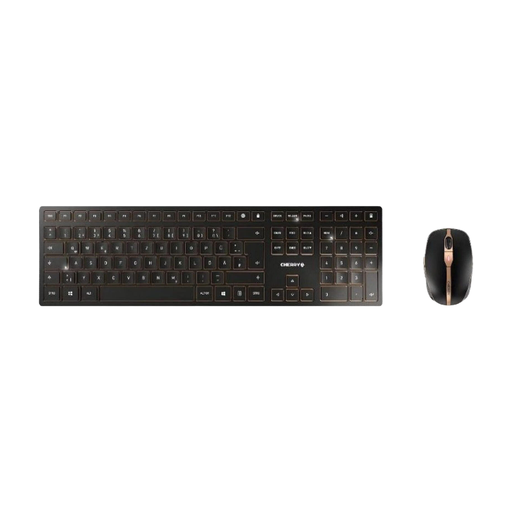
Why it's a match: Ideal for users who need to seamlessly switch between multiple devices (e.g., a work laptop and a personal PC). The slim design frees up desk space, and the dual connectivity offers maximum flexibility.
It offers both a secure, encrypted 2.4 GHz connection and Bluetooth 4.0, actively bypassing issues with unstable connections and security risks.
Dual connectivity (2.4 GHz RF & Bluetooth 4.0) for maximum flexibility and AES-128 encryption for secure work.
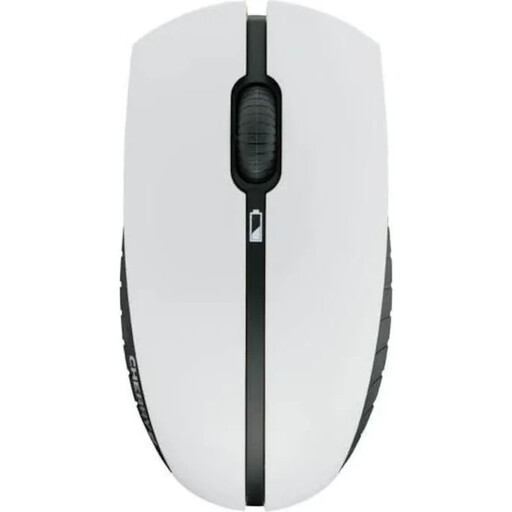
Why it's a match: Designed for continuous professional use in office environments. Its robust construction, quiet keys, and durable lettering make it a reliable investment for IT purchasers and heavy typists.
It uses high-quality, pre-charged NiMH batteries and allows for use while charging. This prevents downtime and ensures the set doesn't become a disposable product once the battery weakens.
Durability through abrasion-resistant laser key engraving and the ability to work without interruption during the charging process.

Why it's a match: It combines a modern, minimalist design with sustainable technology. The quiet keys and stable, non-slip construction make it the ideal choice for a stylish and quiet work environment.
Relies on a modern USB-C charging port and long-lasting NiMH batteries. This avoids dependence on outdated cables and ensures a future-proof, uninterrupted power supply.
Whisper-quiet typing experience thanks to the CHERRY SX scissor mechanism and an extremely stable construction with an integrated metal plate and 8 rubber feet.
Perhaps you only need a single component. We have compiled a complete, up-to-date list of products that fully meet these strict selection criteria and safety standards.
1. How long does the battery last in a rechargeable keyboard and mouse set? Battery life varies greatly depending on the model, battery capacity, and usage profile. Manufacturer claims range from several weeks to several months. Factors like frequency of use and any key backlighting significantly affect the duration. Look for models with intelligent power management (e.g., an auto-sleep mode) to maximise runtime.
2. Can I continue to use the keyboard and mouse while they are charging? Yes, most modern sets, especially those with a USB-C port, are designed to remain fully functional while charging. This is a crucial feature to prevent work interruptions and should be a key consideration when making your choice.
3. Is a Bluetooth connection secure enough for an office set? Modern Bluetooth versions (4.0 and above) integrate encryption standards that are sufficiently secure for normal office use. However, if you work in an environment with heightened security requirements or handle sensitive data, a wireless keyboard and mouse set with explicitly stated AES-128 encryption is the safer choice. This is typically found with 2.4 GHz wireless connections.