A recipe archive with lots of sources
If you regularly transfer recipes from different sources, you’ll want to be able to arrange the source and your archive so both are easy to read.


For regular work with a recipe source and an entry form, a well-positioned 27-inch QHD monitor is a sensible starting point. If desk space is limited or you work in different locations, a smaller portable display may suit you better. In either case, check readability at your preferred scaling and make sure the connections are compatible with your computer. A monitor doesn’t store recipes: you’ll need a suitable application or files on your computer, as well as a separate backup.
If you regularly transfer recipes from different sources, you’ll want to be able to arrange the source and your archive so both are easy to read.
If you manage your own recipe files on your computer, plan where to store them and how to back them up separately from your choice of monitor. The German Federal Office for Information Security recommends backing up data regularly.
If you use a laptop or have limited space, the screen size, setup and video connection need to suit your workspace.
Plan how you’ll store local files separately from your monitor choice. Then choose a screen based on readability, connections and the space you have available.
| Priority | What to check before buying | Who it matters most to |
|---|---|---|
| Readability side by side | Check the screen size, resolution, available desk space and text size at your chosen scaling. | If I use a source and an entry form side by side, I want both to remain easy to read; around 40 % of consumers have this as their main priority. |
| Local storage | Check whether the software can save or export recipes and images locally, and whether the files can be restored. | Anyone who wants to manage and restore recipes on their own computer will need a suitable application and a backup; around 30 % of consumers put a local archive first. |
| Computer connection | Check that the computer’s video output, the monitor’s input and the cable are compatible, and confirm whether charging is supported if needed. | If I want my laptop to send a picture to the screen through an existing connection, I’ll check that the devices work together; around 20 % of consumers have this connection requirement. |
| Space and setup | Take the dimensions, desired screen position and available workspace into account. | If space is limited or I work in different locations, I want to check the size and setup before buying; around 10 % of consumers have this as their main priority. |
A monitor displays content, but it doesn’t automatically manage your recipe files. Without a recoverable copy, a device or data problem could put your archive at risk.
First, decide where your recipe software will store files and how you’ll export them. Then set up a separate data backup.
A USB-C port on a monitor doesn’t, by itself, mean your computer can send a picture through it. For the ASUS ZenScreen MB16ACV, the manufacturer specifies DisplayPort Alt Mode as a requirement for video over USB-C.
Check that your computer’s video output is compatible with the input on the specific monitor you’re considering.
A higher native resolution can make on-screen controls smaller if the display settings stay the same. For recipe text, your chosen scaling and usable workspace matter too.
Check your preferred text size and how you plan to arrange your windows, rather than choosing on pixel count alone.
Dell offers the P2725DE as a QHD model, and the U2724DE as a separate QHD Thunderbolt model, for different fixed workspaces.
The Philips 276B9/00 combines a 27-inch screen, QHD, USB-C and an adjustable stand.
The LG 27UP850K-W is a 27-inch 4K IPS monitor with USB-C and an adjustable stand.
The BenQ PD2706U is a 27-inch 4K model for workspaces where you edit images as well as text.
The ASUS ZenScreen MB16ACV is a portable 15,6-inch Full HD monitor for use alongside a compatible laptop.
This selection includes 27-inch QHD and 4K monitors for working with recipes at a fixed desk, plus a portable display for use in different locations.
 No image available
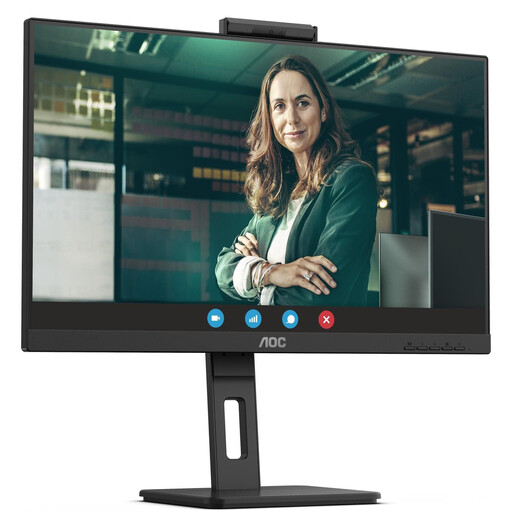
For a fixed workspace if you’re looking for a 27-inch 4K display for working with recipes.
3.840 × 2.160 pixels; IPS; 120 Hz; HDR500; FreeSync; PIP/PBP; USB-C with 90 W Power Delivery; HDMI and DisplayPort; height-adjustable stand.
 No image available
A 27-inch QHD option for working with a recipe source and archive at a fixed desk.
2.560 × 1.440 pixels; 75 Hz; IPS; 350 cd/m²; speakers; black.
 No image available
For working with recipes side by side at a fixed desk, provided the laptop connection is compatible with your device.
2.560 × 1.440 pixels; 75 Hz; IPS; USB-C with 65 W Power Delivery; USB hub; HDMI and DisplayPort; height-adjustable stand; speakers; black.
 No image available
A 27-inch QHD model for a fixed workspace where you want to work on a recipe source and archive side by side.
2.560 × 1.440 pixels; 100 Hz; IPS; USB-C hub; height-adjustable stand.
 No image available
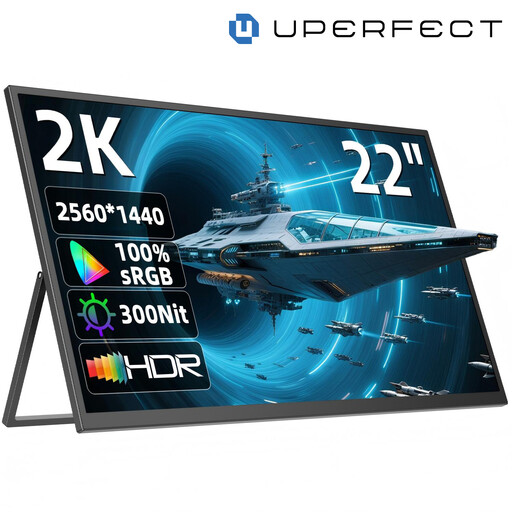
For working in different locations when you want to use a portable display alongside your computer; at 22 inches, it offers less screen space than the 27-inch models.
2.560 × 1.440 pixels; IPS; stand adjustable through 180°; USB-C and Mini-HDMI; two speakers; VESA-compatible.
No, not just because it has a USB-C connection. Check the computer software you use to see where recipes are stored and how they can be exported. The German Federal Office for Information Security recommends regularly backing up application data you’ve created and considering how you would restore it.
Adjust the screen position and text size to suit your workspace. Germany’s ASR A6 covers ergonomic screen work in office and home-working environments, but it doesn’t apply generally to private use at home.
Compare the energy consumption figures for specific models on the same basis, and take the EU energy label into account. The European Commission describes an A to G efficiency scale for electronic displays; your actual costs also depend on how you use the monitor and your electricity tariff.
According to the consumer advice centre, you generally have a 14-day right to cancel an online purchase; exceptions and the exact start of the cancellation period should be taken into account. You must notify the retailer if you wish to cancel. This is separate from your rights if a device is faulty.