Recipe collectors with limited mouse space
If you keep notes beside your keyboard, it’s not just the space the mouse takes up that matters, but also the room your hand needs to control it.


When there’s barely any room beside your recipe notes, consider the space the mouse takes up separately from the room you need to move it around. A compact mouse still needs to be moved across the desk; a trackball doesn’t. A responsive scroll wheel can be useful for long recipe pages, while hand size, handedness and grip also matter during longer sessions.
If you keep notes beside your keyboard, it’s not just the space the mouse takes up that matters, but also the room your hand needs to control it.
If you browse long recipe pages and often switch between a passage and its index entry, a scroll wheel and easy-to-reach controls may matter more than an especially slim design.
For longer sessions, compare the shape with your hand size and handedness instead of assuming that the word ‘ergonomic’ means it will be comfortable for you.
The key question is whether you need more room to move the mouse, easier scrolling or a better fit for your hand. A trackball doesn’t need room to slide from side to side, but you’ll still need space for its body.
A good fit if: you have some room to move it and prefer a familiar, low-profile shape.
The trade-off: Even a small mouse needs room to move and must fit your hand.
A good fit if: you often browse long recipe pages and want a compact mouse with extra scrolling modes. Logitech lists precision and free-spin modes for the MX Anywhere 3S.
The trade-off: You still need to move this mouse across the desk, so try it out as part of your own routine.
A good fit if: you have very little room to move a mouse from side to side and want to control the pointer with a ball.
The trade-off: The body needs a permanent spot on your desk; Perixx Europe lists the PERIMICE-517’s base dimensions as 130 × 107 mm.
A good fit if: grip is a priority during longer sessions and the specific version suits your hand size and handedness. Logitech describes the Lift as suitable for small to medium-sized hands and offers a left-handed version.
The trade-off: A vertical mouse still needs to be moved across the desk, and its shape is no guarantee of relief from discomfort.
| Buying priority | What to check | Who is this important to? |
|---|---|---|
| Room to move the mouse and keep notes | Measure the space for the mouse and the room to move it separately; allow for your keyboard, papers and hand rest. | If I keep notes beside my keyboard, I want to know whether there’s enough room for both the device and my hand. Around 29% of consumers would prioritise space. |
| Scrolling between recipe pages | Check that the scroll wheel and any extra features you need work with your system. | When browsing long recipe pages, I want to move quickly between passages and index entries. Around 23% of consumers would put scrolling and navigation first. |
| Controlling the pointer without moving the mouse from side to side | Check the trackball’s footprint, the space for your operating hand and, for wired models, the connection. | If I can barely move the mouse body, a stationary way to control the pointer could work for me. Around 18% of consumers would prioritise this. |
| Grip comfort during longer sessions | Check that the specific version suits your hand size and handedness, and allow room for your arm position. | For longer index sessions, I want to choose a shape that suits my hand and handedness. Around 18% of consumers would prioritise grip comfort. |
| Connection and power | Check Bluetooth, available USB ports, what’s included and whether it uses batteries or needs charging. | If I want to connect the mouse to my existing computer, the connection needs to be compatible and the power setup needs to suit my routine. Around 12% of consumers would prioritise connection and power. |
You still move a small standard mouse along with your hand. A trackball stays in place while you use it, but still needs its own space on the desk.
Compare the space the body takes up with the room you need to move it before choosing a design.
Hand size, handedness and your desk setup all affect the fit; the design is no guarantee of relief from discomfort.
Check whether the specific version is for left- or right-handed use, and still allow enough room for your arm and for using the mouse.
According to Logitech, a compatible Logi Bolt receiver isn’t included with the Pebble Mouse 2 M350s; the model uses a replaceable AA battery.
Check the connection options and what’s included for the specific model. You may need to buy a receiver or replacement batteries separately.
The models mentioned include compact, vertical and scroll-focused designs; each feature listed applies to the specific model.
According to CHERRY, the MW 9100 is a specific compact model with Bluetooth or a wireless receiver and USB-C charging.
The PERIMICE-517 is a wired trackball option if you have little room to move a pointer from side to side.
According to Rapoo, the M500 Silent adds a wireless mouse with several connection options to the range.
The following Joybuy mice could be suitable for controlling the pointer while working on a recipe index. Check that the design and controls fit the space available on your desk.
 Image unavailable
Could be worth considering if you’re looking for a mouse for longer index sessions and have enough room to move it; the shape is listed for right-handed use.
Details in the product title: 64 g, Focus Pro 30K sensor and white colour.
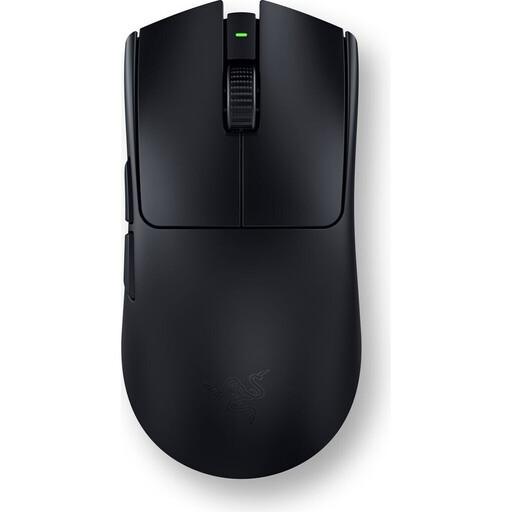 Image unavailable
If you’re considering this model for your recipe index, check that its size and controls suit the space you have available before buying.
 Image unavailable
A vertical design could be an option if you prefer this grip and still have room to move the mouse.
Details in the product title: 2.4 GHz wireless, USB-C rechargeable battery and adjustable 800–1600 DPI.
A vertical mouse is not a substitute for a stationary trackball.
 Image unavailable
When choosing a mouse for your recipe index, check that its design suits the available space for the device and your hand.
Details in the product title: 62 g, 2.4 GHz, Bluetooth and USB-C connectivity, an RGB charging dock and five programmable buttons.
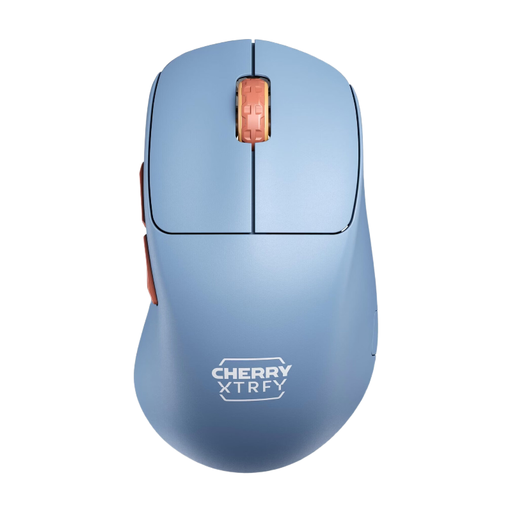 Image unavailable
Could be a good fit if you’re looking for a wireless mouse for your recipe index and a right-handed shape suits the way you use it.
Details in the product title: 53 g, 2.4 GHz wireless connection and a rechargeable battery with a stated battery life of up to 90 hours.
Beside your keyboard, measure both the space for the mouse body and the room your hand and mouse need to move. A trackball needs less room to move around, but can still be wide; Perixx Europe lists a base area of 130 × 107 mm for the PERIMICE-517.
Not if your computer and the specific mouse model support a compatible Bluetooth connection. Logitech lists Bluetooth Low Energy for the Pebble Mouse 2 M350s; a compatible Logi Bolt receiver isn’t included. Check your computer’s ports before buying.
Perixx notes that dust on the PERIMICE-517’s ball can affect pointer movement. The manufacturer recommends cleaning it with a soft brush or a soft, slightly damp, lint-free cloth.
If a product is faulty, your statutory rights against the seller are separate from any voluntary guarantee. According to Verbraucherzentrale, online consumer purchases usually come with a 14-day right to cancel. Tell the seller that you’re cancelling and check the terms of your specific purchase.
No. The German Federal Ministry for the Environment notes that waste electrical and electronic equipment must be collected separately at authorised locations, and used batteries must not go in household waste. Batteries can be returned to retailers or local collection points, among other places; whether a particular retailer is required to take them back depends on the legal requirements.