Listeners with existing speakers
If you want to play second-hand records through your hi-fi system, active speakers or Bluetooth speakers, first check that their inputs match the record player’s connections.


For second-hand records in a kitchen-diner, first check that the record player is compatible with your existing speakers or hi-fi system, and that you have a suitable spot that’s dry and free from excessive vibration. A fully automatic model makes it easier to listen while you get on with other things; Bluetooth gives you more flexibility over where you set it up, while a manual model requires more input from you. Whichever type you choose, the condition of second-hand records, cleaning and a suitable replacement stylus are all important.
If you want to play second-hand records through your hi-fi system, active speakers or Bluetooth speakers, first check that their inputs match the record player’s connections.
If you want to play a record while you cook or eat, you’ll need a suitable place to set it up and controls that fit the way you plan to use it.
If you often play second-hand LPs or singles, check the condition of the records, look after the stylus and make sure replacement parts are available for the specific model.
Check the connections and where you’ll place the record player first. Then decide whether you’d rather have automatic operation or more control over the settings.
| What you’re looking for | What to check before buying | Who it matters to |
|---|---|---|
| Connecting to speakers or a hi-fi system | Check the actual input and whether you need phono, line or a compatible Bluetooth connection. | If I want to use my existing active speakers or hi-fi system, the output signal needs to match the input. Around 31% of shoppers put connectivity first. |
| Second-hand records and wear parts | Check the condition of the records and which replacement stylus is specified. Make sure you know the difference between a replaceable stylus and a replaceable cartridge. | If I listen to lots of second-hand records, I want to keep an eye on the stylus and the condition of my records. Around 25% of shoppers prioritise this. |
| A place for it in the kitchen-diner | Measure the space, including room for the dust cover when it’s open, and choose a level spot away from splashes, high temperatures and vibration. | If I want to keep the record player in the kitchen, I need a suitable spot away from moisture and vibrating speakers. Around 25% of shoppers prioritise where it will go. |
| Ease of use | Check which tasks the automatic functions handle and whether you want to set the tracking force or other settings yourself. | If I’m busy doing other things while listening, straightforward controls are particularly important to me. Around 19% of shoppers prioritise ease of use. |
For the Sony PS-LX310BT, Sony describes sending audio to playback devices, not receiving music from a smartphone.
Check the full model name to see whether it sends or receives Bluetooth audio, then make sure that function works with your speakers.
If your existing speakers aren’t compatible, you may need a different connection or playback solution.
On the Audio-Technica AT-LP70XBT, the VM95 Series stylus can be replaced, but the cartridge is integrated into the tonearm. This limits your ability to replace the entire cartridge.
Check these two features separately, especially if you often listen to second-hand records.
Audio-Technica’s setup guidance advises against placing the AT-LP70XBT somewhere very hot, damp, dirty or subject to strong vibrations.
Choose a level, dry surface away from splashes and vibrating speakers. Remember to allow room for the dust cover when it’s open.
Finding a suitable spot may mean rearranging your cables or speakers.
A worn belt or stylus may need replacing. When buying from a private seller, you may agree to exclude your statutory rights.
If possible, ask to see the record player working. Check that it runs steadily and that both channels work, and find out whether suitable wear parts are available. Also check whether you’re buying from a private individual or a business seller.
Depending on its condition, you may also need to pay for a replacement stylus, belt or repair.
The AT-LP70XBT is worth considering if you want to choose between an analogue connection and Bluetooth playback.
The PS-LX310BT and PS-LX3BT are examples of fully automatic models with Bluetooth output.
The CS 329 is an example of a fully automatic model with analogue connections and factory-set adjustments.
The AUTOMAT A1 combines fully automatic operation with a switchable phono preamp.
The TD10 is a manual alternative with a built-in phono preamp that you’ll need to set up yourself.
This selection includes fully automatic and manual record players, as well as all-in-one models with a range of playback and connection options.
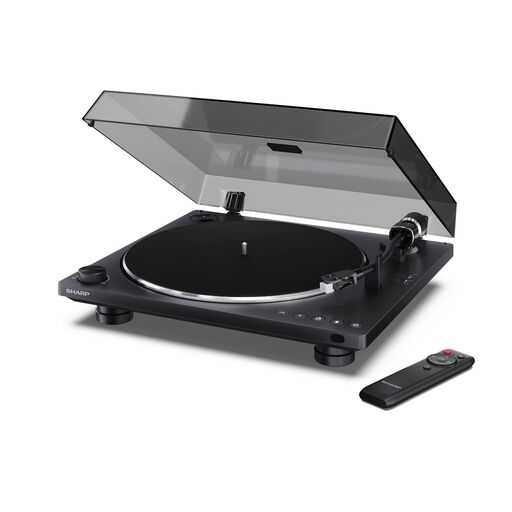 No image available
Fully automatic operation suits listening while you get on with other things. Before buying, check that the Bluetooth connection works with your playback device.
Features listed in the product name: Bluetooth 5.4, USB-C recording function, Audio-Technica cartridge and dust cover.
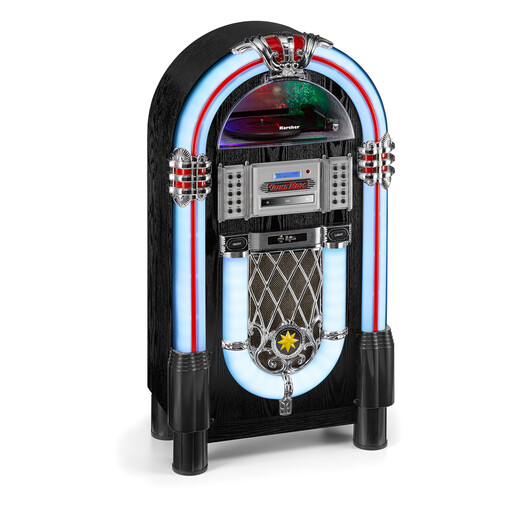 No image available
If you want to play more than just records on one device, the extra features listed in the product name may be worth considering.
Features listed in the product name: CD player, Bluetooth audio streaming, FM and DAB+ radio, and MP3 playback via USB or SD card.
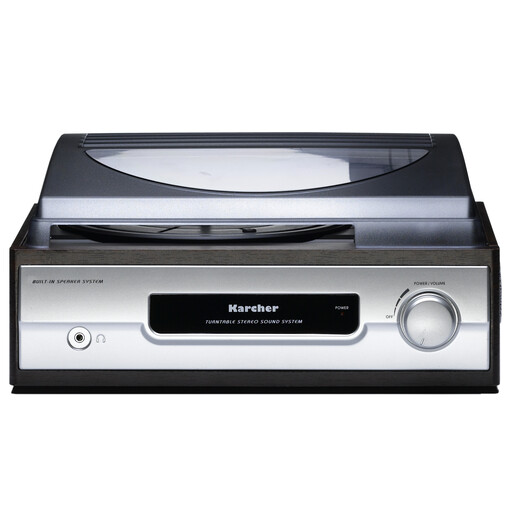 No image available
If you’re looking for an auto-stop function and a headphone socket, check that the other connections work with your playback system.
Features listed in the product name: 33/45 U/min, auto-stop, headphone socket, line out and built-in stereo speakers.
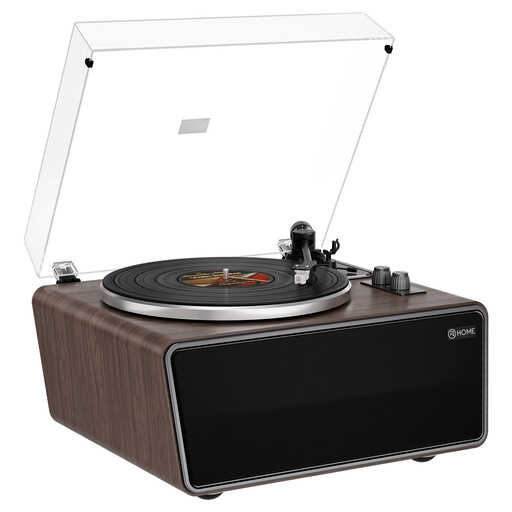 No image available
If you prefer built-in speakers, this model has four, according to the product name.
Features listed in the product name: phono preamp, AT-3600L (MM) cartridge and USB recording function.
 No image available
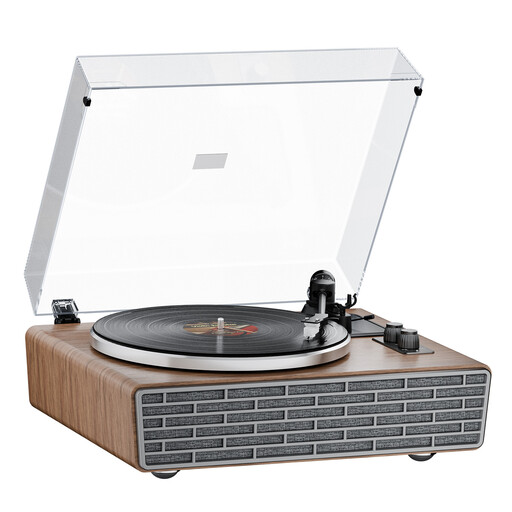
If you’re looking for built-in speakers and a dust cover, also check which Bluetooth function you want to use with your devices.
Features listed in the product name: Bluetooth, four built-in speakers, transparent dust cover, belt drive and AT cartridge.
That depends on the inputs your speakers have. For a line input, you’ll need a suitable phono preamp in the record player or a separate unit. If there’s a phono/line switch, make sure its setting matches the input you’re using. Check the manuals for both devices.
Check second-hand records for dirt before playing them, and clean the stylus according to the manufacturer’s instructions for your model. Audio-Technica notes that dust can collect on the stylus during playback, but this doesn’t mean there’s one cleaning method that works for every model.
Choose a spot away from splashes, high temperatures and strong vibrations. Audio-Technica’s setup guidance says these conditions aren’t suitable for the AT-LP70XBT; also follow the instructions for your specific model.
Your statutory rights against the seller aren’t the same as a voluntary guarantee. When buying from a private seller, different terms may apply and you may agree to exclude your statutory rights. So check whether you’re buying from a private individual or a business seller, and what you’ve agreed.