Speakers recording with a fan running
If the fan needs to stay on while you record, you can use a test recording to check the microphone position and how clearly your voice comes through in the actual room conditions.


If you need to keep the fan running while recording, start by positioning the microphone close to your mouth and making a test recording. A directional broadcast headset such as the Audio-Technica BPHS1 may be suitable if your equipment has the right separate audio connections; a USB or TRRS headset may be more practical with other recording devices. Audacity explains how steady fan noise can potentially be reduced, but also points out the limitations: software cannot guarantee a clean voice recording.
If the fan needs to stay on while you record, you can use a test recording to check the microphone position and how clearly your voice comes through in the actual room conditions.
If you want to record with as few connections as possible, check that the headset, USB port and recording software are compatible before you buy.
If you want to listen back to your voice during longer recording sessions and compare different takes, fit matters, as do the connections and the specific replaceable or detachable parts.
When recording an audio guide with an audible fan in the background, first check your recording conditions and microphone input. Comfort and ease of use are also important for longer speaking sessions.
| Criterion | What to check before buying | Who it matters to most |
|---|---|---|
| Clear speech despite fan noise | Microphone distance and direction; make a test recording with the fan running. | If the fan stays on while I record, I want my voice to be as clear as possible, so I check the microphone position first; around 33% of consumers put dealing with this background noise first. |
| The right connection | Check the recording device’s microphone input against the headset’s specific plug; a headphone output alone does not confirm compatibility. | If I want to record using my existing device, the microphone signal needs to work too, not just the headphone playback; around 27% of consumers prioritise the right connection. |
| Monitoring and editing | Check whether the microphone and headphones work at the same time with your recording device; assess any steady background noise in a test recording. | If I want to compare several takes and edit out steady fan noise, I need a voice recording I can check; around 20% of consumers put monitoring and editing first. |
| Comfort and components | Check the fit and microphone position during a longer speaking test; if needed, confirm whether specifically named parts can be replaced. | If I’m recording longer audio guide passages, I want a headset that’s comfortable to wear and easy to position; around 20% of consumers prioritise fit and usability for longer recording sessions. |
Headphone isolation or noise cancellation primarily affects what you hear. It does not mean fan noise will be reduced in the same way when you record your voice.
Check the information about the microphone itself and listen back to a recording made with the fan on.
The Audio-Technica BPHS1 is documented as having a 3-pin XLR microphone connector and a 6.3 mm headphone connector, not an integrated USB connection.
Before choosing the headset, compare its plugs with the inputs actually available on your recording device.
Audacity explains that noise reduction has limitations when background noise is loud or changes over time, or when it is difficult to distinguish from speech.
First, improve the microphone position and make a test recording. Use editing to reduce steady background noise, then listen back carefully to the result.
The BPHS1 is designed for speakers who can use a directional boom microphone and separate audio connections.
The NTH-100M is an option if your recording device has a compatible 3.5 mm headset input.
The H390 offers a USB-A connection for recording on computers with a compatible port.
The following Joybuy models may be suitable for voice tests, with a positionable microphone and the option to listen back afterwards. Check that the connection type is compatible with your recording device first; product details do not confirm any particular reduction in fan noise.
 No image available
May be suitable for a voice test with playback monitoring, if it connects to your recording device.
The product description lists Bluetooth 5, a detachable 3.5 mm cable and a flip-up boom microphone.
The noise-cancellation details do not confirm any particular recording quality with fan noise.
 No image available
May be suitable for a voice test on a computer, if your device has a compatible USB-A port.
The product description lists USB-A, an adjustable microphone boom, and volume and mute controls.
The advertised microphone noise reduction is not independent evidence of how well it records speech with a fan running.
 No image available
May be suitable for a voice test with playback monitoring, provided one of the listed connection types is compatible with your recording device.
The product description lists a foldable microphone boom, USB-C and a 3.5 mm connection.
An advertised microphone feature does not confirm any particular reduction in fan noise in recordings.
 No image available
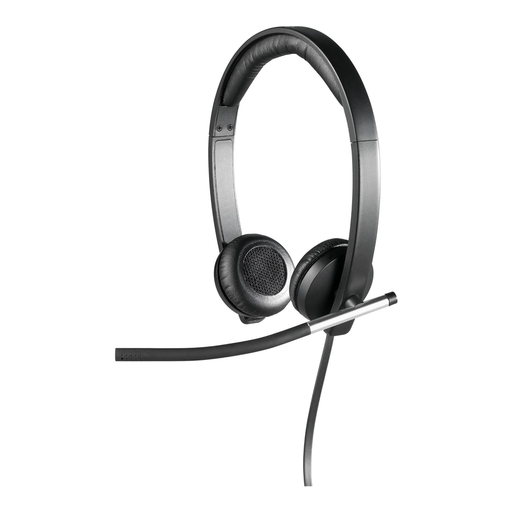
May be suitable for a voice test on a computer, if your device supports the headset’s USB connection.
The product description lists a rotatable microphone boom with noise cancellation and in-line controls.
The product details do not confirm a measured reduction in fan noise during recording.
 No image available
May be suitable for a voice test on a computer, if the USB connection and recording device are compatible.
The product description lists a 2.4 m cable, an adjustable microphone boom, and volume and mute controls.
Describing the microphone as noise-cancelling does not confirm any particular recording quality with fan noise.
Audacity explains how you may be able to reduce steady noise, such as fan noise, using a section of audio that contains only the background noise. The result may be unsatisfactory if the noise is very loud or changes over time, or if the speech and background noise are at a similar volume.
Record a short passage in the actual room conditions, then listen back to it. For the BPHS1, Audio-Technica recommends positioning the microphone close to the corner of your mouth and trying out different positions. Shure points out that a microphone cannot improve an acoustically unsuitable environment on its own.
That depends on the connections on your recording device and headset. The BPHS1 is documented as having a 3-pin XLR microphone connector and a 6.3 mm headphone connector, while the Logitech H390 described here uses USB-A. Check the available inputs and whether you need any additional connection equipment before deciding.
According to consumer information from the European Union, if you buy from a business seller in the EU, you have a legal guarantee of at least two years from the date you receive the goods. This is separate from any additional manufacturer’s warranty offered.
Do not record other people’s privately spoken words without authorisation: section 201(1) of the German Criminal Code (StGB) makes such a recording a criminal offence. Whether a particular situation is considered public or private, and what other rights may apply if you publish the recording, depends on the circumstances. Before including other people in planned content, make sure you have the necessary consent and rights.