Family history archivists
If one person does most of the talking and can sit close to the microphone, the aim is to make their voice easy to understand despite the fan noise.


If one person is doing most of the talking, a directional microphone placed close to them and, ideally, out of the airflow is a good choice. For two people who move around, separate microphones placed close to each speaker make sense. A recorder that picks up sound more broadly is better suited to capturing the whole group, but is also more likely to pick up the fan and the room. Make a test recording in the intended position with the fan running, and check the entire recording setup.
If one person does most of the talking and can sit close to the microphone, the aim is to make their voice easy to understand despite the fan noise.
If you want to capture several family members without passing a microphone around, bear in mind that a broader recording will also pick up more room sound and fan noise.
If you want to record the story and follow-up questions separately, and both people may move around, two microphones placed close to each speaker with separate channels could be a good option.
First decide whether you want to focus on one voice, two people who move around or the whole group. This will determine the microphone position, recording pattern and equipment you need.
| What matters | What to check before buying | Who will find this most important |
|---|---|---|
| Making one voice easy to understand | Polar pattern and a stable position close to the person speaking; consider the direction of the fan and make a test recording. | If one person is telling the family story, I want to understand their voice clearly despite the fan. Around 36% of consumers prioritise a single voice. |
| Capturing the whole group | Seating arrangement and available recording patterns; listen to a test from every intended seat. | If several family members are speaking from different seats, I want to capture as many contributions as possible, even if more room sound is audible. Around 29% of consumers prioritise the whole group. |
| Two people who move around | Check the number of transmitters, separate channels, connections, batteries and what’s included in the set. | If two people are moving around, I want to record both voices clearly and separately. Around 21% of consumers prioritise two speakers who move around. |
| A straightforward recording setup | Check whether a recorder is built in or whether you need a compatible recording device; plan for storage, power and a headphone socket. | If I want to start recording at a family gathering without a complicated setup, I want to check the connections, storage and playback in advance. Around 14% of consumers prioritise a simple recording process. |
A fan may be audible as background noise, or it may blow air directly onto the microphone capsule. A recording format cannot make up for an unsuitable distance between the speaker’s mouth and the microphone.
First, adjust the seating arrangement, distance and airflow, then listen back to a test recording with the fan running.
A wider recording pattern can capture several seats, but it also picks up more sound from the room. A narrower pattern may miss speakers sitting further away.
Test all the intended seats. If two voices are particularly important, consider using two microphones placed close to the speakers instead.
Connections and separate channels don’t automatically tell you what’s included in the set or where the recording will be saved.
Check the contents against your recording device and confirm that the specific offer is compatible. Depending on your setup, you may also need a memory card, mounting equipment, cables or external lavalier microphones.
The MV7+ is a desktop option for focusing on one voice, with USB-C or XLR connectivity and a headphone socket.
The H2essential combines a recorder with built-in microphones and selectable recording patterns to suit different seating arrangements.
The Wireless GO (Gen 3) is a two-channel option for recording two family members as they move around, with a microphone close to each speaker.
The DR-05XP is a portable recorder with built-in stereo microphones and an input for an external microphone.
The Profile USB Microphone is a desktop USB-C option for one person sitting in front of the microphone.
The following Joybuy products offer different ways to capture family memories: recording one voice close to the microphone, two people who move around or the whole group from a wider perspective.
 No image available
For one person telling a story who can stay close to the microphone and use a fixed position.
Dynamic USB/XLR microphone with a cardioid pickup pattern and boom arm; a headphone socket and mute function are listed. A separate XLR cable is needed for the XLR connection.
 No image available
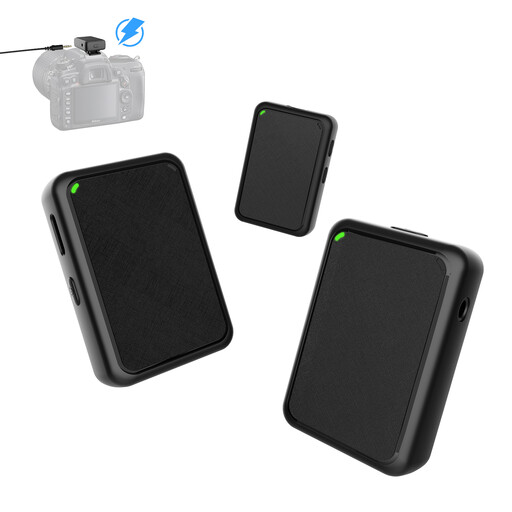
For two people who move around and need to be recorded with a microphone close to each speaker.
The set lists two transmitters, one receiver and a 3.5 mm cable. Check that the receiver is compatible with the recording device you plan to use.
 No image available
For recordings where you want to choose between focusing on one voice and capturing sound from several directions, depending on the seating arrangement.
The listed pickup patterns are cardioid, bidirectional, stereo and omnidirectional; a mute function and direct monitoring are also described. In omnidirectional mode, the microphone picks up sound from all directions, including room and fan noise.
 No image available
For recording a group in a room when you’d prefer a standalone voice recorder to a USB microphone connected to a separate recording device.
The description lists an in-room mode with a four-microphone array and one-button recording. The Notta app is listed for cloud syncing and file management.
 No image available
For portable recordings where you want to capture people sitting in different parts of the room.
The specifications list two omnidirectional microphones and an included 64 GB TF card. The microphones pick up sound from all directions, so they won’t specifically block out the fan.
No. 32-bit float doesn’t replace a suitable microphone distance or a position out of the airflow. Tascam lists this recording format for the DR-05XP. Test your planned seating arrangement with the fan running. If the airflow is blowing directly onto the microphone, first move it or use a suitable windscreen.
A USB microphone needs a compatible device and recording app. Check the connection and make a test recording, then play it back before the gathering. According to Zoom, a standalone recorder such as the Zoom H2essential records to a microSD card.
Listen to the recording and save an additional copy. If you’re using a recorder, include the storage medium you’ll need in your recording plan. If you’re using a USB microphone, make sure you know where the recording is saved on the connected device.
Check whether the specific offer includes any storage media, stands, cables or external microphones you need. For distance purchases from businesses, there is generally a 14-day cancellation period from the date of delivery, subject to legal requirements and exceptions. Your Europe, the European Union’s information portal, distinguishes this right to cancel from statutory consumer rights and a voluntary manufacturer’s warranty.
Under § 201 para. 1 of the German Criminal Code (StGB), recording another person’s private words without authorisation is prohibited. The provision also covers using or making such a recording accessible to others. Check with the people involved in advance to make sure they agree to being recorded, and discuss any plans to share the recording separately. Whether data protection rules also apply to a particular use depends on how the recording is handled.