What should you look for when buying?
First, decide who can open recordings and how a separate copy can be recovered. Then check the connection, file system, storage capacity and transfer requirements of the workstation you’ll be using.
| What you need |
What to check |
Who will find this especially important? |
| Access protection |
Check the encryption features of the specific model, and whether user accounts, access rights and locking the computer session can be managed. |
If confidential interviews are stored on a shared computer, I want to be able to decide who can open the files. Around 36% of consumers put access protection first. |
| Recoverable backup |
Plan a separate copy and test that you can restore files from it. The Federal Office for Information Security treats backup and recovery as parts of a data backup plan. |
I want to be able to retrieve recordings if the working drive fails or is lost, so I plan a separate copy and a recovery test. Around 29% of consumers prioritise a recoverable backup. |
| Compatibility |
Check the operating system, USB port, required cable, file system and any installation permissions. Toshiba says Canvio Basics drives are pre-formatted as NTFS and that reformatting is required for the macOS versions listed on its EMEA product page. |
If the drive needs to work with several existing computers, I want to check the file system and connections in advance. Around 21% of consumers put workstation compatibility first. |
| Storage and copying |
Estimate the size of your recording archive and how often you’ll copy files. For advertised transfer speeds, check whether your computer and cable support the specified interface. |
If recordings are transferred frequently or the archive is growing, I want to choose a suitable capacity without assuming I need the highest speed. Around 14% of consumers prioritise storage space or copying requirements. |
Joybuy products for mobile storage
The Joybuy products below include portable HDDs and SSDs for storing interview recordings externally. A single drive is no substitute for controlled access rights or a separate, tested backup.
 No image available
WD Elements 2 TB Portable External Hard Drive, USB-C
For portable external storage if a 2 TB HDD suits your planned recording archive; remember to plan for a separate backup.
The product name specifies USB 3.2 Gen 1, 2.5-inch and exFAT pre-formatting.
View at Joybuy
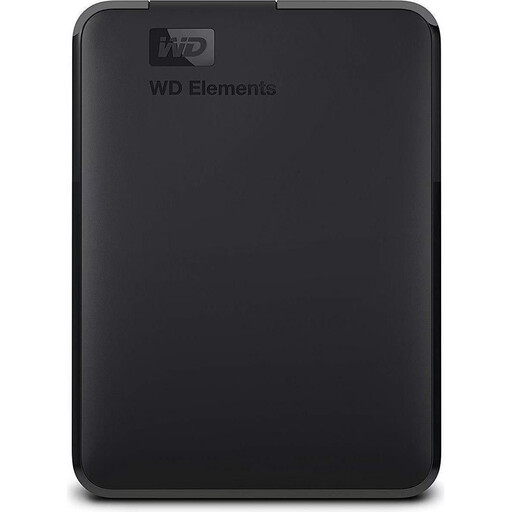 No image available
WD Elements 2 TB Portable External Hard Drive, USB 3.0
For portable storage if the stated capacity suits your archive; you’ll still need a separate backup.
The product name specifies USB 3.0 and formatting for PC and Mac.
View at Joybuy
 No image available
KEXIN Portable External SSD 256 GB, USB 3.1 Type-C
For portable storage if 256 GB is enough for your planned recording archive; remember to plan for a separate backup.
The product name specifies USB 3.1 Type-C and speeds of up to 500 MB/s.
View at Joybuy
 No image available
Kexin M.2 SATA Portable External SSD 256 GB
For portable external storage if the 256 GB variant suits your needs; the drive is no substitute for a separate backup.
The product name specifies USB 3.1 and speeds of up to 500 MB/s.
View at Joybuy
No image available
KEXIN Portable External SSD 512 GB, USB 3.1 Type-C
For portable storage if 512 GB suits your planned archive; you’ll still need a separate backup to recover your files.
The product name specifies USB 3.1 Type-C and speeds of up to 500 MB/s.
View at Joybuy
Frequently asked questions
Will an encrypted external hard drive protect files if colleagues use the same computer while it’s unlocked?
Not on its own. According to the Federal Commissioner for Data Protection and Freedom of Information, files are decrypted during a session once the drive has been unlocked. You should also set up user accounts and access rights, and lock the session.
Do I need to format a new external HDD before sharing it?
It depends on the operating systems used at your workplace and the file system of the specific model. Toshiba says Canvio Basics drives are pre-formatted as NTFS and notes that reformatting is required for the macOS versions listed on its EMEA product page. Back up any existing data before formatting a drive.
Is an external drive enough as the only copy of my interviews?
No, not if you need to be able to recover recordings after a drive fails or is lost. The Federal Office for Information Security treats backup and recovery as complementary parts of a data backup plan. Make a separate copy and check that you can restore files from it.
Can I record and store a private conversation in Germany without further ado?
Before you begin, check that you’re authorised to make the recording. Section 201 of the German Criminal Code covers the unauthorised recording of another person’s non-public spoken words. Buying a drive does not give you permission to record; the requirements that apply will depend on the circumstances.
Are data recovery services or a particular warranty included automatically?
No. Check the terms for the specific variant and country of sale. Seagate specifies a two-year limited warranty for Expansion Portable in EMEA and notes that data recovery services are not available in every country.


