Recording with an audible PC fan
You record character dialogue at your desk and want your voice to remain clear despite the fan. Microphone distance, direction and a test recording in your actual room conditions are all important things to check.


When recording character voices with a fan running, a boom microphone that can be positioned close to your mouth is a sensible starting point. Shure recommends recording as close to the voice as possible and pointing the microphone away from the source of unwanted noise. Filters are another option, provided they’re actually active on your device and in your recording software. Compare the processed recording with your unprocessed voice.
You record character dialogue at your desk and want your voice to remain clear despite the fan. Microphone distance, direction and a test recording in your actual room conditions are all important things to check.
You switch between quiet and powerful character voices and want to hear whether a filter suits each one. Compare test recordings with and without processing.
You want to record and monitor audio on a PC or console. Check the connection, microphone input and device compatibility for the exact headset version.
First, check the microphone position and the recording you’ve saved. Then consider whether the filters and connections suit your device and the sound you want for your voice.
| Buying priority | What to check | Who is this especially important to? |
|---|---|---|
| Fan noise on the microphone track | Position an adjustable boom microphone close to your mouth and point it away from the fan; listen to a recording made with the fan running. | If you record at a desk with a fan running, a clear voice on the saved track matters to you. Around 36 % of consumers place the greatest importance on reducing fan noise. |
| Character voice sound | Record the same quiet and powerful lines with and without a filter, then compare them. | If you play different character voices, you want them to remain clear without unnecessarily changing the sound you’re after. Around 29 % of consumers prioritise a suitable character voice sound. |
| Microphone input on your recording device | Check the connection for the exact model version and whether you need an adapter; select the correct microphone input in your recording software. | If you switch between a PC and console, the microphone needs to work with the device you’re recording on. A reliable device connection is the main priority for around 21 % of consumers. |
| Comfort during longer recording sessions | Check the fit and weight of the exact version, and assess how it feels over a typical speaking session. | If you record longer takes, comfort during your session may matter more to you than other buying factors. Around 14 % of consumers prioritise long-term comfort. |
Blocking out noise while you listen doesn’t automatically mean the microphone won’t pick up sounds from outside. COMPUTER BILD found that the microphone on the beyerdynamic MMX 300 Pro was sensitive to external noise.
Assess the microphone track separately and test it with the fan running.
The fan may still be audible in your recorded takes.
According to Logitech, the advanced Blue VO!CE features on the wired Logitech G PRO X require Logitech G HUB running on a PC. SteelSeries ClearCast AI requires GG Sonar to be running; headphone ANC doesn’t filter the microphone track.
For the exact model, check which device and software are required, and select the right input in your recording app.
Depending on your setup, you may need to do some extra configuration or record without the filter you expected.
Audeze highlights differences between the Xbox and PlayStation versions of the Maxwell in terms of USB and wireless support.
Check the full version name against your console and the connection you plan to use.
The USB or wireless connection you want may be restricted or may not work.
The Maxwell is worth considering for wireless recording if you want to check the microphone’s noise protection and choose the right console version.
The wired PRO X is an option if you want to try microphone filters on a PC.
The closed-back, wired MMX 300 PRO may suit you if the design matters when you’re listening.
Arctis models with Sonar may be worth considering for PC recording if you want to use software-based microphone filters.
The NTH-100M is a headset for voice recording and monitoring, with a detachable microphone.
Joybuy headsets for gaming voice recording, including wired and wireless options.
 No image available
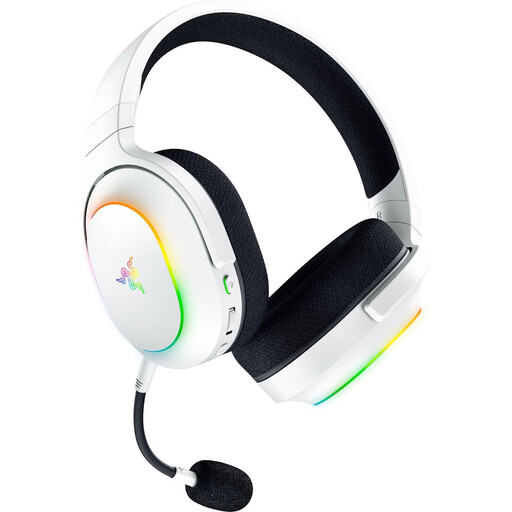
If you record on several devices, compare the listed connection types with the connections on your recording device.
Listed in the product name: 2.4 GHz wireless, Bluetooth 5.3 and a detachable HyperClear cardioid microphone; up to 70 hours of battery life and 285 g.
 No image available
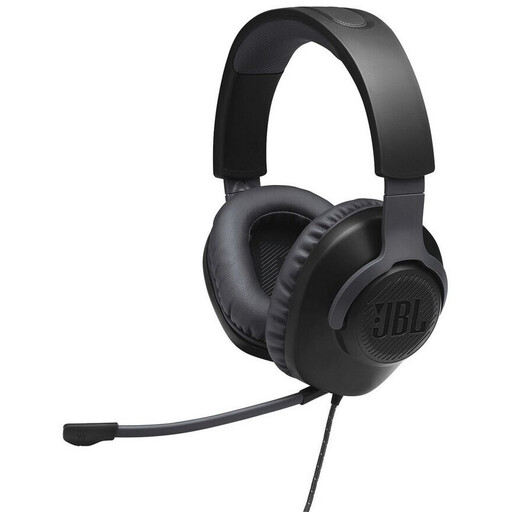
This wired headset may suit you if you don’t need a wireless connection. Check that its connection is compatible with your recording device.
Listed in the product name: wired over-ear gaming headset.
 No image available
If you’re looking for a wired headset for voice recording, check that its connection is compatible with your recording equipment before buying.
Listed in the product name: gaming headset with in-line audio control.
 No image available
If you want the choice of wireless or wired use, compare the connections listed in the product name with your recording device.
Listed in the product name: 50 mm drivers, 2.4 GHz wireless and wired operation.
 No image available
For voice recording on different devices, check that the listed connections work with your recording device and software.
Listed in the product name: SmartSwitch Dual Wireless, 50 mm drivers and USB-C.
Not automatically. SteelSeries distinguishes ANC, which affects what you hear, from ClearCast AI, which processes the microphone audio. Check the saved microphone track with the fan running.
Speak as close to the microphone as possible and point it away from the fan. Positioning it beside your mouth rather than directly in front can help reduce unwanted plosive sounds. Then record a short test using your quietest and loudest character voices.
Check that the microphone and headphones are connected to the right ports and that your recording software has selected the intended microphone input. For the RØDE NTH-100M, RØDE documents a splitter for separate connections; if you’re using software filters, make sure the signal path in your recording software is also set up correctly.
When buying from a trader, EU consumer rules generally provide a legal guarantee of at least two years from the date you receive the product. This is separate from a voluntary manufacturer’s warranty. Online purchases generally come with a 14-day right to cancel, subject to applicable exceptions.
Recording your own voice doesn’t give you permission to record other people without authorisation. Section 201 of the German Criminal Code covers the unauthorised recording of another person’s non-public spoken words; discuss any planned group recording in advance. In its additional guidance, the Data Protection Conference specifically addresses telephone conversations, not every game conversation in general.