What to look for when buying
Speakerphone for a group around a table
A good fit if: several people at the same table will be answering or talking to one another.
Consider: An all-round pickup pattern may also pick up unwanted voices from the office.
Speakerphone for one person
A good fit if: you want to host hands-free and hear the quiz audio out loud through the speaker.
Consider: Beamforming or noise processing doesn’t prove that conversations in your own office will be sufficiently filtered out.
Headset or quieter room
A good fit if: you’re hosting alone and want to avoid office noise or colleagues overhearing the quiz.
Consider: A headset won’t play the quiz audio to a group in the room. The BAuA notes that unwanted intelligible speech can be distracting when working in an office.
Start by deciding who needs to speak and listen in person. Then check how clear the audio is in your actual workspace, as well as the connection and device variant.
| What matters |
What to check before buying |
Who it matters most to |
| Clear audio with office conversations in the background |
Microphone direction and noise processing; try it out with typical background conversations. |
If I’m hosting alone, remote players need to understand the questions and answers despite conversations in the office. Around 36% of consumers put clear audio first when hosting solo. |
| Several voices around the table |
Microphone coverage for your seating arrangement and group size; test speaker handovers in the app. |
If several people are answering around one table, their voices should be picked up from where they’re sitting. Around 29% of consumers prioritise picking up a local quiz group. |
| Connection and device variant |
Check the USB or Bluetooth connection, the platform you need and what’s included with the exact variant. |
If I switch between devices, I want to set up the speakerphone without ending up with an unsuitable connection. Around 21% of consumers pay particular attention to the connection and the right variant. |
| Listening in and open playback |
Decide in advance who can hear the quiz audio; if you don’t want others listening in, consider a different spot or a headset. |
If you don’t want to disturb colleagues or let them hear the quiz questions, an open speaker may not be suitable. Around 14% of consumers prioritise this consideration. |
Speakerphones at Joybuy
This selection includes speakerphones for hosting solo and for playing a quiz locally around a shared table. Manufacturers’ claims about noise processing are no substitute for trying one out in your own workspace.
 No image available
Insta360 Wave AI Conference Speakerphone, Bluetooth, White
For hosting solo if you’d like to use a speakerphone with open audio playback; test how clear it sounds with the noise in your workspace.
Bluetooth; white finish. The product details also list eight microphones, five directional modes and noise cancellation.
View at Joybuy
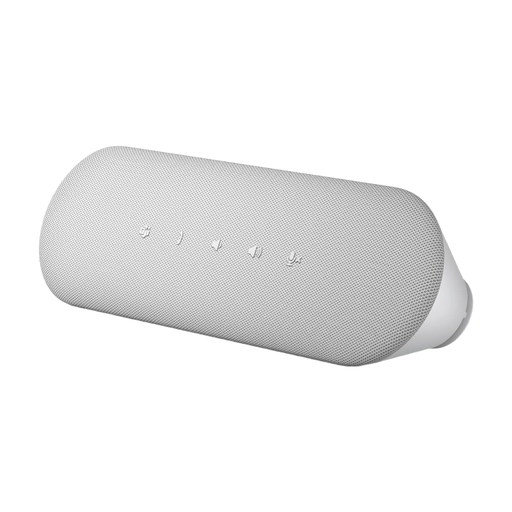 No image available
Dell Pro Desktop Speakerphone SP3022
For hosting from your computer if you’re considering a speakerphone with a direct USB connection; try it out in your own office to check how clear speech sounds.
The product details list USB-A and USB-C, a Teams button and full-duplex audio with echo cancellation.
View at Joybuy
 No image available
EMEET LunaPlus 8-Mic Bluetooth Conference Speaker
For a quiz around a shared table when several people will be speaking from different directions. All-round pickup may also capture unwanted voices in the office.
Eight microphones; 360° voice pickup; USB-C and Bluetooth; 5 W. The product details also list noise reduction and full-duplex audio.
View at Joybuy
Frequently asked questions
Is the stated noise cancellation enough for a noisy office?
You can’t tell from a product specification alone. Jabra and EPOS describe features of their respective microphones; the BAuA also points to unwanted intelligible speech and room design as factors affecting noise levels. Try the speakerphone in your actual workspace. If you’re hosting solo, a headset or quieter room may also be worth considering.
How do I set up the speakerphone before the quiz?
Connect it using the USB or Bluetooth option supported by your exact model, then select it as the input and output device in your quiz or conferencing app. Next, test it with someone joining remotely, using typical office noise and speaker handovers. Whether a dongle is included depends on the variant for some models.
What should I look for in a speakerphone for a quiz around a table?
The microphone coverage should suit your actual seating arrangement, and quick handovers between speakers should work during a trial run. HP distinguishes between Sync models based on their microphone layout and advertised range; EMEET lists the Luna Plus for group use. These manufacturer claims are no substitute for testing with the people and background noise at your location.
What rights do I have if my speakerphone is faulty?
When consumers buy from a seller in the EU, they have at least two years of statutory legal guarantee rights from the date they receive the goods. Your Europe, the European Union’s consumer portal, distinguishes these legal rights from a voluntary manufacturer’s warranty. This consumer rule does not automatically apply to purchases made solely for business use.


