For a continuous video, you need a remote release that’s compatible with your camera model and explicitly supports starting and stopping video recording; a remote that only takes photos won’t do the job. Canon, Nikon, Sony and Panasonic list video functions for certain models, but you’ll need to check compatibility with your specific camera. A remote release won’t correct the exposure of a white background or the colour reproduction of pastel chalk.
Who is a remote release for?
Artists using a camera to record continuous video
If you want to control when recording starts and stops from your drawing table, compatibility with your camera and an explicitly supported video button are essential. Canon Germany, Nikon Germany, Sony Germany and Panasonic describe video control for certain remote controls and cameras.
Artists using a fixed photo or time-lapse setup
If you’re documenting individual stages of your work, a remote release can help you avoid touching the camera when taking a shot. Depending on your setup, you could use a suitable cable, a supported app or an interval timer. Rollei lists interval shooting for the Wireless Remote Release 28146 and notes that a suitable camera cable is required.
Artists using a smartphone
If you’re filming with a smartphone, check that your phone and camera app support the Bluetooth remote’s commands. Hama notes that the BRS5’s functionality depends on the software on the device.
What should you look for?
First decide whether you want to record a continuous video or take individual photos. Then check that your recording device and the remote’s functions are compatible.
| What you need |
What to check before buying |
Who is this most relevant to? |
| Start and stop video recording |
Check that the remote supports starting and stopping video recording and is designed for your camera model. |
If I want to film my drawing continuously without touching the camera, I need documented video controls. Around 28% of consumers put this feature first. |
| Camera compatibility |
Check the full model name, connection or wireless support and, where applicable, firmware. |
If I already own a camera, I want the remote to work with that exact model and the recording mode I need. That’s why around 28% of consumers prioritise compatibility. |
| Single shots and time-lapse |
Check the difference between single shots, interval shooting and continuous video, and whether a cable is required. |
If I want to capture individual stages of my drawing rather than make a continuous film, interval shooting matters more than a video button. Around 17% of consumers prioritise this type of recording. |
| Control from the drawing table |
Compare the distance and position with the specifications for the specific model; check pairing and power requirements. |
If I need to switch between paper, pencils and the camera while drawing, I want to be able to take a shot from my workspace. Around 16% of consumers value this freedom of movement most. |
| Control a smartphone |
Check the operating system and camera app, particularly whether they support starting and stopping video recording. |
If the smartphone itself is recording my drawing, the remote needs to work with the phone and its camera app. Around 11% of consumers are primarily looking for smartphone control. |
Common selection mistakes
-
Assuming Bluetooth means universal compatibility
A Bluetooth remote for a smartphone or tablet won’t automatically work with a mirrorless camera. Manufacturers sometimes list the specific camera models that are compatible.
Start by deciding what device you’ll use to record, then check its full model name against the remote’s compatibility information.
-
Confusing interval photos with starting and stopping video
An interval function takes individual photos repeatedly; it doesn’t prove that you can use the remote to control an ongoing video recording.
Before choosing, decide whether you need a continuous video or a series of individual images, then check that the remote lists the function you need.
-
Overlooking the camera cable you need
According to Rollei, the Wireless Remote Release 28146 requires a cable that’s suitable for your camera.
Check the camera connection and what’s included before choosing this option.
-
Expecting a remote release to render white and pastel colours accurately
Taking a shot won’t automatically control exposure or white balance. Canon Academy explains that a large area of white can challenge the camera’s exposure metering. Nikon Germany recommends setting the white balance before shooting in lighting that’s as even as possible.
Set up your camera and lighting, take a test shot, then check the exposure and white balance independently of the remote control.
Key brands at a glance
Canon
Canon describes the BR-E1 as a wireless remote control for certain compatible cameras. According to Canon Germany, Camera Connect can be used for remote photo control with many supported cameras.
- Canon lists video recording and a range of up to 5 m for the BR-E1.
- The app description doesn’t confirm a video start/stop function for every camera model, so check the specific combination.
Nikon
The ML-L7 is a Bluetooth remote control for supported Nikon cameras. Nikon Germany specifically lists the Z 30 as an example of a compatible camera.
- Nikon describes the ML-L7 as having buttons for photo and video recording.
- These button functions aren’t automatically available with every Nikon camera or for every feature.
Sony
Sony offers the RMT-P1BT Bluetooth remote control and the RM-VPR1 wired alternative for compatible cameras.
- Sony describes both models as able to control video recording; it also lists a status LED for the RMT-P1BT.
- Choosing a remote from the same brand doesn’t confirm wireless support or the right connection for your camera model.
Panasonic
The DMW-RS2E is a wired remote release with a separate video start/stop button for compatible cameras.
- Panasonic describes a dedicated button for controlling video recording.
- Panasonic specifies a firmware requirement. Before buying, check your camera model and, where applicable, its firmware.
Hama
Hama describes the BRS5 as a Bluetooth remote shutter for Android and iOS smartphones and tablets.
- The remote is designed for taking photos with a smartphone or tablet.
- According to Hama, functionality depends on the software on the device. Check that the app you’re using also supports the video control you need.
Related products at Joybuy
These Joybuy options are designed for wireless control of certain action cameras and for smartphone recording accessories. Before buying, check that your recording device and the mode you want to use are supported.
 No image available
DJI Osmo Action GPS Bluetooth Remote Controller
For the compatible Osmo models listed; the product description says you can start recording remotely.
Compatibility: Osmo 360, Osmo Action 6, Osmo Action 5 Pro and Osmo Action 4.
According to the product description, a long and a short wrist strap are included.
View at Joybuy
 No image available
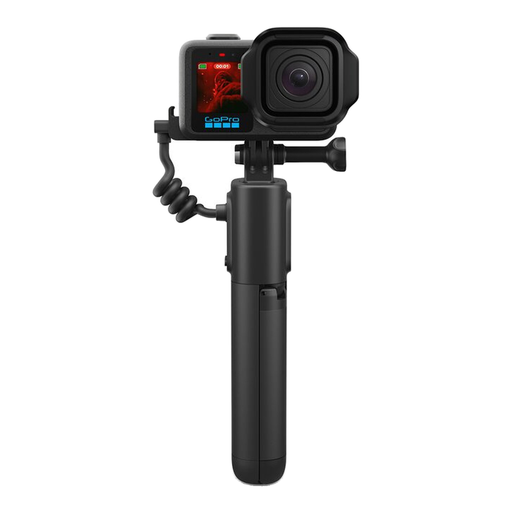
GoPro Volta 2.0 Battery Grip with Integrated Tripod & Wireless Remote
Grip with an integrated wireless remote and fold-out tripod legs, for the GoPro cameras listed in the product description.
Compatibility: HERO13 Black, HERO12 Black, HERO11 Black, HERO11 Black Mini, HERO10 Black, HERO9 Black, MAX2 and MISSION-1 series.
The product description lists a range of up to 30 m, an integrated 5800-mAh battery, USB-C and Bluetooth.
Model number: APHGM-002-EU.
View at Joybuy
 No image available
Ulanzi JJ02 3-in-1 Bluetooth selfie stick with mini tripod and remote control
For smartphone photography, with a Bluetooth remote control and phone holder. Check that the camera app you’re using supports the shutter command you need.
The product title lists an extendable mini tripod holder and two cold shoes.
The product title lists iPhone, Samsung and Android smartphones as compatible phone types.
View at Joybuy
 No image available
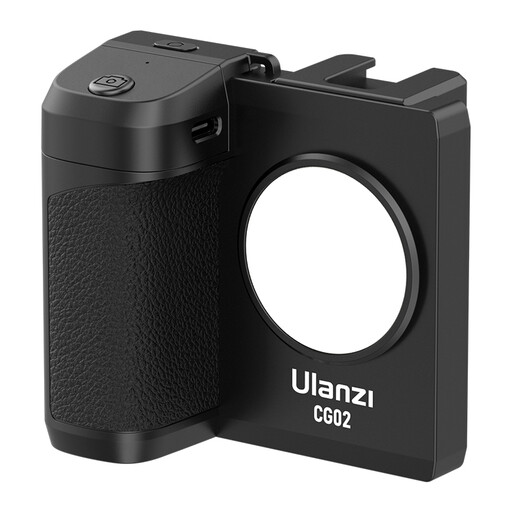
Ulanzi CG02 smartphone grip with remote control and fill light
Smartphone grip with a remote control. Check that your smartphone and camera app support the shutter function you need.
The product title lists a fill light with three brightness settings and a cold shoe.
The product title lists iPhone and Android smartphones as compatible device types.
View at Joybuy
Frequently asked questions
Will a photo remote release work for continuous video?
Not unless it explicitly supports video recording with your camera model. Panasonic lists a separate video start/stop button for the DMW-RS2E. For other remote controls, check that the specific camera supports the same function.
How can I make sure white and pastel colours look as expected in my recording?
Check the exposure and white balance separately from the remote release. Canon Academy notes that a large area of white can challenge the camera’s exposure metering. Nikon Germany recommends setting the white balance before shooting in lighting that’s as even as possible. A quick test shot will help you check the settings for your setup.
Is there anything else I should check with wired or smartphone remotes?
Yes. For a wired option, check the connection and what’s included: Rollei says the Wireless Remote Release 28146 requires an additional suitable camera cable. If you’re using a smartphone remote, test the photo or video command you need with the camera app you’ll actually be using.
What should I know about CE marking for a wireless remote control in Germany?
The Federal Network Agency explains that CE marking is required for products covered by relevant EU harmonisation legislation and placed on the market in the EU. A CE mark doesn’t tell you whether the remote control is compatible with your camera.


