Handwriting annotators
If you often write formulas, sketch or add notes in the margins directly on research PDFs, you need a compatible combination of screen, stylus and software.


If you often write formulas, sketch or add notes in the margins of research PDFs, start by looking at a convertible or detachable 2-in-1 with a compatible stylus. If you mainly highlight, type and manage references, a lightweight traditional laptop may be enough – provided it works with your software, supports offline access and comes with the charging accessories you need. A touchscreen alone doesn’t confirm stylus support or mean that a stylus is included.
If you often write formulas, sketch or add notes in the margins directly on research PDFs, you need a compatible combination of screen, stylus and software.
If you often change location during fieldwork, a device that’s easy to carry and documents available locally in advance are essential in case you lose your connection.
If you highlight passages, link reference notes and do most of your longer writing on a keyboard, make sure your PDF and reference-management workflow works on your chosen operating system.
First decide whether you need to write directly on the screen. Then compare portability and offline use, along with the software and complete set of accessories you’ll need.
A good fit if: you switch between longer typing sessions and handwritten PDF notes. For the documented Yoga 7a configuration, Lenovo Germany lists a Yoga Pen Gen 2.
Things to weigh up: The OLED touchscreen mentioned is glossy; also check the stylus and what’s included with the specific configuration.
A good fit if: you often read PDFs without a keyboard and want the option to type on a Windows device. Microsoft describes the Surface Pro 12-inch, 2nd Edition as a tablet, sketchbook and laptop.
Things to weigh up: Microsoft sells the keyboard and Slim Pen for this edition separately; also check that the specific Snapdragon device works with the software and peripherals you need.
A good fit if: you mainly highlight PDFs and type comments, and don’t need to write directly on the screen.
Things to weigh up: A traditional laptop doesn’t offer confirmed stylus input. Check that specialist software and peripherals work with the specific operating system and processor.
| Buying priority | What to check | Who it matters most to |
|---|---|---|
| Handwriting on PDFs | Check stylus support for the exact model number and compatibility with your PDF editor. | If I want to write formulas or notes in the margins directly on a PDF, I need a confirmed compatible input method. Around 33% of consumers are likely to prioritise handwritten PDF notes. |
| Portability and offline access | Check the weight including accessories, charging requirements and whether your PDFs are available locally before travelling. | If I often change location or am offline for a while, I want to open the documents I need without a connection. Around 27% of consumers are likely to prioritise portability and offline access. |
| Reference and software workflow | Test highlighting, citations, exporting and the software you need with your own sample files. | If I want to turn PDF highlights into reference notes I can use elsewhere, the workflow needs to work with my software. Around 20% of consumers are likely to prioritise reference management and software compatibility. |
| Complete package and accessories | Check what’s included with the exact configuration, especially the stylus, keyboard and power adapter. | If I want to use the device for handwritten notes and longer typing sessions, I need all the necessary components. Around 20% of consumers are likely to prioritise the complete device and its accessories. |
A touchscreen doesn’t automatically confirm that it supports the stylus you want or that one is included.
Check the compatible stylus, what’s included and the recommended PDF editor for the exact model number.
Microsoft says the keyboard and Slim Pen for the Surface Pro 12-inch, 2nd Edition are sold separately. Without the necessary components, your workflow may not be what you expected.
Before buying, check which keyboard, stylus and power adapter are included with the specific configuration or need to be purchased separately.
Zotero syncs library data and file attachments separately; having metadata doesn’t prove that all your papers are stored locally.
Save the PDFs you need locally before you leave and open a test file without an internet connection.
Microsoft explains how many Windows apps run on Arm devices, but this isn’t a guarantee for every specialist application or peripheral.
Before buying, check that your specific combination of Snapdragon device, institutional software and peripherals will work.
Yoga convertibles are worth considering if you want to switch between keyboard and stylus input.
The Surface Pro is a detachable device for reading and using a stylus in tablet mode.
The OmniBook Flip is a convertible with a built-in keyboard and a screen that folds back.
The Zenbook 14 UX3480 is a traditional Windows laptop option if writing on the screen isn’t a priority.
The 13-inch MacBook Air with M5 is a traditional macOS option for typing and reading PDFs.
The Joybuy products below are traditional laptops for reading PDFs and doing mostly keyboard-based work on the go. Touchscreen specifications alone don’t confirm compatible stylus input.
 No image available
For reading PDFs and typing on the go, provided the software you need works with the Snapdragon processor.
13.8-inch 3:2 touchscreen, 16 GB RAM and 512 GB SSD. Check compatibility with your specialist software and peripherals.
 No image available
For reading PDFs and managing references if you’re looking for a traditional laptop with keyboard input.
13-inch LED touchscreen, 24 GB RAM and 1 TB SSD. The product description mentions stylus support; before buying, check which stylus is compatible and test it with your PDF software.
 No image available
For longer PDF reading sessions and typing if a 16-inch screen and the stated device weight suit the way you travel.
Specifications stated in the product name: 16-inch FHD IPS display and 1.8 kg weight.
 No image available
For Windows work and reading PDFs on the go, provided the software you need works with the Snapdragon processor.
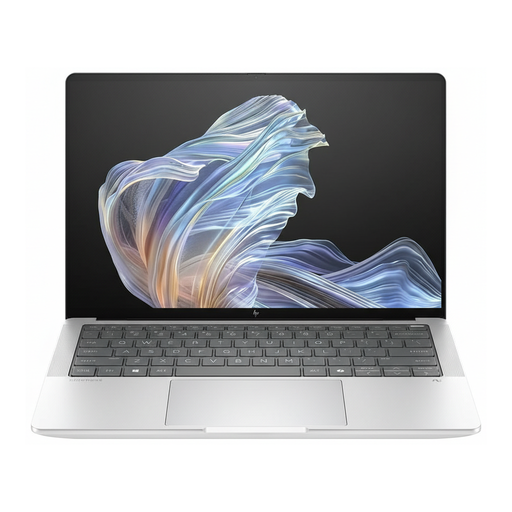
Specifications stated in the product name: 2.2K display, Snapdragon X Elite, 16 GB RAM, 512 GB SSD, Windows 11 Pro and USB-C Power Delivery. Check specialist software and peripherals for the specific configuration.
Save the papers you need locally in advance and open a test file without a connection. Zotero syncs library data and file attachments separately; synced metadata alone doesn’t mean that all your PDFs are available locally.
Not necessarily: Zotero stores your annotations in its database and describes an export option that embeds them in a PDF. Try the export with a sample paper, then open the file in the software you plan to use.
No. Having the same connector doesn’t automatically mean the charging power is right. The European Commission sets common charging requirements for covered laptops placed on the market since 28 April 2026, and requires information about the power needed. Compare these details with your adapter; for an individual product, whether the rules apply depends in part on when it was first made available on the EU market.
According to the German Federal Network Agency, products covered by EU harmonisation legislation and placed on the EU market must comply with the relevant requirements and carry a CE marking. This isn’t an independent quality assessment and doesn’t confirm that an individual product complies.
No. Under the EU rules outlined, purchases from a trader in the EU come with a minimum two-year legal guarantee from the date you receive the goods; any manufacturer’s warranty offered is separate. The EU also explains that eligible online consumer purchases generally come with a 14-day right to cancel, subject to exceptions.