
Lieferung heute & morgen

Qualitätsgarantie

Willkommens-Angebote freischalten: KOSTENLOSE Lieferung | Bis zu 80 % RABATT | Kostenlose 30-Tage-JoyPlus-Testphase
App herunterladen
Acquiring a resin 3D printer promises the creation of highly detailed models, from intricate miniatures to precise prototypes. However, the market is filled with technical specifications and marketing promises that make an informed decision difficult. Often, overlooked details lead to unexpected costs, laborious workflows, or disappointing print results after the purchase.
As your Joybuy Product Recommendation Officer, I'll help you identify these pitfalls. We will focus on the objective criteria that truly matter and sidestep three common marketing traps:
To make an informed choice, you should focus on technical features that directly influence print quality and reliability.
The true level of detail in a print is not determined by the display's K-rating alone, but by the XY resolution, measured in micrometres (?m). This value indicates the size of a single pixel and thus defines the smallest representable feature on the horizontal plane. A high-resolution 3D printer should have a low ?m value.
The light source is equally important. Modern printers use a COB (Chip-on-Board) light source combined with a Fresnel lens. This system ensures high light intensity and uniform illumination across the entire print area (often >90%). This prevents models at the edges of the build plate from curing softer or less accurately than those in the centre.
The Z-axis moves the build platform upwards after each exposed layer. Any instability or vibration in this movement leads to visible layer lines (Z-wobble) and can even cause print failure on tall models. Look for printers with dual linear rails or a ball screw. These industrial components guarantee precise and stable vertical movement, which is essential for dimensionally accurate and smooth surfaces.
The material is just as important as the printer itself. Almost all consumer SLA printers use a 405nm UV resin. However, the choice of resin type depends heavily on your application:
Here are some configurations tailored to specific needs that take the aforementioned pitfalls into account.
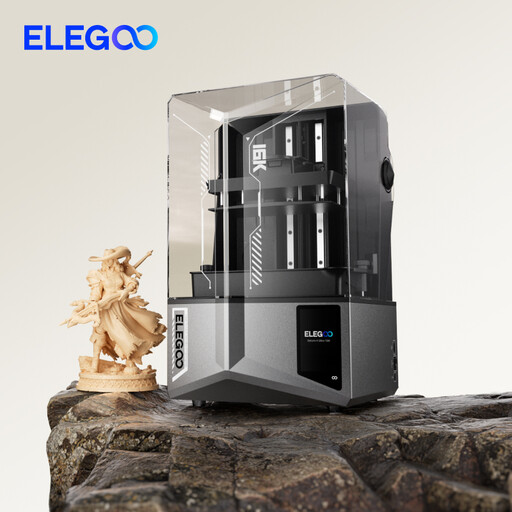
Why This Fits Their Persona: Ideal for users looking for a straightforward entry into 3D printing. The auto-levelling and intelligent AI camera for error detection reduce common initial hurdles and minimise misprints.
Its "plug-and-play" functionality bypasses the trap of a complex initial setup. The auto-levelling feature eliminates the need for manual calibration, a frequent source of error for beginners.
Auto-levelling and an intelligent tank heater for a higher success rate. Combine it with water-washable resin for simplified post-processing.
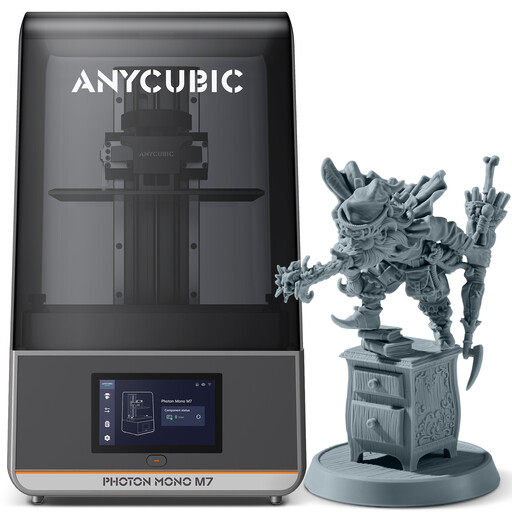
Why This Fits Their Persona: Perfect for hobbyists and model makers who require maximum precision for miniatures, jewellery, or detailed figures. The large 10.1-inch screen allows for producing multiple small parts or larger models in a single run.
This printer avoids the "K-resolution" trap by combining its high 14K resolution with a concrete XY resolution of 16.8 × 24.8 ?m and the LighTurbo 3.0 system for uniform exposure.
Outstanding detail accuracy on a large build area. The stable dual linear rails on the Z-axis ensure quality even on tall objects. Ideal in combination with standard resin.
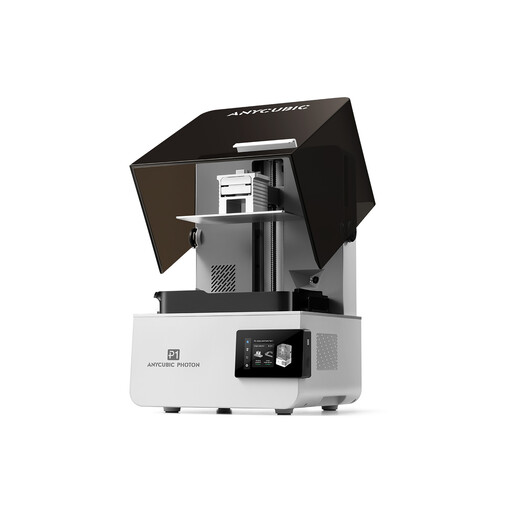
Why This Fits Their Persona: Designed for engineers and professional users who need dimensionally accurate and mechanically robust parts. Its sturdy construction is built for reliability and processing demanding materials.
It bypasses the trap of unstable mechanics by using an industrial-grade ball screw system. This ensures the high repeatability and dimensional accuracy required for functional parts.
High Z-axis stability and compatibility with high-viscosity resins. Use it with ABS-Like Resin 2.0 to print parts with high strength and toughness.
We have compiled a complete, up-to-date list of products that fully meet these strict selection criteria and safety regulations.
1. How do I properly dispose of resin residue and cleaning agents? Liquid 3D printer resin and resin-contaminated materials (like gloves or paper towels) are hazardous waste. They must be fully cured under UV light before disposal. Once the resin is solid and no longer sticky, it can be disposed of as normal plastic waste (general waste). Cleaning solutions like isopropyl alcohol (IPA) can be reused multiple times. Once the alcohol is saturated, it should be taken to a municipal recycling centre as hazardous waste. The cleaning water from water-washable resin must also be cured in a transparent container in the sun or under a UV lamp until the resin residue settles as a solid sediment. This solid residue can then also be disposed of in the general waste.
2. Do I absolutely need a Wash & Cure station? A Wash & Cure station is not mandatory, but it is highly recommended. It automates and standardises the cleaning and curing process. This leads to more consistent results, a cleaner workspace, and reduces direct contact with chemicals. The manual alternative—cleaning in containers with IPA and curing in the sun—is more laborious, less controllable, and can result in unevenly cured or sticky models.
3. What does XY resolution on a resin 3D printer really mean? The XY resolution, specified in micrometres (?m), describes the size of a single pixel on the LCD screen. It is the crucial factor for the fineness of detail on the horizontal plane (the X and Y axes). A smaller value means smaller pixels and thus the ability to render finer details like textures, edges, or small engravings. While a high K-rating (e.g., 14K) indicates a high total number of pixels, the XY resolution is the more practical metric for comparing the actual detail accuracy of different printers with varying display sizes.