Arcade gamers who play on a TV
If you have a TV or monitor, you can play classic games on a bigger screen. Check that the connections, setup and game selection suit your space.


If your TV or monitor is easy to see in your gaming space, a TV console gives you the bigger picture. Without an external screen, consider a handheld or tabletop machine. The games you actually want to play and the controls that suit them matter too. An IPS specification alone doesn’t prove that a display will be easy to see in bright light.
If you have a TV or monitor, you can play classic games on a bigger screen. Check that the connections, setup and game selection suit your space.
A handheld combines the screen and controls in one device. A tabletop machine also has a built-in screen, but needs a permanent spot.
If you’re after particular arcade titles, check the exact edition and version against the game list. For cartridges and downloads, it’s also worth checking how the games you want are available.
A good fit if: You have a well-positioned TV or monitor and want to choose arcade games as individual cartridges.
The trade-off: The screen and any reflections depend on the connected device. According to the manufacturer, the Evercade VS-R doesn’t include an HDMI cable or power supply as standard.
A good fit if: You want to switch between handheld and TV play, and enjoy other games as well as arcade downloads.
The trade-off: Check each download you want individually; the Nintendo Switch Lite doesn’t support TV mode.
A good fit if: You want a screen and arcade controls in one device, and have a suitable spot for it.
The trade-off: The game selection depends on the specific model. Measure your available space and check for reflections where you plan to set it up.
A good fit if: You want to move the device around your room and don’t need to connect a TV.
The trade-off: The screen is smaller than a TV. According to the manufacturer, the Evercade EXP-R has no TV output and requires compatible game cartridges.
A good fit if: You want to play the included Atari and arcade titles on your TV with joysticks.
The trade-off: Atari’s stated library also includes games outside the arcade category. The manufacturer’s 2023 information doesn’t confirm current availability in Germany.
First, check how easy the screen is to see in your intended gaming space. Then check the exact game list, followed by the connections, controls and what’s included. This will help you choose a device based on what you actually want to play and which screen you want to use.
| What you’re looking for | What to check | Who is this important to? |
|---|---|---|
| Screen visibility in bright light | Check reflections on the actual screen and its position in relation to windows and lamps. An IPS specification isn’t a comparable measure of anti-glare performance. | If I play in a bright spot during the day, I want to know how much glare to expect on the screen. Around 29% of consumers say screen visibility is their main concern. |
| Arcade titles you want to play | Check the game list, edition and version. Distinguish arcade versions from home console versions. | If I’m looking for specific classics, the exact version matters more to me than a large, general game count. Around 29% of consumers prioritise specific titles. |
| Screen and space | Check whether there’s a suitable HDMI screen in your gaming space and whether a handheld or tabletop machine will fit there. | If I can’t connect a screen or want to move the device around, I need a solution that suits my space. Around 24% of consumers prioritise space or connectivity. |
| Controls and accessories | Compare the joystick, paddle or portrait mode with the games you want to play, and check which cables, power supply and controllers are included. | If I want to play arcade games with specific controls, I want to know what works with the device and what comes in the box. Around 18% of consumers consider controls and equipment first. |
A library may combine arcade and home console games. For example, Space Invaders ’91 is described as a home console game in the Super Pocket Taito Edition.
Make a note of the games you want and check the edition, version and format for each one.
If the games you want aren’t included, you may need to buy additional cartridges or downloads.
A TV console can’t control how much light from windows or lamps reflects off the connected screen.
Before choosing a TV console, check the screen and its position in your intended gaming space.
According to the manufacturer, the Evercade EXP-R has no TV output. The standard specification for the VS-R doesn’t include an HDMI cable or power supply.
Check the exact model and package rather than assuming that every device in a product range has the same connections or accessories.
Depending on the accessories you already have, you may need a compatible HDMI cable or power supply.
The range includes cartridge-based TV consoles, handhelds and tabletop machines. It’s worth considering if you want to choose games by edition or cartridge.
Super Pocket handhelds combine a built-in screen with a game selection that varies by edition. The Taito Edition also has an Evercade cartridge slot.
Dockable Switch models may suit buyers who want to play arcade downloads and other Switch games on one console.
The co-branded Atari Gamestation Pro is described as a TV console with a fixed selection of Atari and arcade titles.
Tabletop machines combine a built-in screen with a set game selection. They’re an option if you don’t want to use a TV as your gaming screen.
This selection includes portable retro handhelds and an HDMI console for connecting to a compatible screen.
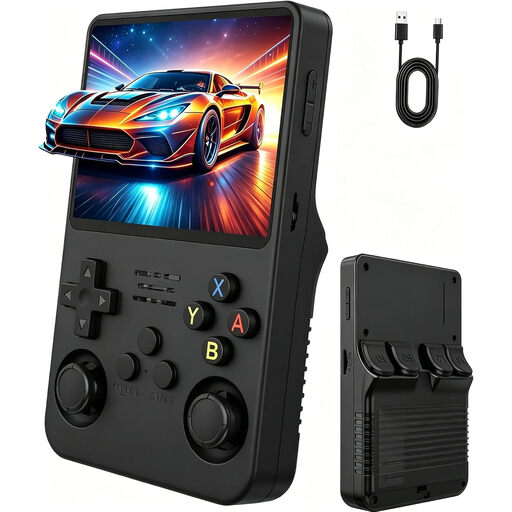 No image available
For portable gaming without an external screen; the product description lists arcade as one of the game categories.
3.5-inch IPS screen and two joysticks.
Check the exact game list if you’re looking for specific arcade titles.
 No image available
For portable gaming with built-in titles; the product description lists arcade as one of the game categories.
300 pre-installed games and 3.2-inch HD display.
The product description mentions adjustable screen brightness. Check the included games individually if specific arcade versions matter to you.
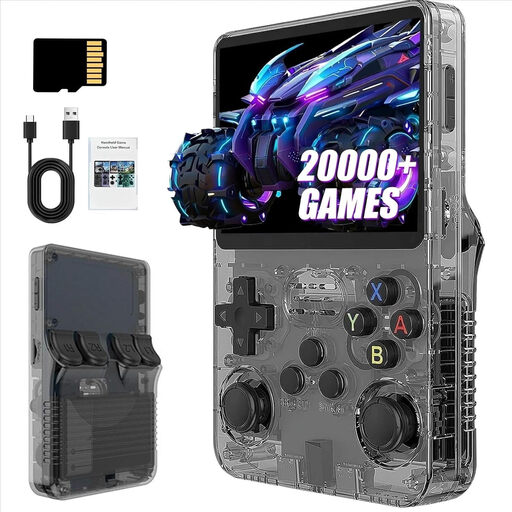 No image available
For portable retro gaming; the product description mentions classic games and a compact handheld design.
3.5-inch screen, IPS display and 31 GB storage.
The product name claims more than 21,000 games. A high overall game count doesn’t confirm that the arcade titles you want are included.
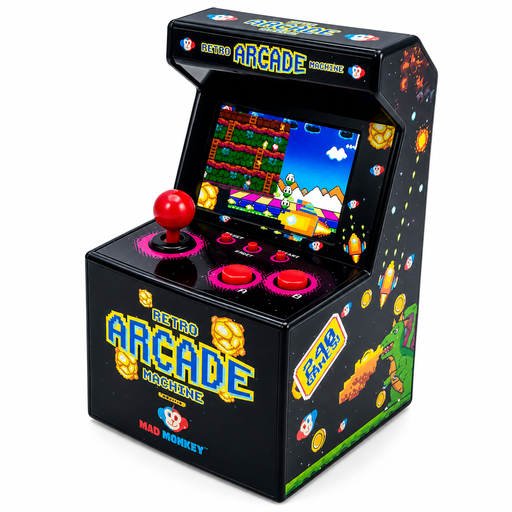 No image available
A self-contained mini arcade option if you don’t want to connect an external screen.
240 pre-installed games and a 2.5-inch display.
The product description says it requires three AA batteries. Before buying, check that the small screen will work for your gaming space.
 No image available
For playing on a compatible TV, monitor or projector if you don’t want a handheld screen.
The product title lists 20,000+ games, 4K HDMI output and two wireless 2.4 GHz controllers.
The product description lists arcade as a game category. Check the game list and visibility on the screen you plan to use before deciding.
No. IPS describes a display technology, but doesn’t tell you how much light will reflect off the screen near a particular window or lamp. Check the screen surface and viewing angle. With an HDMI console, the connected screen is what matters.
No. Evercade explicitly states that the EXP-R has no TV output. If you want to play on a TV, choose a model with TV output.
You’ll need a TV or monitor with a compatible input and an Evercade game cartridge. Evercade says the standard package includes a controller and power cable, but not an HDMI cable or power supply; check the specific package.
You may need to buy additional Evercade cartridges or individual Switch downloads. First, compare the included titles with your wishlist, then check what’s included with the specific product.
No. Owning a console doesn’t automatically give you the right to download or copy any game you like. Under § 69c UrhG, the right to reproduce computer programs generally belongs exclusively to the rights holder; whether a particular use is permitted depends on the rights involved and any statutory exceptions. When buying, look for clearly identified original games, licensed cartridges or official downloads.