For arcade gaming on a small desk, a handheld or mini arcade machine is an obvious choice if you want to play without an extra monitor and put the device away easily. A bartop machine comes with a screen and arcade controls, but needs a permanent spot: Evercade lists the Alpha as 244 mm wide and 316 mm deep. An HDMI console such as the Evercade VS-R, on the other hand, requires an existing screen. Check which cables and games are included with the specific model, too.
Who are the different consoles suited to?
Players short on desk space
If there’s barely any room left on your desk, you can choose between a small device with a built-in screen and a handheld that you can put away after playing. HyperMegaTech! lists a 2.8-inch display for the Super Pocket; SNK gives the NEOGEO mini’s screen size as 3.5 inches.
Fans of specific arcade classics
If you’re looking for particular games or a specific publisher’s library, compare the game list for the exact edition. According to SNK, the original NEOGEO mini and the INTERNATIONAL edition differ in 14 of their 40 titles.
Players with a monitor or an interest in multiplayer gaming
If you already have a screen or want to play with other people, check the connections, controllers and what’s included. Evercade lists HDMI output and local multiplayer for up to four players for the VS-R; check which games and accessories come with your chosen bundle.
What should you look for when buying?
First, check whether a device with its own screen will fit on your desk or whether you’ll use an existing monitor. Then consider the games you want and the controls that suit you.
| What matters when buying |
What to check |
Who is this important to? |
| Space and screen |
Compare the device’s dimensions with the available space on your desk. For handhelds, check the display size: SNK lists the NEOGEO mini as 3.5 inches, while HyperMegaTech! gives the Super Pocket’s size as 2.8 inches. |
If I have little spare room on my desk, I want to play without an extra monitor and put the device away afterwards; around 31% of consumers say that a suitable footprint and built-in screen are their top priorities. |
| Games and usage rights |
Check the game list for the exact edition on offer. For cartridges, check compatibility and what’s included; technical playback support does not mean you’re allowed to use files you source yourself. |
If I’m looking for specific arcade classics, I want to know which titles are included and where they come from; around 25% of consumers prioritise a specific game selection and clear usage rights. |
| Controls |
Check whether the device has a joystick and buttons or requires a separate controller, and whether it supports the number of players you need. |
If I want to play arcade games with a joystick and action buttons, the controls should suit my games without taking up unnecessary space on my small desk; around 25% of consumers prioritise suitable arcade or controller-style controls. |
| Monitor and expandability |
For HDMI devices, make sure you have a compatible screen and the cable you need. For the Evercade VS-R, manufacturer support also advises checking whether the specific bundle includes a game cartridge and HDMI cable. |
If I want to use a monitor or extra controllers at my desk, I want to know in advance what can actually be connected and what’s already included; around 19% of consumers prioritise a monitor connection, multiplayer options or expandability. |
How to avoid common buying mistakes
-
Assuming similarly named editions have the same game collection
Game lists can vary between editions. According to SNK, the INTERNATIONAL edition of the NEOGEO mini differs from the original in 14 of its 40 games; Evercade Alpha editions also include different titles.
Before buying, compare the full game list for the exact edition rather than relying on the product range name alone.
-
Assuming a console with a screen needs the same accessories as an HDMI console
The Evercade Alpha has a built-in screen but no HDMI output. The VS-R needs an external screen; according to manufacturer support, the Classic Retro edition does not include a game cartridge, and the VS-R does not come with an HDMI cable.
First check your monitor and its connections, then check what’s included with the exact model or bundle.
-
Confusing support for playable file formats with permission to use them
Technical support for an arcade format does not tell you whether you’re legally allowed to use a particular game file.
Check the source and usage rights of any game files you obtain yourself, independently of the device specifications.
Key brands at a glance
SNK
The NEOGEO mini is aimed at players looking for a compact arcade console with a built-in collection of SNK games.
- SNK lists 40 games and a built-in 3.5-inch display.
- The INTERNATIONAL edition differs from the original in 14 titles, so the exact game list is important.
Evercade / Blaze Entertainment
The Alpha is a bartop machine with its own screen; the VS-R is a console for an external screen. Both are part of the Evercade cartridge system.
- The Alpha combines a built-in screen with arcade controls. The VS-R offers HDMI output and two cartridge slots.
- The Alpha has no HDMI output. The VS-R requires an external screen; what’s included, including game cartridges, depends on the specific edition or bundle.
HyperMegaTech!
The Super Pocket is a handheld that’s easy to play and put away; the games on offer depend on the edition you choose.
- The manufacturer lists a 2.8-inch display and pre-installed, edition-specific games for both the Data East and Taito editions.
- The small screen offers a different experience from a larger bartop machine. Compatible Evercade cartridges are sold separately.
Anbernic
The RG35XX H is a configurable handheld for buyers who want to check the device and games for themselves.
- Anbernic lists a 3.5-inch display, support for arcade formats and HDMI output.
- Format support does not prove you have the usage rights for pre-installed or independently sourced game files.
Arcade1Up
The Countercade range offers another way to choose a standalone tabletop device for arcade gaming.
- Various Countercade editions are available in Germany, including versions featuring Street Fighter and Teenage Mutant Ninja Turtles.
- The manufacturer’s information for the Pac-Man edition refers to a US model and cannot necessarily be applied to other editions.
Joybuy products for desk-based arcade gaming
The Joybuy products below are handhelds and a mini arcade machine with a built-in screen. They’re worth considering if you want to play at your desk without a separate monitor; compare the games and controls for the specific model before buying.
 No image available
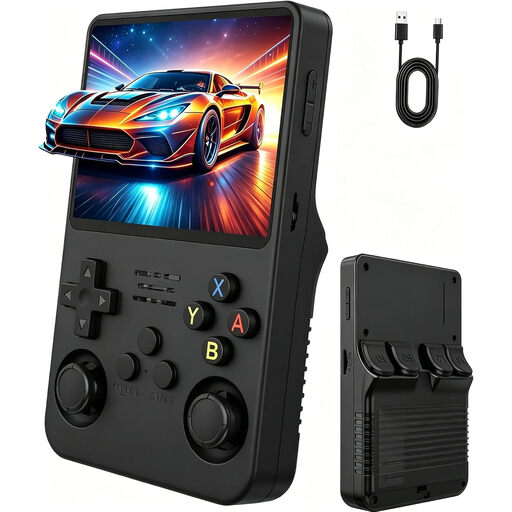
Retro handheld console with 3.5-inch IPS display
The built-in display lets you play without a separate monitor; the description also mentions two joysticks.
Display: 3.5 inches, IPS, 640 × 480. Before buying, check that the included games suit you and find out what usage rights apply.
View at Joybuy
 No image available
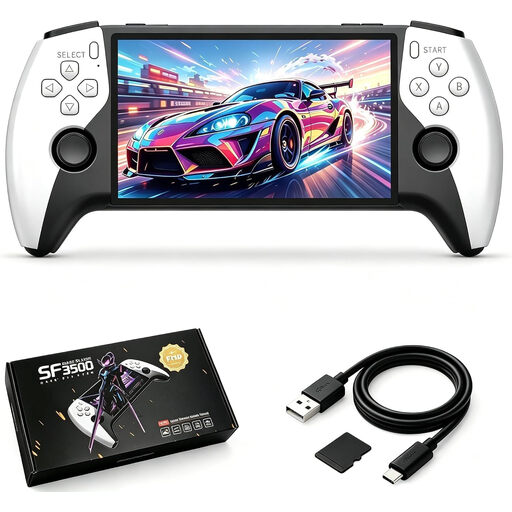
SF3500 retro handheld console, 5.5 inches, 32 GB
The built-in 5.5-inch display is a good option if you want to play without an extra monitor and prefer a larger screen than smaller handhelds offer.
IPS display: 5.5 inches. The description mentions a 32 GB memory card with pre-installed games; check the game selection and usage rights for each title.
View at Joybuy
 No image available
Retro handheld console with 3.2-inch display, grey
The built-in display is designed for gaming without a separate monitor; the product description lists arcade games as one of the genres.
The product listing states that 300 games are pre-installed. Before buying, check which titles are included and what usage rights apply to each one.
View at Joybuy
 No image available
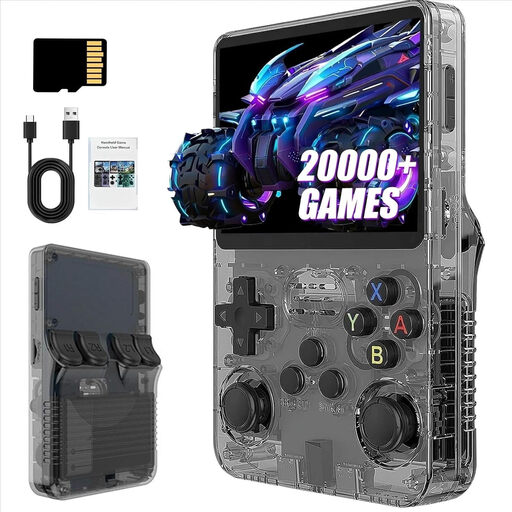
R36S Pro retro handheld console, 3.5 inches, 13 GB
This handheld has a built-in screen, so there’s no need for an extra monitor; the description gives its dimensions as 13 × 8 × 2 cm.
Display: 3.5 inches. The listing mentions more than 21,000 classic games; the number alone doesn’t tell you which titles are included or what usage rights apply to each one.
View at Joybuy
 No image available
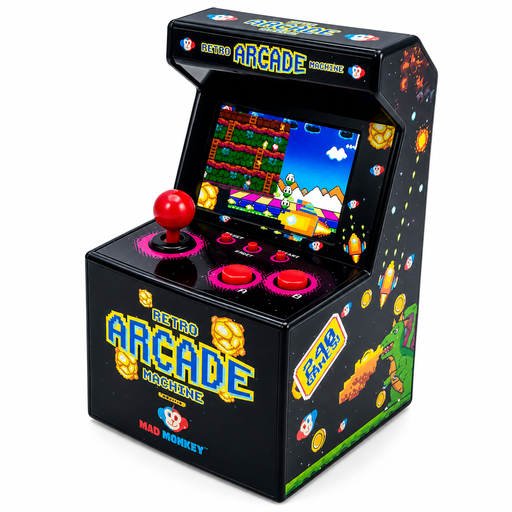
Mini arcade console, 2.5 inches, 240 games
This standalone mini arcade machine has a built-in screen and is designed for a small desk.
The product listing states that it has 240 pre-installed games and runs on three AA batteries. Check the game selection and usage rights for each title.
View at Joybuy
Frequently asked questions
What do I need to use an Evercade VS-R at my desk?
You’ll need an HDMI screen and a compatible Evercade game cartridge. According to the latest manufacturer support information, the VS-R does not include an HDMI cable; the Classic Retro edition also comes without a game cartridge. So check what’s included with the specific offer.
Can I download any arcade ROMs if my console can play them?
No. The fact that a file can be played does not, by itself, give you the right to use it. Under Section 53 of the German Copyright Act (UrhG), a private copy is excluded, among other cases, if it is made from a source that was obviously created or made publicly available unlawfully. Section 95a of the UrhG protects effective technological measures under the conditions set out there. Whether you may lawfully use a particular file depends on where it came from and the rights that apply.
What happens if a product develops a fault after I buy it in Germany?
Your statutory rights against the seller are separate from any voluntary guarantee. The Verbraucherzentrale (German consumer advice centre) explains the difference; the rights that apply in a particular case depend on factors including the purchase and the fault.
What should I look for in an electrical product for use in Germany?
For its market surveillance, the Bundesnetzagentur (Federal Network Agency) lists factors including correct CE marking, identification of the device and manufacturer, and any required German-language instructions and warnings. Check the information for the specific product on offer; a CE mark alone does not prove that the product has been individually tested by an authority.


