Who are these devices for?

Players with specific arcade games in mind

Before buying, check that the classics you want are on the game list, and confirm the device version and cartridge compatibility. A large number of games doesn’t tell you whether the title you want is included.

Players who want to use a TV

If you want to play on a TV you already own in a dark room, check the TV output and which controllers you’ll need. Adjust the TV picture’s brightness on the TV itself.

Players without a TV

A handheld has a built-in screen and controls, and is easy to put away. A tabletop machine also has its own screen, but needs a dedicated spot.

What should you look for when buying?

What matters to you What to check before buying Who will find this most important?
Games you want Exact game list and version; for devices that support add-ons, check compatibility with each individual cartridge. If I’m looking for a particular arcade classic, I want to know whether that exact title is included or available as a compatible game. Around 29% of consumers put the games they want first.
Picture in a dark room Screen type and where you’ll set it up; check whether you adjust the brightness on the console’s screen or on the TV. When I play in a darkened room, I want to know where the picture appears and whether I can adjust the brightness there. Around 23% of consumers prioritise the picture and setup.
Controls and playing with others Arcade controls, the number of players supported by the game you want, and which controllers are actually included. What matters to me is whether I can play classics with arcade controls and whether the included equipment is enough for the session I have planned. Around 18% of consumers focus mainly on controls and playing together.
Playing without a TV Size and format; if you’re considering a handheld, also check whether it has a TV output. If I want to play without an extra screen and put the device away afterwards, a handheld is an obvious choice; a tabletop machine needs more permanent space. Around 18% of consumers prioritise compact gaming without a TV.
Extra purchases and where the games come from What’s included and how the games are obtained; for offers with a large number of titles, check the exact selection and where the games come from. I want to know in advance whether I’ll need to buy cartridges, individual games or extra controllers, or sign up for a membership, and where the games come from. Around 12% of consumers prioritise avoiding extra costs and knowing where the games come from.

Common buying misconceptions

  • Assuming a large game library includes the games you want

    The included titles vary by device and version; cartridges and additional collections may be sold separately.

    Before buying, compare the individual titles and versions, and check exactly what’s included.

  • Assuming every handheld can connect to a TV

    According to the manufacturer, the Evercade EXP-R has no TV output; the Nintendo Switch Lite also doesn’t support TV mode.

    If you want to play on a TV, check the TV output on the exact model rather than relying on the product family name.

  • Buying a game collection without checking where it comes from

    A stated number of pre-installed games doesn’t prove that the specific collection is being offered legally. The Verbraucherzentrale advises looking for original games rather than illegal copies.

    Look for games that are clearly identified, and if an offer is unclear, check where the titles come from before buying.

Key brands to consider

Evercade

The range includes HDMI consoles for TVs, handhelds and tabletop machines, each with a different selection of games.

  • Evercade lists HDMI output and four USB ports for the VS-R. The Alpha has arcade controls, while the EXP-R is a handheld with no TV output.
  • Check the games and cartridges for each version individually. Compatibility doesn’t mean that all cartridges or games are included.

HyperMegaTech!

The Super Pocket Taito Edition is for players who want to enjoy a selection of Taito classics on a compact handheld.

  • The manufacturer’s current website lists 18 built-in games, a 2.8-inch screen and compatibility with Evercade cartridges sold separately.
  • Check the game list for the specific version; cartridge compatibility doesn’t mean you won’t need to make extra purchases.

Nintendo

The Switch OLED model supports handheld, tabletop and TV modes, and gives you access to separately sold arcade and retro game collections.

  • Nintendo offers Atari collections, among other titles, as separate Switch games. Depending on the game and equipment, you can use the console with its own screen or on a TV.
  • Arcade games aren’t included just because you’ve bought the console. The OLED screen doesn’t affect the picture on a connected TV, and the Switch Lite doesn’t support TV mode.

Arcade1Up

The Pac-Man Countercade reviewed here is a compact tabletop machine with a set selection of Pac-Man games.

  • The US manufacturer’s website lists three games, a 7-inch screen and arcade controls.
  • Information on the US manufacturer’s website doesn’t confirm that it’s available to buy in the UK or specify UK warranty terms.

Atari

The Atari 2600+ is particularly suited to players who want to use Atari 2600 or Atari 7800 cartridges on a modern TV.

  • Atari lists HDMI output, support for Atari 2600 and Atari 7800 cartridges, and an included 10-in-1 cartridge.
  • Compare the specific home console games with the arcade versions you want, rather than assuming that the same brand means identical versions.

Joybuy products

This selection includes handhelds for playing on their own screen, as well as retro consoles that connect to a TV. Before settling on particular arcade classics, check the exact game list and where the games in each offer come from.
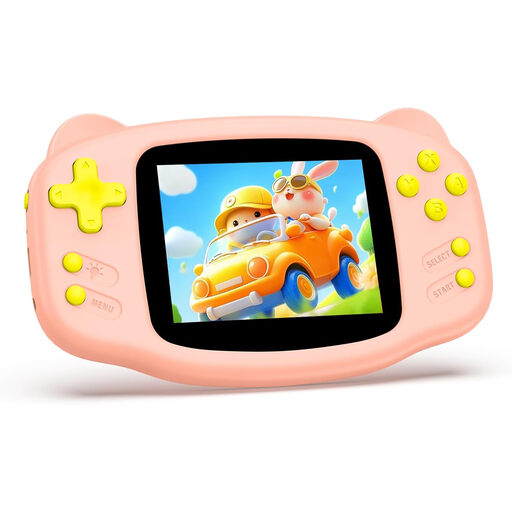
Pink retro handheld console with 300 pre-installed games

Retro handheld console, 300 pre-installed games (pink)

For playing on the built-in screen when you don’t want to connect a TV.

The product description lists 300 pre-installed games, including arcade games, and a 3.2-inch HD screen with adjustable brightness. Check whether the included game list has the titles you want.

View at Joybuy
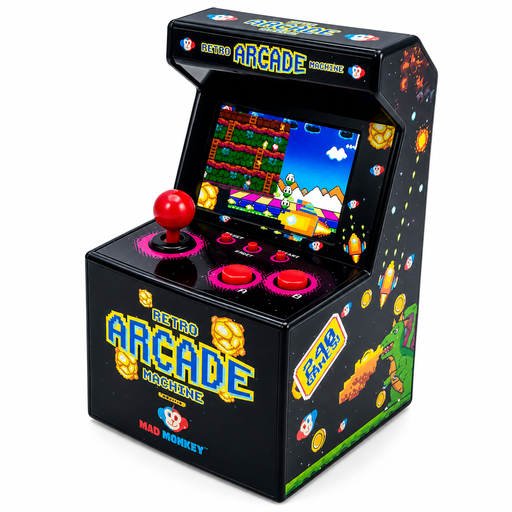
Mini arcade console with 240 pre-installed games and a 2.5-inch screen

Mini arcade console, 2.5 inches, 240 pre-installed games

For compact gaming right on the device, without needing a separate screen.

The product title lists a 2.5-inch screen, while the description lists 240 pre-installed games and power from three AA batteries. Compare the specific games with your wish list.

View at Joybuy

Retro games console with HDMI output and two wireless controllers

Retro games console with HDMI output and two wireless controllers

For playing on a TV, monitor or projector you already own; the title lists two wireless controllers.

The product title lists 23 emulators and 4K HDMI output; the description mentions classic and arcade games. Before buying, check which games are included and where they come from.

View at Joybuy
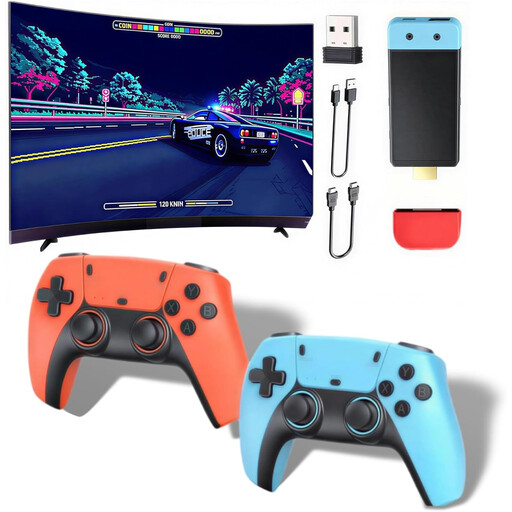
Retro console for TV with two wireless controllers

Retro console for TV, two wireless controllers

For retro and arcade games on a TV, monitor or projector; the description lists two wireless controllers.

The description lists over 20,000 classic titles, including arcade games, and support for up to four players. Check which games are included and whether the equipment suits the way you want to play.

View at Joybuy
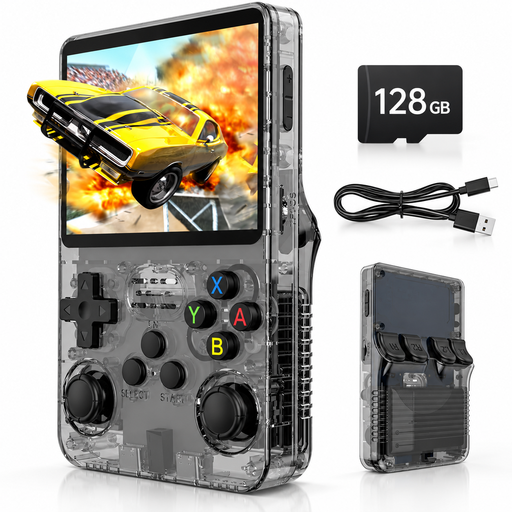
Portable retro handheld console with a 3.5-inch IPS screen and 128 GB of storage

Retro handheld console, 3.5-inch IPS screen, 128 GB, black/grey

For playing on the built-in screen if you’re looking for a portable device rather than a TV console.

The product title lists 128 GB of storage, while the description mentions Linux and over 20,000 pre-installed classic games. Check the selection included and where the specific titles come from.

View at Joybuy

Frequently asked questions

How do you connect a retro console to a TV?

Check whether the console has a TV output and whether the cable and power supply are included. The manufacturer lists HDMI output for the Evercade VS-R, but no HDMI cable or power supply in the box; the Switch uses its dock for TV mode. Adjust the TV picture’s brightness on the TV, not with the Switch screen’s brightness control.

Can you change Evercade cartridges while the console is on?

According to Evercade, the VS-R supports changing cartridges while the console is switched on. End your current game first, and don’t remove a cartridge while a game is saving or an update is in progress.

What extra purchases and rights should you allow for?

Depending on the device, you may need to buy cartridges, separate games or additional controllers, or sign up for a membership. If a product is faulty, your statutory rights are generally against the retailer; a manufacturer’s guarantee is separate and voluntary. According to the Verbraucherzentrale, online purchases generally come with a 14-day right to cancel from the date you receive the goods; terms and possible exceptions depend on the individual case.

Are downloaded retro game copies or devices with an unclear game collection automatically legal?

No. The number of pre-installed games alone doesn’t establish whether a specific collection is legitimate. The Verbraucherzentrale advises asking the seller for original games rather than illegal copies; if the origin is unclear, check the rights before buying.

What should you bear in mind when children play arcade games?

Check the age rating for the specific game or offer. The USK states that retailers must follow age ratings when selling games; this doesn’t mean that an entire console has one blanket age rating.