Which option is right for you?

Pick-up-and-play with headphones

If you want to start playing on the go without setting up your own games, and connect wired headphones directly, Hyper Mega Tech!’s Super Pocket editions could be a good fit. The manufacturer lists a 3.5 mm jack and a different selection of pre-installed games for each edition.

Arcade collectors on the go

If you want to expand your selection with cartridges and play suitable vertical games in portrait mode, take a look at the Evercade EXP-R. Evercade lists a 3.5 mm headphone jack and a TATE mode; check separately that the cartridges you want are available.

Arcade gaming on your TV

If you want to play on a big screen or with other people, the Evercade VS-R could be worth considering. Evercade lists HDMI output and multiplayer ports; for private listening, check the audio output on your TV or audio setup.

What should you look for when buying?

Super Pocket with pre-installed arcade games

A good fit if: you want to start playing the included games straight away on the go, using wired 3.5 mm headphones.

The trade-off: Each edition includes different titles; additional Evercade cartridges are sold separately.

Evercade EXP-R with cartridges

A good fit if: a 4.3-inch screen, a headphone jack and TATE mode for suitable vertical games are important to you.

The trade-off: Check which cartridges are included and which arcade collections you want; the EXP-R has no TV output.

Nintendo Switch 2 with Arcade Archives titles

A good fit if: you want to choose individual digital arcade titles alongside other Switch 2 games.

The trade-off: Arcade Archives 2 SPACE INVADERS is sold separately and is not pre-installed; Nintendo lists conditions for digital purchases.

Evercade VS-R for your TV

A good fit if: playing on a TV and local multiplayer matter more to you than having a built-in screen.

The trade-off: Evercade lists HDMI, but its VS-R specifications do not include a headphone jack; an HDMI cable and power supply are listed as not included.

Configurable emulation handheld

A good fit if: you want to manage games you have obtained lawfully and are happy to set things up yourself.

The trade-off: Anbernic’s specifications for the RG35XX H confirm Bluetooth controller connectivity, but not Bluetooth headphone audio; check the audio connection on the specific model.

Buying priority What should you check? Who is this most important to?
Favourite titles and headphone audio Check the game list for the exact edition and confirm that it has a listed 3.5 mm jack. If you want to play your arcade favourites straight away, without any setup, the specific selection matters. Around 34% of consumers put their favourite pre-installed games and direct headphone audio first.
Cartridge selection and portrait mode Check that the arcade cartridges you want are compatible, what the bundle includes and whether TATE mode supports the games you want to play. If you want to grow your collection and play suitable vertical games, cartridge compatibility and orientation are key. Around 27% of consumers prioritise an expandable cartridge library.
Headphones with a TV Check the audio connection and volume controls on your TV, monitor or audio equipment. If you prefer playing on a TV, your headphones need to work with your existing audio setup. Around 13% of consumers prioritise TV gaming.
Individual digital games Check the title you want, your console model and the conditions for digital purchases. If you want to choose specific arcade games rather than have a pre-installed collection, availability of the individual title is what matters. Around 13% of consumers prioritise choosing individual games digitally.
Managing your own games Check headphone output and compatibility for the specific model; Bluetooth for controllers does not confirm headphone audio. If you want to manage your own game collection, consider setup, compatibility and usage rights too. Around 13% of consumers make managing their own games their top buying priority.

Which buying misconceptions should you avoid?

  • “Lots of games” doesn’t mean your arcade favourites are included

    Hyper Mega Tech!’s Super Pocket editions have different pre-installed titles. With the EXP-R, the games you can play also depend on which cartridges you have.

    Before buying, check the game list for the exact device version and each cartridge you want.

  • HDMI or Bluetooth doesn’t confirm headphone audio

    Evercade lists HDMI for the VS-R, but the specifications consulted do not list a headphone jack. Anbernic’s Bluetooth information for the RG35XX H relates to controllers.

    Check the full audio setup for the specific device, screen and headphones you plan to use.

  • Pre-installed game files aren’t automatically licensed

    A large number of pre-installed games is not, on its own, proof of usage rights. The Verbraucherzentrale points out that video games are generally protected by copyright.

    If a game bundle’s contents are unclear, check where the games come from and what usage rights apply. An advertised game count is no substitute for a title list or licensing information.

Key brands at a glance

Hyper Mega Tech!

The Super Pocket editions are designed for anyone who wants to get started with a pre-installed arcade selection and wired headphones.

  • Hyper Mega Tech! lists a 3.5 mm jack and Evercade cartridge compatibility for both the Taito and Capcom editions.
  • The titles and number of games vary by edition; additional cartridges are sold separately. These are manufacturer claims, not the result of independent testing.

Evercade

The EXP-R is a portable cartridge handheld; the VS-R is a separate TV console for Evercade cartridges.

  • Evercade lists a 3.5 mm headphone jack and TATE mode for the EXP-R.
  • According to the manufacturer, the EXP-R has no TV output. The VS-R specifications list HDMI but no headphone jack on the console, so check the audio setup through your connected screen or audio equipment.

Nintendo

The Switch 2 is worth considering if you want to choose specific Arcade Archives titles individually in digital form and play other Switch 2 games too.

  • Nintendo Germany documents a 3.5 mm headphone jack and lists Arcade Archives 2 SPACE INVADERS for Switch 2.
  • The Arcade title mentioned is sold separately; this information does not mean there is a pre-installed arcade selection or that every Arcade Archives title is available. Nintendo also notes that functionality cannot be guaranteed for all products.

Anbernic

The RG35XX H is an example of a Linux handheld with microSD slots, for anyone who wants to manage their own games.

  • Anbernic lists Linux, two microSD slots and Bluetooth controller connectivity for the RG35XX H.
  • These specifications confirm neither headphone output nor Bluetooth audio. Check the audio setup on the specific model before choosing it for headphone gaming.

Joybuy products for portable retro gaming

This selection features portable retro handhelds with games mentioned in the product name. Before buying, check the arcade titles you want and whether the specific model offers a suitable way to listen through headphones.
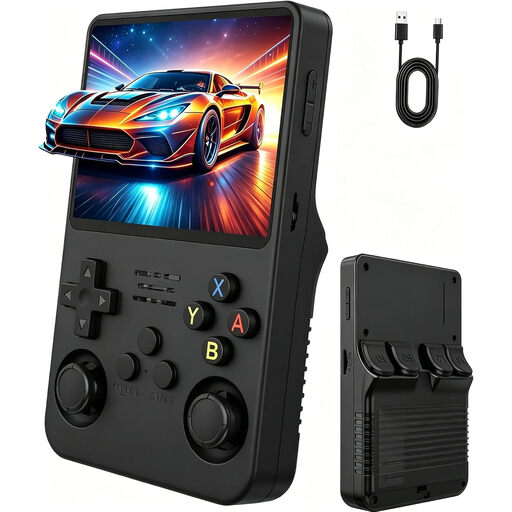
Retro handheld console with 3.5-inch IPS display

Retro handheld console, 3.5-inch IPS, Natural Matt Black

The product name describes a portable model with a pre-installed collection of classic games. Before buying, check which arcade titles are included and whether the specific device has a headphone connection.

Display listed in the product name: 3.5-inch IPS.

View at Joybuy
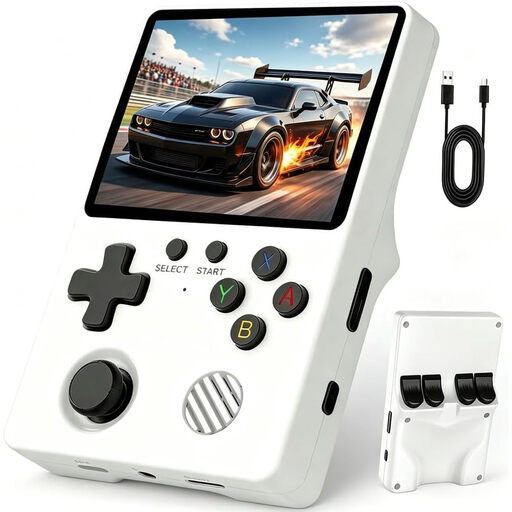
Portable retro handheld console with Linux system

Retro handheld console with Linux system and pre-installed games

The product name describes a portable Linux handheld with pre-installed games. Check which games suit your arcade tastes and whether the specific model’s headphone audio setup is right for you.

The product name specifies a Linux system.

View at Joybuy

Portable retro handheld console with 3.2-inch display

Retro handheld console, 300 pre-installed games, 3.2-inch, Grey

The product name lists 300 pre-installed games and a portable device. Check the exact game list, usage rights and suitable headphone audio setup.

Display listed in the product name: 3.2-inch.

According to the product description, use under the direct supervision of an adult.

View at Joybuy
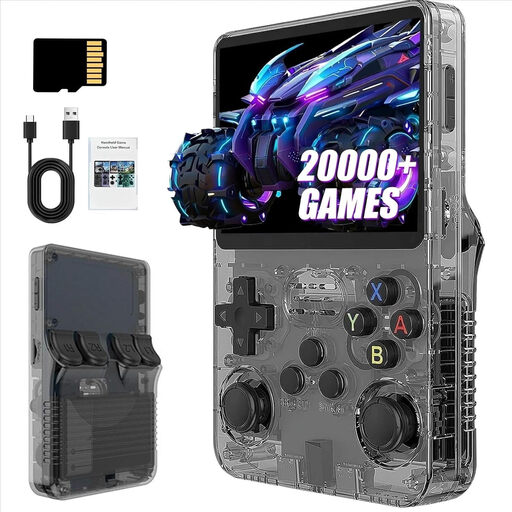
R36S Pro retro handheld, 13 GB version

R36S Pro retro handheld, 13 GB

The product name describes a portable R36S Pro model with pre-installed classic games. Check the titles you want and the headphone audio setup on this specific version.

Display listed in the product name: 3.5-inch.

View at Joybuy
R36S Pro retro handheld, 31 GB version

R36S Pro retro handheld, 31 GB

The product name describes a portable R36S Pro model with pre-installed classic games. Check the titles you want and the headphone audio setup on this specific version.

Display listed in the product name: 3.5-inch.

View at Joybuy

Frequently asked questions

Does Bluetooth support confirm you can use wireless headphones?

No. Anbernic describes Bluetooth connectivity for controllers on the RG35XX H, but does not mention Bluetooth headphone audio. The manufacturers explicitly list a 3.5 mm jack for the Super Pocket and EXP-R.

What extra purchases might you need to make?

Additional Evercade cartridges are sold separately. Evercade lists an HDMI cable and power supply as not included with the VS-R; you’ll also need a screen and a suitable audio connection for headphones. Arcade Archives 2 SPACE INVADERS is a digital title sold separately.

Are pre-installed ROMs or downloaded arcade games automatically legal to use?

No. A high number of pre-installed games does not prove that you have the rights to use them. The Verbraucherzentrale explains that video games are generally protected by copyright, and copying or distributing them without permission is not automatically allowed. Whether you can lawfully use a particular file depends on the rights attached to it and the circumstances.

What rights do I have when buying online in Germany?

According to the Verbraucherzentrale, consumers who buy online generally have a 14-day right to cancel, starting when they receive the goods; exceptions and contract terms should be checked. Your statutory rights against the seller are separate from any voluntary guarantee.

How do I change cartridges on the EXP-R without risking my save data?

Evercade recommends closing the game through the menu first, and not removing a cartridge while saving, loading or updating is in progress. This is the manufacturer’s usage advice.