What should you look for when choosing?
First identify your console’s signal format, then decide whether you want to capture directly on your computer or play on a separate monitor.
| Buying priority |
What to check before buying |
Who it matters most to |
| Composite or S-Video |
Check the video and audio inputs, PAL support and operating system compatibility of the specific capture device. |
If your console outputs Composite or S-Video, you’ll want to capture picture and sound as directly as possible. Around 36% of consumers prioritise these connections. |
| RGB SCART or Component |
Check the video processor’s input and whether the capture card accepts its HDMI output. |
If you want to use RGB SCART or Component, the processor in the chain must be able to handle your exact signal. Around 29% of consumers prioritise this signal path. |
| Existing HDMI signal |
Check the signal format, capture and passthrough resolutions, USB connection and system requirements. |
If your console or converter already outputs HDMI, you’ll want to find a card that suits the signal and your computer. Around 21% of consumers prioritise this choice. |
| Gameplay picture and sound |
Check the separate monitor connection, compatible audio input and capture software settings. |
If you want to play on a suitable screen while capturing and record the game audio, you’ll need a picture and audio setup that supports both. Around 14% of consumers put this requirement first. |
Joybuy products for HDMI capture
These HDMI capture cards could suit an existing compatible HDMI signal or the HDMI output of a suitable video processor earlier in the signal chain.
 No image available
HDMI capture card, 4K input, USB 3.0
For an existing compatible HDMI signal; analogue console outputs need a suitable signal processor earlier in the chain.
The product title lists an HDMI input up to 4K 30 Hz and capture at 1080p 60 Hz. The product description mentions HDMI passthrough and USB 3.0.
View at Joybuy
 No image available
VIELLAN 4K HDMI video capture card, USB 3.0
For compatible HDMI output; an analogue console needs a suitable signal processor before the capture card.
The product details list 1080p capture and 4K HDMI passthrough. The product description lists Windows, macOS and Linux.
View at Joybuy
 No image available
VIELLAN HDMI video capture card, UVC/UAC, USB 3.0
For a compatible HDMI signal and a setup where the listed audio connections are useful; analogue sources need a suitable converter.
The product details list capture up to 1080p, 4K HDMI passthrough and UVC/UAC. A microphone input and headphone output are also listed.
View at Joybuy
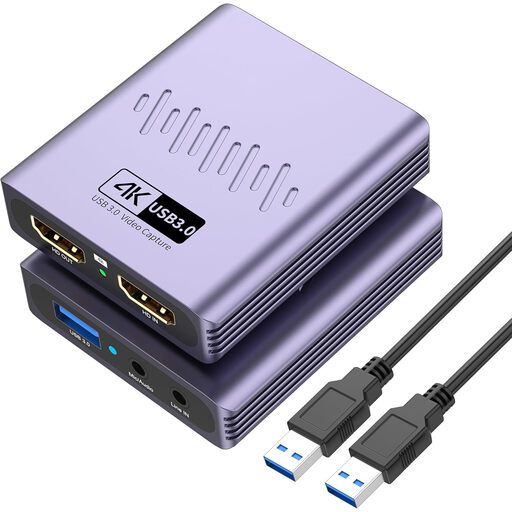 No image available
VIELLAN HDMI video capture card, 4K passthrough, USB 3.0
For a compatible HDMI signal when you want to use a separate display while gaming; analogue console outputs need a suitable converter earlier in the chain.
The product details list capture up to 1080p, 4K passthrough, a microphone input and a headphone output.
View at Joybuy
Frequently asked questions
Will any Composite capture device work with a console that has a SCART socket?
No. What matters is the video signal your console outputs with the cable you’re using. For RGB over SCART, you need a supported input or a suitable converter; a capture device specified for Composite or S-Video isn’t proof that it can capture RGB.
How do I set up capture and gameplay on my desk?
With a compatible HDMI setup, connect the source to HDMI IN on the capture card, HDMI OUT to your gaming monitor, and USB to your computer. In OBS, add the capture device as a video source and choose a supported format. For direct analogue capture, you’ll need to plan the gameplay display path separately.
Why is there no picture in OBS?
First check the selected device input and make sure the signal format is supported by the device. OBS Project notes that setting an unsupported resolution manually can prevent the picture from appearing. With an HDMI capture card, also check that the source is outputting an unencrypted signal.
What extra costs and rights should I consider when buying?
Depending on your signal chain, you may need a suitable console cable, a video processor or an additional display path. For consumer purchases from a business seller in the EU, the European Union explains that you have at least two years of legal guarantee from the date you receive the goods. This is separate from any voluntary manufacturer’s warranty.
Can I publish my retro gameplay recording in Germany?
Owning a capture card doesn’t automatically mean you can publish a recording. The German Games Industry Association notes that game content is protected and that publishers may grant permission for Let’s Plays subject to certain conditions. Before publishing, check the terms for the game in question and any music it contains.


