Who is a retro gaming tablet for?

Passengers playing solo

If you’ll mostly be holding the tablet yourself, you’ll need to weigh portability against screen space. Lenovo lists the Tab One as having an 8.7-inch screen and weighing around 320 g; Apple gives the iPad mini (A17 Pro) a screen size of 8.3 inches and a weight of 293 g for the Wi-Fi model.

Passengers playing together

If several passengers want to look at the same screen, a larger display may be better suited to how you’ll use it. Xiaomi lists the REDMI Pad 2 as having an 11-inch screen and weighing 510 g in the variant mentioned; the device will take up more room when you’re holding or storing it.

Offline retro gamers

If you want to play without a connection while you’re on the move, set up the app, games you want to play and save files in advance, then test them offline. Also make sure you’re entitled to use the game files in question.

What should you consider when choosing one?

What matters when buying What to check before buying Who is it important to?
Offline games and save files Launch the app, any required components and your save file without a network connection. If I don’t want to rely on a connection while I’m out, I’ll test my game and save file offline before setting off. Around 30% of consumers are likely to prioritise games that are available offline.
Portability Compare the dimensions and weight of the exact variant, including the case you plan to use. If I’m playing solo and often holding the tablet, a comfortable grip and enough screen space both matter to me. Around 30% of consumers are likely to prioritise portability.
Screen and controls Check how the game looks at the size you’ve chosen and pair the controller in advance. If several passengers will be watching or I want to avoid touch controls, I’ll check that the screen size and controls suit my game. Around 20% of consumers are likely to prioritise screen space and controls.
Power Test battery life with your own app and check your cable and charger. If I’ll be playing for long stretches between charging opportunities, I want to know how long my specific app runs on the device. Around 20% of consumers are likely to prioritise power.

Buying and usage pitfalls

  • Assuming an emulator app comes with a collection of games

    Having an app available doesn’t tell you whether your specific files will work or whether you’re entitled to use them.

    Install the app you need and test your own game files before setting off. Check that you’re entitled to use each file individually.

  • Assuming battery claims guarantee a set amount of gaming time

    Lenovo’s battery-life claim is based on YouTube streaming. Xiaomi lists the REDMI Pad 2 as having a 9,000 mAh battery; neither this figure nor a streaming claim tells you how long your specific emulation setup will run.

    Test your game at your preferred brightness before setting off, and check that your cable, charger and available power supply are compatible.

  • Assuming similarly named variants are identical

    Storage and wireless connectivity can vary between models in the same tablet range.

    Compare the full model number and specification of the exact variant, not just the product range name.

A guide to key brands

Lenovo

The Tab One is a compact Android option for passengers who often hold their tablet themselves.

  • Lenovo lists the Tab One ZAF00255SE as having an 8.7-inch screen, weighing around 320 g, with 4 GB RAM and 64 GB storage.
  • The stated battery life is based on YouTube streaming and doesn’t indicate performance or battery life with any particular retro game.

Samsung

The Galaxy Tab A11 is a compact alternative; specifications and mobile connectivity depend on the exact variant.

  • Samsung lists a microSD slot for the range, as well as variants with 4 GB RAM and 64 GB storage or 8 GB RAM and 128 GB storage.
  • These specifications don’t indicate how a particular emulator or game will run.

Xiaomi

The REDMI Pad 2 offers more screen space for passengers who want to look at the display together.

  • Xiaomi lists the REDMI Pad 2 as having an 11-inch screen, weighing 510 g, with a 9,000 mAh battery and expandable storage.
  • A memory card is sold separately; battery capacity doesn’t guarantee a particular amount of gaming time.

Apple

The iPad mini (A17 Pro) is a compact iPadOS option, provided the retro apps and games you want to use work on it.

  • Apple lists the Wi-Fi model as having an 8.3-inch screen and weighing 293 g. RetroArch is listed for iPad on the German App Store.
  • An app listing doesn’t guarantee that every game file or controller you want to use will work.

Tablets at Joybuy

The Joybuy options below include compact and larger Android tablets. Their screen sizes and model details can help you narrow down your choices; test your specific retro app and gaming setup before setting off.

Blackview Active 5 Rugged Tablet, 8.68 inches, Black

Blackview Active 5 Rugged Tablet, 8.68 inches, 128 GB

A compact Android option if you prefer a smaller screen; whether it’s suitable for your games depends on the specific app and configuration.

Android 15; 8.68-inch display; 128 GB storage; 24 GB expandable RAM according to the title, including 6 GB RAM and 18 GB virtual RAM.

View at Joybuy

Xiaomi Pad 7 with keyboard, Grey

Xiaomi Pad 7 with keyboard, 8 GB RAM and 128 GB storage

A larger tablet option if a high-resolution display matters to you; the display specifications don’t indicate how it will perform with any particular emulator.

3.2K display with 144 Hz; Snapdragon 7+ Gen 3; 8 GB RAM and 128 GB storage. The keyboard is included with the version named in the product title.

View at Joybuy
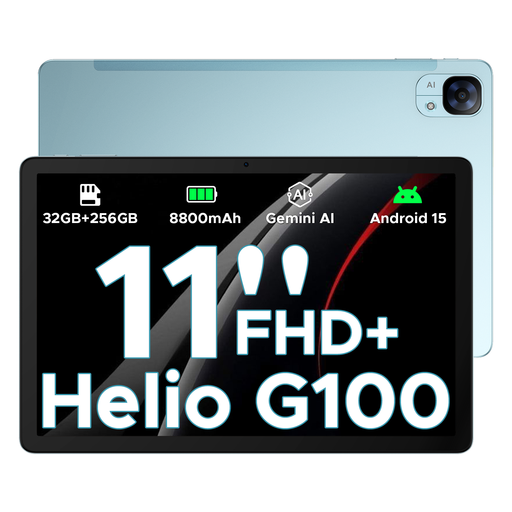
DOOGEE Tab E3, 11 inches, Blue

DOOGEE Tab E3, 11 inches, Blue

The larger screen may suit you if a particularly compact device isn’t your main priority; it takes up more room when you’re holding or storing it.

Android 15; 11-inch FHD+ display with 90 Hz; Helio G100.

View at Joybuy
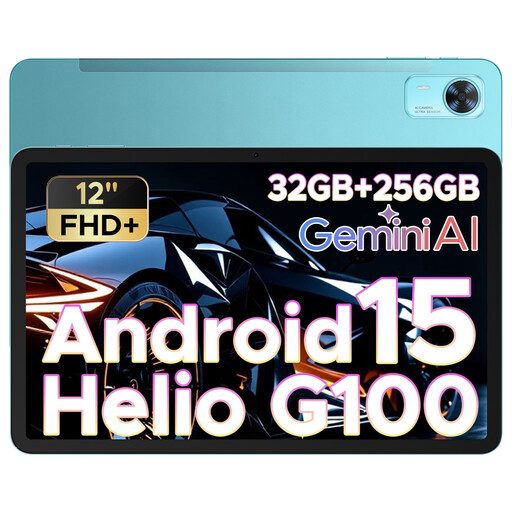
DOOGEE Tab E3+, 12 inches, Blue

DOOGEE Tab E3+, 12 inches, Blue

If you’d prefer a larger view than a compact tablet offers, the 12-inch format may be worth considering; bear in mind that it takes up more room when you’re holding or storing it.

Android 15; 12-inch FHD+ display with 90 Hz; Helio G100.

View at Joybuy

Frequently asked questions

Should I set up a retro game before the car journey?

Yes, if you don’t want to rely on an internet connection while you’re on the move. Install the app and any required components in advance, then test your chosen game and save file without a network connection. The RetroArch project notes that its version in the Google Play Store hasn’t been updated for years, so check the source and version before downloading.

Can I use a controller instead of touch controls?

According to Apple, you can connect a compatible gaming controller to an iPad via Bluetooth or cable. Whether your particular setup works depends on the controller, connection and game, so test it before setting off. RetroArch also lets you configure controller mappings for cores or games.

What extra costs and rights should I consider when buying?

Check what’s included with the exact variant: Xiaomi says that a memory card for the REDMI Pad 2 is sold separately and that a power adapter isn’t included. In Germany, the statutory warranty against the seller is separate from any voluntary guarantee; the terms of each guarantee apply.

Can the driver play games on a tablet while driving?

Section 23 of Germany’s Road Traffic Regulations governs drivers’ use of electronic devices and also covers consumer electronics and portable flat computers. Its strict conditions don’t permit ongoing gameplay while driving. The regulation applies to drivers, not passengers.

Are downloaded retro ROMs automatically legal if I own the original game?

No. Owning the original doesn’t automatically give you blanket permission to use every downloaded file. Section 53 of the German Copyright Act restricts private copies in certain circumstances, including where the source is obviously unlawful. Computer programs are subject to specific rules, including Section 69d, and Section 95a protects effective technological measures. Check that you’re entitled to use each game file and, where applicable, each BIOS file separately: an emulator app doesn’t give you rights to any games.