Start playing straight away
If you want to get started as soon as you reach your hotel and play a fixed, licensed selection, a suitable Super Pocket edition could be a good fit. HyperMegaTech lists 18 pre-installed games for the Taito Edition.


Start by deciding which games you’re legally entitled to play: a Super Pocket offers a fixed, licensed selection, an Analogue Pocket is suited to compatible original cartridges, and a configurable handheld requires more preparation. Before you travel, check the games you want to play, your save files and whether you can access them without Wi-Fi. A larger screen can make things easier to see, but takes up more room in your luggage.
If you want to get started as soon as you reach your hotel and play a fixed, licensed selection, a suitable Super Pocket edition could be a good fit. HyperMegaTech lists 18 pre-installed games for the Taito Edition.
If you own compatible Game Boy, Game Boy Color or Game Boy Advance cartridges, you could consider the Analogue Pocket. Analogue lists these cartridges as directly supported; check that your specific cartridge is compatible before you travel.
If you want to choose your own formats and content, configurable devices may be a better fit. Anbernic and Retroid offer a range of handhelds; regardless of technical support, make sure you’re entitled to play the games you choose.
First, decide which games you’re legally entitled to play. Then consider size, offline access and how much flexibility you want to customise your device.
A good fit if: you want a fixed, licensed selection without having to set anything up yourself.
The trade-off: The games available depend on the edition. A connect review of the Super Pocket editions tested criticised, among other things, the small screen and the position of the shoulder buttons.
A good fit if: you own compatible Game Boy, Game Boy Color or Game Boy Advance cartridges and want to bring those specific games with you.
The trade-off: Other cartridge systems require compatible adapters. Check that your specific cartridge is compatible before you travel.
A good fit if: you want to prepare your own selection and use supported formats.
The trade-off: Storage space and emulator support don’t establish that you have the right to play a game or guarantee that every title will work.
A good fit if: you want to play the Nintendo classics on offer and a Nintendo Switch Online membership is an option for you.
The trade-off: Libraries and requirements vary by system and membership; Nintendo lists GameCube classics for Switch 2.
A good fit if: you want to choose licensed Evercade cartridges. According to Evercade, the EXP-R also has a TATE mode for vertical games.
The trade-off: Evercade says the EXP-R has no built-in games or Mini HDMI output. Check the exact model and what’s included.
| What matters | What to look for when buying | Who is this particularly important for? |
|---|---|---|
| Games you can play straight away | Check the game list for the specific edition, as well as the origin and usage rights for the games. | If I want to start playing without any set-up, a clear selection I’m legally entitled to play matters most. Around 36% of consumers put games they can play straight away first. |
| Size and quiet play | Compare the dimensions, screen, headphone socket and controls of each model. | For consumers with limited luggage space who don’t want to disturb others in their hotel room, size and a headphone socket are important. Around 29% prioritise compact, quiet play. |
| Offline access | Before travelling, try launching the games you want to play without Wi-Fi and check whether a membership is required. | If I don’t want to rely on the hotel Wi-Fi, I want to launch my games and check my save files beforehand. Around 21% of consumers prioritise being prepared to play offline. |
| Cartridges and a wider choice of games | Check the cartridge system, any adapters required, what’s included and your rights to play the games. | If you own compatible original cartridges or want to put together your own selection, you’ll need to check compatibility and what preparation is involved. Around 14% of consumers prioritise using cartridges they already own or choosing their own games. |
Evercade says that, unlike the EXP, the EXP-R has no built-in games or Mini HDMI output. If you mix up the models, you might expect a particular selection of games or a connection that your chosen device doesn’t have.
Check the full model name, the cartridges included and the connections on the specific version.
Technical support for a file format doesn’t tell you whether you’re entitled to use the game files. The EU protects computer programs under copyright law, and Nintendo describes downloads of unauthorised copies of its games as illegal.
Check the origin of each game and your rights to use it, regardless of the device’s specifications.
Nintendo makes access to its Classics libraries conditional on an active membership. The titles available also depend on the system.
Before travelling, check the titles you want to play and your system, and test access without the hotel Wi-Fi.
Super Pocket editions are aimed at buyers looking for a fixed, licensed selection of retro games.
The EXP-R is suited to buyers who want to choose physical Evercade game collections.
The Pocket could suit owners of compatible original cartridges from the Game Boy family.
The RG35XXSP is a compact, configurable Linux handheld.
Nintendo consoles are worth considering if the classics available through Nintendo Switch Online suit your selection.
The Pocket 5 is an Android handheld for buyers who prefer a larger screen and want to set up their own device.
This Joybuy selection features portable retro handhelds for gaming on the go. If a model’s product title mentions pre-installed games, check the specific game list, as well as the origin and usage rights for those games.
 No image available
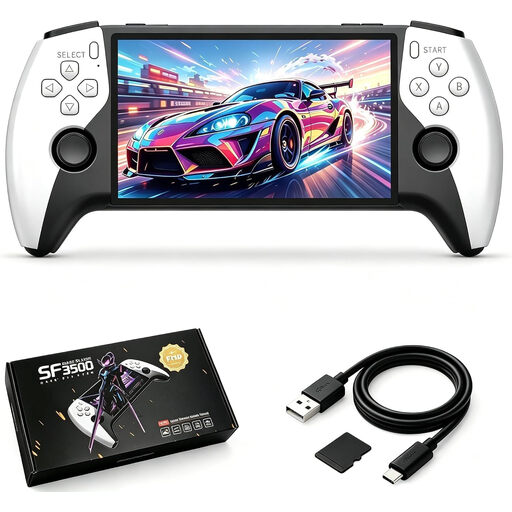
This model could be a good fit for travelling if you’re looking for a larger screen and pre-installed games. The product title lists a 5.5-inch IPS screen and a 32 GB memory card; the product description mentions pre-installed classic games. Check the specific game list and usage rights.
 No image available
This compact model could suit you if you’re looking for a travel console with pre-installed games. The product title lists 300 games, a 3.2-inch HD screen in 4:3 format and a rechargeable battery; the description says you can play without downloading games. Check the specific game list and usage rights. The description advises using the device only under direct adult supervision and keeping it away from water and heat sources.
 No image available
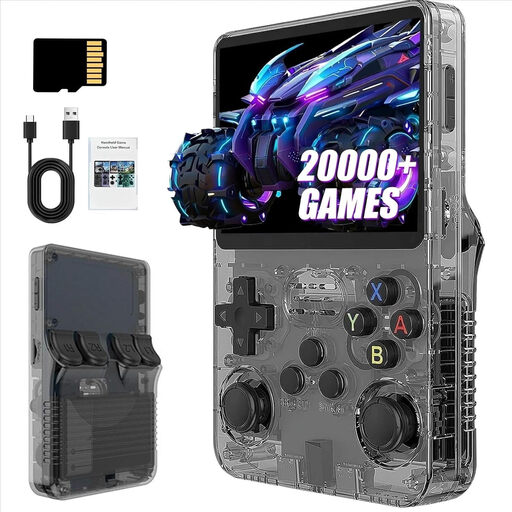
This handheld could suit you if you’re looking for a portable device with a larger selection of games, as stated in the title. The product title lists a 3.5-inch screen, 13 GB of storage and more than 21,000 classic games; this figure doesn’t confirm a specific game list or usage rights.
No image availableThis version is worth considering if you want to compare the storage capacity listed in the product title for the portable R36S Pro. The title lists 3.5 inches and 31 GB; the description gives dimensions of 13 × 8 × 2 cm. The claim of more than 21,000 classic games doesn’t confirm a specific game list or usage rights either.
 No image available
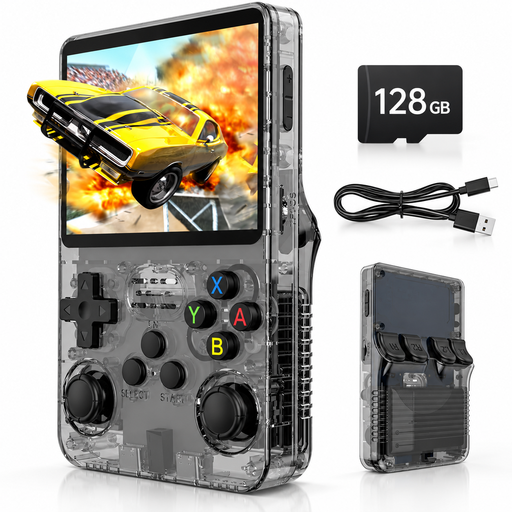
This model could suit you if you’re looking for a Linux handheld with a headphone socket. The product title lists 128 GB of storage, a 3.5-inch IPS screen and 20,000 pre-installed games; the description also mentions a headphone socket. Check the specific game list and usage rights, as the product information doesn’t clarify them.
No. Check the specific game list and where the games come from, too. Pre-installed licensed titles, purchased cartridges and files you provide yourself are different ways of accessing games; support for a file format doesn’t prove that you have the right to use it.
Install and launch the games you want to play before you travel, and check your save files and headphones. If you need offline access, test the games without Wi-Fi. Evercade recommends closing a game before removing a cartridge from the EXP-R or switching the device off.
Evercade cartridges and a Nintendo Switch Online membership may involve extra costs, depending on how you choose to play. Your Europe, the European Union’s consumer portal, says that goods bought from traders are generally covered by a minimum two-year legal guarantee from the date you receive them. Online purchases generally come with a 14-day right to cancel; statutory conditions and exceptions apply.
Not necessarily: support for a file format doesn’t mean you’re allowed to download it. Nintendo explicitly describes downloads of unauthorised copies of its games as illegal. Whether you can make and use your own copy of a particular game depends on the relevant rights and circumstances; this shouldn’t be taken as blanket permission.