Which handhelds suit different players?

Fans of fuss-free arcade breaks

If you want to start a classic that’s included straight away at the gate, without downloading or configuring games, a small device with a set selection of games could be just the thing. HyperMegaTech!’s Taito Edition is one example of this approach.

Fans of Nintendo classics

If you want to play specific titles from the supported Nintendo Classics libraries, make sure you set up the apps and an active membership, and complete the required online verification before travelling. Nintendo UK explains these requirements for offline use.

Fans of retro handhelds they can set up themselves

If you want to manage your own legally obtained game collection, consider devices that let you install your own software. Anbernic and Retroid describe hardware options for this; setting up the device and checking your games are part of the preparation.

What should you look for when buying?

Compact device with included games

A good fit if: you want to start playing during a short break without setting up games or apps. HyperMegaTech! lists 18 included games and a 2.8-inch screen for the Taito Edition.

The trade-off: The screen is small, and additional compatible Evercade cartridges are sold separately.

Nintendo Switch Lite with Nintendo Classics

A good fit if: you want to play specific titles from a supported Nintendo library and set up the apps and membership in advance.

The trade-off: Nintendo requires an active membership for Classics. For offline use, you’ll need to verify online again at least every seven days.

Retro handheld you can configure yourself

A good fit if: you want to set up the software and legally obtained games yourself, and test them before travelling.

The trade-off: Hardware specifications don’t confirm that specific games are available, that you have the right to use them or that every title you want will work.

What matters to you What to check before buying Who is this important to?
Starting games without Wi-Fi Try starting the game you want before your trip, with Wi-Fi turned off. For Nintendo Classics, check the apps and membership. If I want to play straight away at the gate without Wi-Fi, I test the game before travelling. Around 36% of consumers prioritise being able to start playing offline straight away.
Saving space in your hand luggage Check the design, screen size and controls of the specific model against your travel needs. If you want your device to take up as little space as possible, weigh up screen size against how much room it needs in your bag. Around 29% of consumers prioritise a pocket-sized device.
Playing the games you want Check the specific game list, cartridge compatibility and membership terms. If you’re using your own game files, check their source and your rights to use them. If specific classics matter to me, I check the titles and how I can access them rather than comparing advertised game counts alone. Around 21% of consumers prioritise being able to play the titles they want legally.
Setting up games yourself Check the operating system, storage and controls, and test your games before travelling. If you want to manage your own selection of games, allow extra time for setup and testing. Around 14% of consumers prioritise configuring their own device.

What are the potential pitfalls?

  • Offline play still takes some preparation

    Nintendo Classics can work offline, but you’ll need to install the apps and have an active membership. Nintendo requires you to verify online again at least every seven days.

    Download the titles you want before you leave, verify your membership online, then test the games without Wi-Fi.

  • A game count doesn’t tell you whether your favourites are included

    The included titles depend on the specific Super Pocket Edition. Additional compatible Evercade cartridges are sold separately.

    Compare the titles you want with the Edition’s game list and, where relevant, the specific cartridges.

  • A power bank may not be a useful way to extend your battery life on every flight

    Since 15 January 2026, the Lufthansa Group has prohibited the use and charging of power banks on board its flights. This rule does not automatically apply to other airlines.

    Charge your device before departure and check the rules of the airline you’re actually flying with. The European Union Aviation Safety Agency (EASA) says power banks and spare batteries must be carried in hand luggage.

  • A retro handheld doesn’t give you a licence to play any game you like

    Storage and operating system specifications don’t prove that you’re allowed to copy or use a particular game.

    Check the source and usage rights for each game, separately from the hardware.

A closer look at the key brands

HyperMegaTech! / Blaze Entertainment

Super Pocket Editions are designed for players who want a set selection of licensed games on a small device.

  • HyperMegaTech! lists 18 included titles, a headphone jack and compatibility with Evercade cartridges for the Taito Edition.
  • The manufacturer quotes a battery life of around four hours; this is not an independent test result. Additional cartridges are sold separately.

Nintendo

The Switch Lite is a good choice for buyers who want to play compatible Switch games and access Nintendo Classics libraries.

  • Nintendo confirms that the Switch Lite supports handheld mode and gives access to supported Classics libraries, subject to the relevant requirements.
  • Nintendo Classics requires an active membership and regular online verification. The Switch Lite does not output video to a TV; according to Nintendo, GameCube Classics are exclusive to Nintendo Switch 2.

Anbernic

The RG35XXSP is a clamshell retro handheld for buyers who want to set up their device themselves.

  • Anbernic lists a 3.5-inch screen, Linux and microSD storage.
  • The manufacturer quotes a battery life of eight hours; this is not an independent test result. The hardware specifications don’t prove you have the right to use individual games.

Retroid

The Pocket 5 is aimed at buyers who want to set up a larger Android handheld with their preferred software.

  • Retroid lists Android 13, a 5.5-inch AMOLED screen, a microSD card slot and active cooling.
  • You’ll need to set up your preferred games yourself; the hardware specifications don’t guarantee that every game will work.

Handhelds at Joybuy

This selection includes portable retro handhelds with pre-installed games mentioned in their product names, as well as the Nintendo Switch Lite for playing specific Nintendo Classics titles. If a device comes with pre-installed games, check the exact game list and your rights to use them.
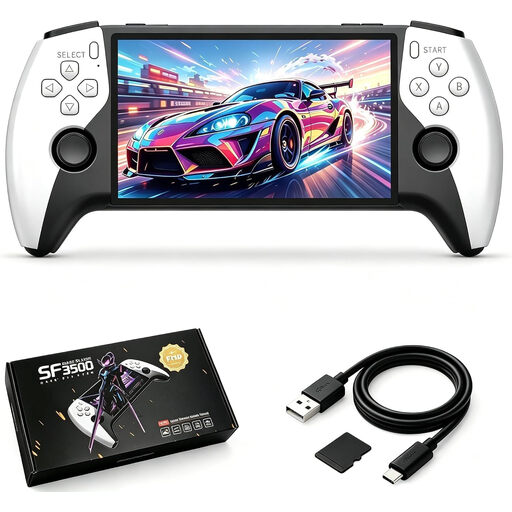
SF3500 retro handheld with 5.5-inch IPS screen

SF3500 retro handheld, 5.5 inches, 32 GB

For waiting around when you want a portable device with pre-installed games mentioned in the product name; check the exact game list before travelling.

5.5-inch IPS screen; 32 GB memory card.

View at Joybuy

Portable retro handheld with 300 pre-installed 16-bit games

Retro handheld with 300 pre-installed games, grey

For short breaks when you want a compact device with pre-installed games mentioned in the product name; check in advance whether it includes the titles you want.

300 pre-installed 16-bit games; 3.2-inch screen; rechargeable battery.

View at Joybuy
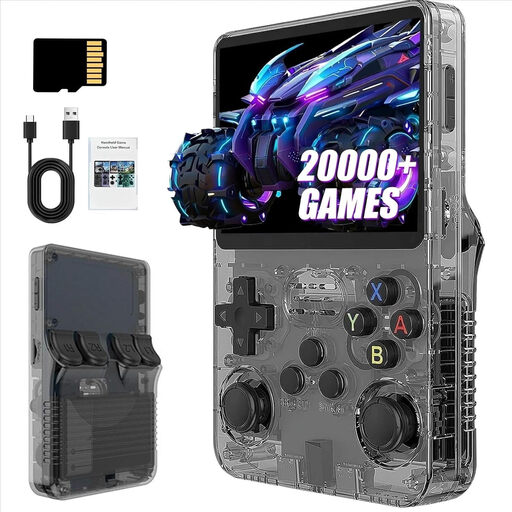
R36S Pro retro handheld with 3.5-inch screen

R36S Pro retro handheld, 3.5 inches, 31 GB

For shoppers considering a portable retro device with a large game collection mentioned in the product name; check which titles are included and your rights to use them.

3.5-inch screen; 31 GB storage; the product name lists more than 21,000 classic games.

View at Joybuy
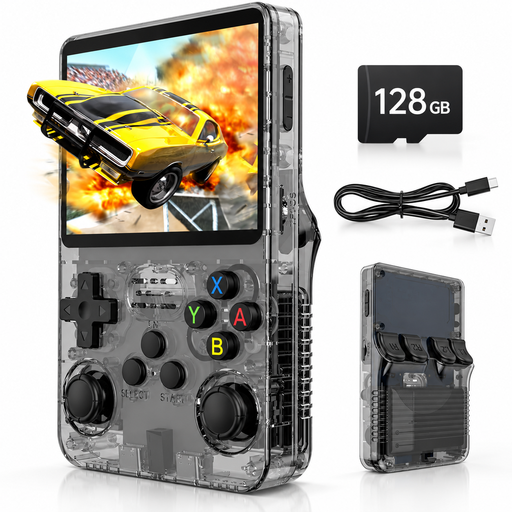
Retro handheld with 3.5-inch IPS screen and 128 GB storage

Retro handheld, 3.5 inches, 128 GB

For waiting around when you want a compact device with pre-installed games mentioned in the product name; compare the game selection with the titles you want to play.

3.5-inch IPS screen; 128 GB storage; Linux system; headphone jack.

View at Joybuy
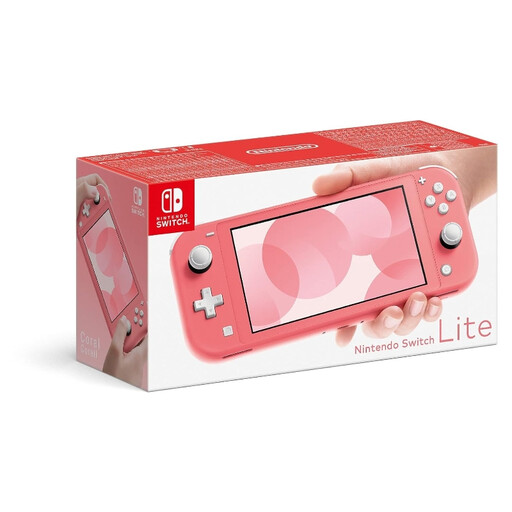
Nintendo Switch Lite in coral

Nintendo Switch Lite, coral

For shoppers who want to play specific compatible Nintendo Classics titles; install the apps and verify your active membership before travelling.

Built-in controls; 32 GB storage. For Nintendo Classics, you’ll need to verify online again at least every seven days.

View at Joybuy

Frequently asked questions

What should I set up before heading to the airport?

Try starting the games you want once with Wi-Fi turned off. For Nintendo Classics, you’ll need to install the apps and verify your active membership online at least every seven days. Also check that the title you want is available in your console’s library.

How can I add games to the Super Pocket?

You can buy compatible Evercade cartridges separately and insert them into the device. According to Evercade, saved games for cartridge titles are stored on the cartridge. Close the game before removing it to avoid losing your progress.

What should I know about my console and power bank before flying after my layover?

The European Union Aviation Safety Agency (EASA) lists power banks and spare batteries as items that must be carried in hand luggage. On Lufthansa Group flights, power banks may not be used to charge or power a device on board from 15 January 2026. This additional rule does not automatically apply to other airlines.

Does a manufacturer’s warranty replace my rights against the seller?

No. When you buy from a business seller in the EU, you’re entitled to a legal guarantee of at least two years, as explained by Your Europe, the European Union’s consumer portal. Any additional manufacturer’s warranty cannot reduce these rights; the seller is responsible for dealing with legal claims.

Can I use any retro ROMs I download in Germany?

No. A file being available doesn’t automatically mean you have permission to use it. Under section 69c of the German Copyright Act (UrhG), the rights holder generally has the exclusive right to authorise the reproduction of a computer program. Whether a particular source or personal copy is lawful must be assessed separately.