
Lieferung heute & morgen

Qualitätsgarantie

Willkommens-Angebote freischalten: KOSTENLOSE Lieferung | Bis zu 80 % RABATT | Kostenlose 30-Tage-JoyPlus-Testphase
App herunterladen
Choosing the right fan for a PC case goes far beyond mere cooling performance. For many PC users, customisable lighting and quiet operation are just as crucial. A 120mm RGB PC fan combines these aspects, offering an effective way to lower system temperatures while personalising the look of your setup.
However, the sheer number of models with different specifications for lighting, noise levels, and performance can make the decision difficult. This article aims to provide clear guidance. We will explain the most important technical features and present a selection of models to make your search for the right fan for your PC case easier.
Before you decide on a model, it's helpful to understand a few basic technical characteristics. These determine not only the cooling performance but also the noise level and visual possibilities.
The type of fan control directly impacts noise levels and efficiency. Most modern motherboards offer two types of control:
Lighting is a central feature of RGB fans. Here, too, there is an important distinction:
Two key figures are crucial for cooling performance:
Based on the criteria mentioned, we have compiled a selection of fans that cover different requirements – from high performance to quiet operation and easy installation.
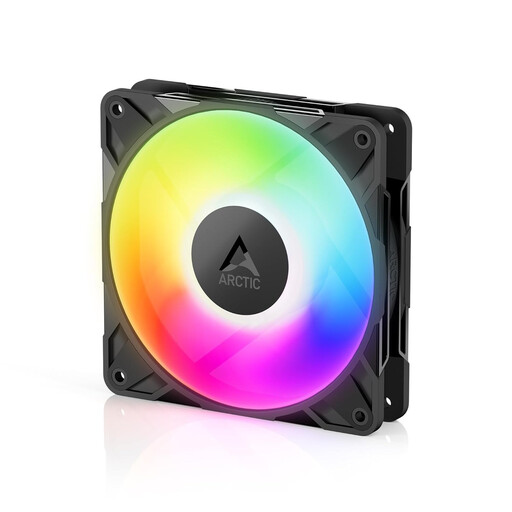
Why it stands out: The ARCTIC P12 Pro A-RGB is designed for high performance. With a maximum speed of 3000 RPM and a high static pressure of 67.62 mmH?O, it is particularly suitable for use on radiators or in cases with restrictive airflow. The PWM control allows for precise adjustment, while the A-RGB lighting provides an appealing look. An included cable splitter simplifies the installation of multiple fans.
Pros:
Who is it for? For PC enthusiasts and gamers who need maximum cooling performance for their CPU or GPU radiators and don't want to compromise on customisable lighting.
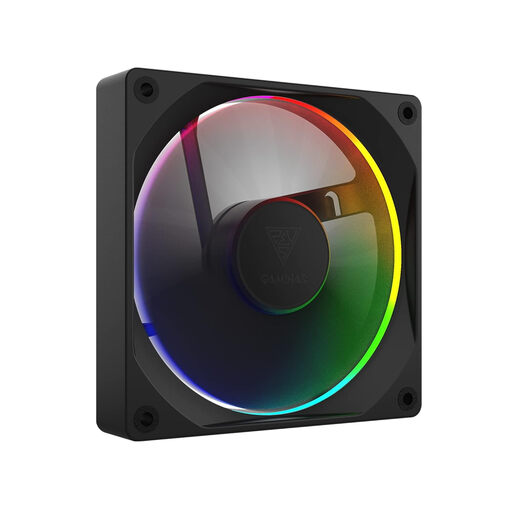
Why it stands out: The GAMDIAS AEOLUS M3-1201 focuses on exceptionally quiet operation. According to the manufacturer, it reaches a noise level of just 20 decibels at a maximum speed of 2000 RPM. The integrated hybrid bearing is designed to minimise friction and ensure a long lifespan. Despite its quiet operation, the fan offers a solid airflow of 67.5 CFM and supports A-RGB lighting synchronisation via the motherboard.
Pros:
Who is it for? For users who want the quietest possible system but still desire effective cooling and a customisable RGB aesthetic. Ideal as a quiet PC case fan.
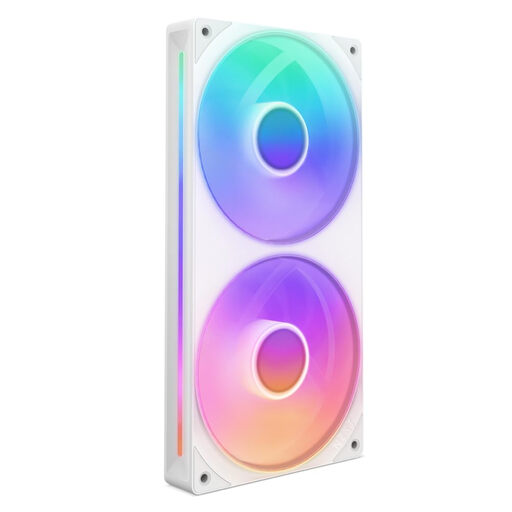
Why it stands out: The NZXT F240 RGB Core significantly simplifies installation by integrating two 120mm fans into a single 240mm frame. This reduces cable clutter and installation effort, as only one PWM and one A-RGB cable need to be connected. The fan blades are optimised for high static pressure, making it a great choice for 240mm radiators. The eight addressable RGB LEDs per fan hub ensure even illumination.
Pros:
Who is it for? For PC builders who value a clean aesthetic, straightforward installation, and efficient cooling for their 240mm radiators.
Proper cooling is crucial for the stability and longevity of your system. If the models presented here don't exactly match your requirements, or if you're looking for other sizes and specifications, there are many other alternatives available.
Explore our full range of cooling fans and find the perfect cooling solution for your system.
A 3-pin connector supplies the fan with power (positive, negative) and transmits a tacho signal for reading the fan speed. The speed is regulated via voltage (DC mode). A 4-pin connector adds a fourth wire for the PWM signal. This allows for more precise, motherboard-controlled speed adjustment, which generally results in quieter and more efficient operation.
No, this is not recommended and can damage the components. A-RGB fans use a 3-pin connector with a 5V supply, whereas standard RGB headers use a 4-pin connector with a 12V supply. The connectors are physically keyed differently to prevent mix-ups. Connecting to the wrong header can cause a short circuit.
For a case fan that is simply meant to push air into or out of an unobstructed case (e.g., at the rear or top), airflow (m?/h or CFM) is the more important metric. Static pressure becomes relevant when the airflow encounters an obstacle. This is typically the case when mounting on the front panel behind a dust filter or directly onto a dense heatsink or radiator. In these situations, high static pressure ensures that air is effectively pushed through the resistance.