
Lieferung heute & morgen

Qualitätsgarantie

Willkommens-Angebote freischalten: KOSTENLOSE Lieferung | Bis zu 80 % RABATT | Kostenlose 30-Tage-JoyPlus-Testphase
App herunterladen
Choosing an RGB PC case goes far beyond pure aesthetics. While attractive lighting can visually enhance a system, hidden flaws in design and compatibility can severely throttle performance and complicate the building process. Many cases advertised as "airflow-optimised" turn out to be heat traps, and the joy of a sleek design quickly turns to frustration when the new graphics card doesn't fit. This guide highlights the crucial criteria you should check before buying to perfectly balance function and form.
Before you make a decision, it's important to scrutinise common marketing claims and pay close attention to technical details. Three problems are particularly frequent:
To avoid the problems mentioned above, you should carefully examine three core areas. These technical specifications are the foundation for a functional and future-proof system.
Compatibility is the foundation of every PC build. Before buying, check the manufacturer's specifications for the following:
A good airflow case ensures that cool air is drawn in from the front and/or bottom and warm air is exhausted out the back and/or top.
The look and feel are largely determined by the materials used.
Here are some recommendations tailored to specific user needs that successfully avoid the common pitfalls.
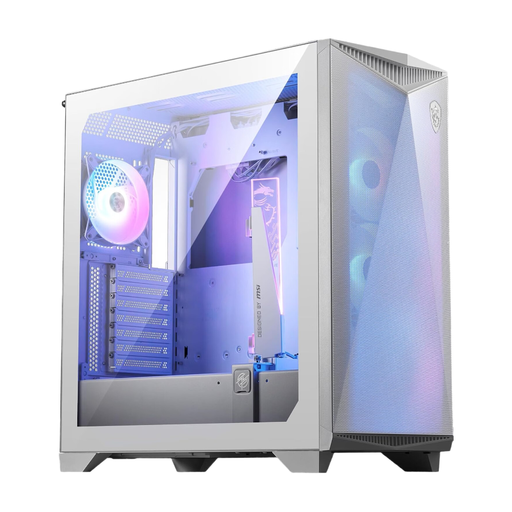
Why This Fits Their Persona: Ideal for users who need maximum cooling performance for high-end components. This case is designed for high airflow and offers space for large graphics cards and E-ATX motherboards.
It avoids the "airflow trap" with a perforated front panel and support for up to ten fans. The compatibility trap is mitigated by its support for E-ATX motherboards and GPUs up to 360 mm in length.
An omnidirectional graphics card holder is integrated to prevent heavy GPU sag. A modern USB 3.2 Gen 2x2 Type-C port on the front panel is also included.
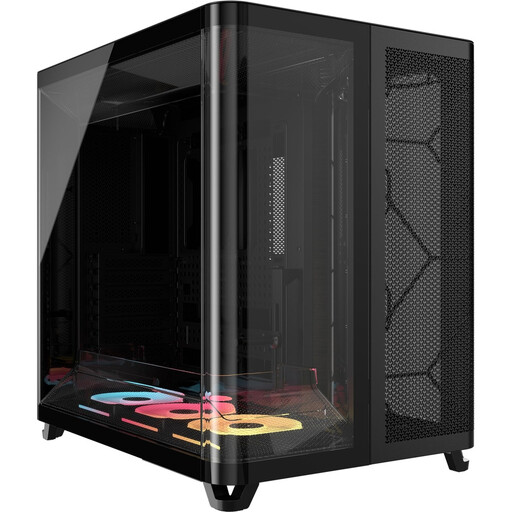
Why This Fits Their Persona: Perfect for users who want to build a flawless "showcase PC." The dual-chamber design and pillarless glass panels create a clean look and an unobstructed view of the components.
The dual-chamber system separates the PSU and cables from the main heat-generating components, which improves both aesthetics and airflow. The generous dimensions (up to 400mm GPU length) prevent compatibility issues.
Integration into the iCUE LINK ecosystem allows for extremely clean fan wiring, as power and ARGB signals are daisy-chained through a single cable. Three LX RGB fans are already included.
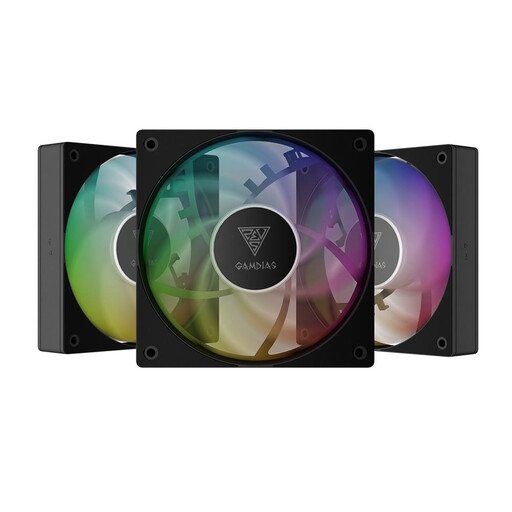
Why This Fits Their Persona: A cost-effective solution for users who want to retrofit their existing system with ARGB lighting and improved airflow without buying a whole new case.
This kit addresses the RGB/ARGB trap as it contains standard-compliant ARGB fans compatible with common 5V headers on motherboards. Adding three fans also improves the airflow situation in many standard cases.
The 3-pack offers great value for a comprehensive upgrade. The fans are PWM-controlled, allowing for automatic speed adjustment based on system temperature.
We have compiled a complete, up-to-date list of products that fully meet these strict selection criteria and all relevant safety regulations.
The main difference lies in the control and the connectors.
A good baseline configuration for most gaming PC cases consists of at least three fans: two at the front pulling in cool air (intake), and one at the rear pushing out hot air (exhaust). For high-end systems with powerful, heat-intensive components, additional fans at the top (exhaust) or bottom (intake) can further reduce temperatures.
No. Although ATX is a motherboard standard, the internal dimensions of cases vary significantly. High-end graphics cards from recent generations, in particular, are often very long and wide. It is essential to compare the maximum graphics card length of the case (in mm) with the length of your specific graphics card, which can be found on the card manufacturer's website.