Overhead views with limited desk space
If you want to show your paper and writing hand from above without taking up worktop space with a tripod base, first check the desk edge, clamp range and reach of the camera mount.


For an overhead view of your paper and writing hand, a desk clamp is a good option if it fits the edge of your desk and the mount reaches the framing you want. A tabletop tripod could work if there’s enough clear space beside it. Use your own paper and fresh ink to check the camera view and see whether the light angle and brightness show your strokes clearly without distracting reflections.
If you want to show your paper and writing hand from above without taking up worktop space with a tripod base, first check the desk edge, clamp range and reach of the camera mount.
Fresh ink or smooth paper can cause reflections that interfere with your strokes in the camera view. An adjustable light angle and a test recording will help you decide whether the setup works with your materials.
If you regularly set up and take down your recording area, consider not just how easy the kit is to store, but also its footprint, tripod and easily accessible controls.
At a small calligraphy desk, first make sure the mounting option suits the desk edge or available surface; then consider reflections, consistent colours and how much effort it takes to set up and pack away.
| What matters | What to check before buying | Who is it important to? |
|---|---|---|
| Clear writing space and an overhead view | Measure the desk edge and available space; check the camera position, framing and distance from your writing hand with the mount. | If I want to show my paper and hand from above, I don’t want a tripod base taking up writing space. Around 36% of consumers prioritise a clear surface and a usable overhead view. |
| Clear lines without distracting reflections | Record a video using your own paper and fresh ink; adjust the light angle and brightness, then check the result in the camera view. | When using glossy ink, I want to be able to make out fine strokes in the video without reflections obscuring them. Around 29% of consumers prioritise controlling reflections like these. |
| Consistent paper and ink colours | Match the colour temperature to your camera and room lighting; compare a paper sample in the recorded image. Hama lists three colour temperatures for the SpotLight Smart 80 II: 2100 K, 3000 K and 5500 K. Canon Europe explains the importance of the camera’s white balance. | If I want paper and ink to look similar throughout several teaching sessions, I need to match the lighting to the camera. Around 21% of consumers prioritise consistent colours. |
| Quick set-up and pack-away | Check what’s included, the footprint, how compact it is when folded and the power supply for the specific kit. | If I need to clear the small desk after a lesson, I want to be able to put the kit away without hassle. Around 14% of consumers prioritise set-up and pack-away. |
A kit may hold a smartphone without being able to position it above the entire area of your paper.
Before buying, compare the camera position you need and the mount’s reach with your desk setup.
The N31 is a desk-clamp option for smartphone recording, while the RL-18 Kit is a larger tripod setup. The models have different designs.
The SpotLight Smart 80 II is a smartphone kit with a tabletop tripod; the SpotLight FoldUp 102 II is the folding tripod option.
The LUMIS Comfort Bi-Color is a smartphone ring light kit with a swivelling ring and a height-adjustable tripod.
Joybuy products for smartphone ring lights for video recording.
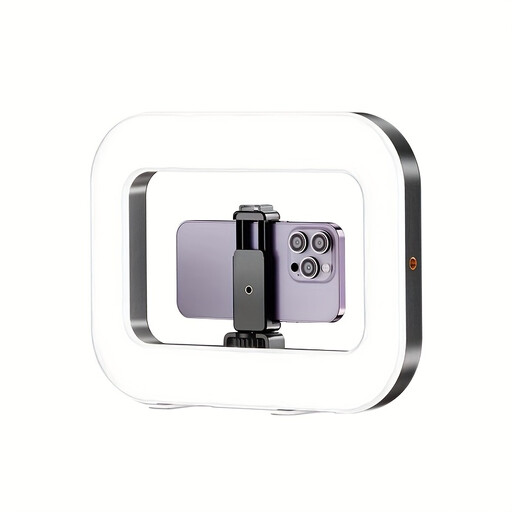 No image available
Could be worth considering for test recordings if you want to adjust the light colour and brightness and attach the light to a suitable mount; it won’t automatically give you a suitable overhead view of your paper.
The product description lists three settings, as well as adjustable colour temperature and brightness.
According to the product description, the built-in battery allows cordless use; a 1/4-inch thread is specified for mounting.
First, position the camera so it captures the entire writing area. Record a few strokes on your paper and check the camera view for shadows from your hand and reflections. If necessary, adjust the light angle or brightness rather than judging the result with the naked eye alone.
No. You should also adjust the camera’s white balance and consider the other lighting in the room. If the daylight changes, compare a paper sample in the recorded image.
Check what’s included with the specific kit on offer, as well as its power connection and cable routing. Hama specifies an external USB power supply of 5 V/1.8 A for the SpotLight Smart 80 II; this doesn’t mean other lights use the same connection or that every offer includes a power adapter.
Products sold in the EU must comply with the relevant product safety regulations. The European Union lists electrical and electronic equipment as a category that requires CE marking. The German Federal Network Agency lists correct labelling, identifiable manufacturer details, and the required instructions and warnings in German among the points to check. A CE mark is not an independent quality seal.
The statutory warranty is a claim against the seller; a manufacturer’s guarantee is an additional voluntary promise. According to the Verbraucherzentrale, if a product is faulty, you should first ask for it to be repaired or replaced.