Crocheters filming from above
If you mainly film your hands and stitches at a table, you’ll need a stable camera position and light on your work surface. Check that the tripod, mount and angle suit your particular overhead setup.


For an overhead crochet tutorial, a stable camera position is essential. Record a test clip to check that the light reaches your work surface without your hands or the mount obscuring the stitches. An adjustable ring light may be suitable if you can position the camera and light for your setup. If you want to adjust the light angle and camera independently, or bring out the texture of the stitches more clearly, try adding a separately positioned light. Match the light colour to your room lighting, and check yarn colours and any bands in the image using the device you’ll actually record with.
If you mainly film your hands and stitches at a table, you’ll need a stable camera position and light on your work surface. Check that the tripod, mount and angle suit your particular overhead setup.
If you show different yarn colours, check how they look in the finished video under your room and recording lights. Getting the white balance right is also part of the setup.
If you switch between filming at your work table and speaking to the camera, or pack everything away after filming, you’ll need a suitable height and a setup that fits the space you have available.
| What you need | What to check before buying | Who it matters most to |
|---|---|---|
| Overhead filming and visible stitches | Check the angle, mount and stability directly above your work surface. Also make sure your hands or the mount won’t obscure your crochet. | If I want to show my hands and stitches from above, I need a clear view of my work while I’m actually crocheting. Around 33% of consumers are likely to prioritise an overhead view. |
| Yarn colours under artificial light | Compare the same yarn sample in the finished camera image using your planned lighting and white balance settings. Having several colour temperature settings doesn’t remove the need to set the white balance correctly. | If I demonstrate several colours, I want them to look true to life in the video under my existing room lighting. Around 27% of consumers are likely to care most about yarn colours. |
| Bands in the video | Record a test clip using your planned dimming and camera settings. If you see bands, check your camera’s anti-flicker and shutter settings too. | If I film under artificial light, I want to avoid visible LED bands in the image. Around 20% of consumers are likely to prioritise a smooth, band-free image. |
| A suitable setup and what’s included | Check the exact set variant and whether it includes a tripod, smartphone mount and the power supply you need. Make sure the setup height works for your space. | If I need to set up and pack away my kit regularly, I want to know in advance whether the mount and base will suit my workspace. Around 20% of consumers are likely to prioritise a simple setup that fits their space. |
A tall stand doesn’t guarantee that your smartphone will sit securely above your crochet or light your work surface without casting shadows.
Test the mount, angle and base with a short recording from your actual working position.
Manufacturer specifications for colour rendering and colour temperature don’t show how your yarns will look in the finished video alongside the rest of your room lighting.
Film the yarn colours you plan to use with your recording device, then compare the image with the lighting and white balance kept consistent.
NEEWER lists a 155 cm tripod for its German RL-18 set. Another RL-18 version is sold without a tripod and has different specifications.
Before buying, check the full variant name and the contents listed for the specific set.
Smartphone ring light sets for a range of setup heights and available spaces.
The LUMIS Comfort Bi-Color is a smartphone ring light set for compact video setups.
The LR150 is a ring light option with adjustable light colour and brightness.
The German RL-18 set is a larger ring light and tripod combination for a permanent video setup.
According to the German manufacturer’s shop, the halo 16 is a dimmable ring light that can run from mains power or, optionally, a battery.
These Joybuy product options include ring lights with smartphone mounts for portable, height-adjustable and compact tabletop setups. If you want to film from above, check that you can position the camera and light securely in your workspace.
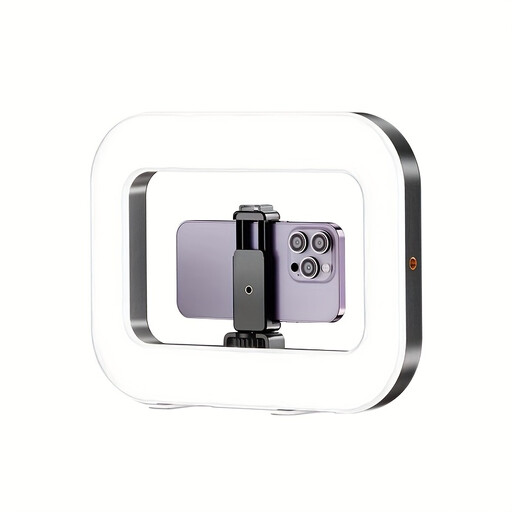 No image available
For filming on your smartphone when you want to adjust the light and brightness.
The product description lists a built-in battery, three adjustable colour temperature and brightness settings, and 1/4-inch threads on the bottom and sides.
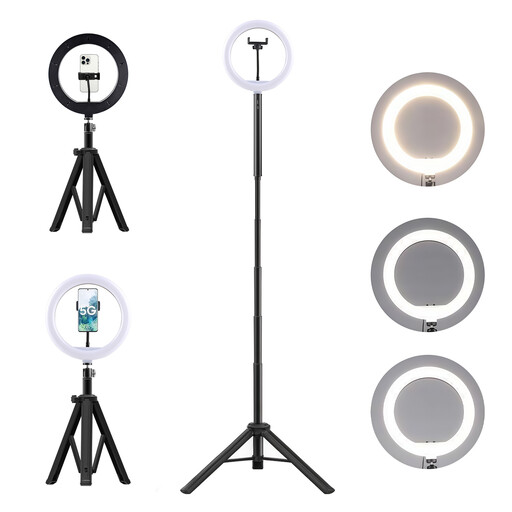 No image available
For a height-adjustable smartphone setup when you want several lighting settings.
The description lists a 178 cm tripod, a 360° head, an adjustable phone mount and positioning for an overhead view. It also lists ten brightness settings and three colour temperature modes.
 No image available
For filming when you want to adjust the tripod height to suit your work surface.
The description lists an adjustable tripod height of 44 to 156 cm, a mount for a smartphone or camera, and a remote control. It specifies three colour temperatures from 3000 to 6000 K and ten brightness settings.
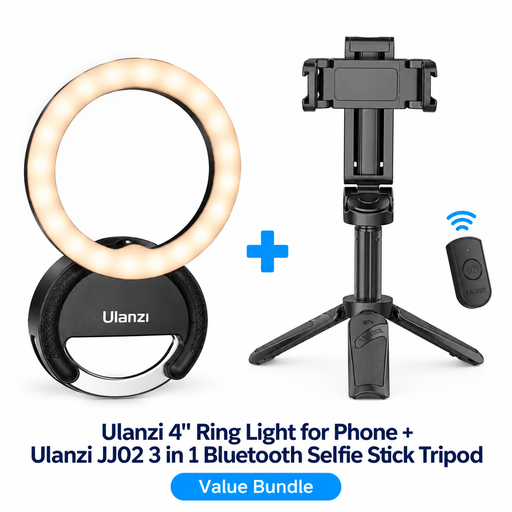 No image available
For flexible smartphone filming with an extendable selfie stick and mini tripod.
According to the product name, the set includes the Ulanzi JJ02 3-in-1 Bluetooth selfie stick tripod. The description lists three colour temperatures from 3000 to 7000 K, five brightness settings and a Bluetooth remote control.
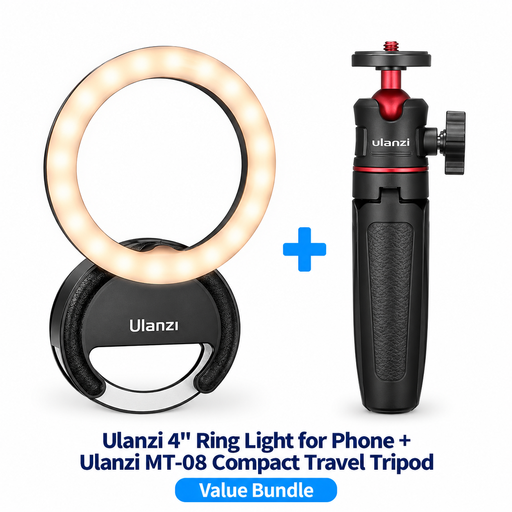 No image available
For a compact tabletop setup if a mini tripod with an adjustable ball head suits your camera position.
According to the product name, the set includes the MT-08 Compact Travel Tripod. The description lists three colour temperatures from 3000 to 7000 K and five brightness settings.
First, position the camera so your hands and stitches stay fully in frame. Then direct the light at your work surface and record a short clip to check whether your hands cast shadows or the mount appears in shot. The tripod height and angle alone won’t tell you whether the setup is right.
Check your yarn under the room and ring light you’ll actually use, then set your camera’s white balance to match. Adobe notes that white balance affects every colour in a shot, not just white.
Record a test clip using your planned dimming and camera settings. Sony explains that bands can appear with flickering light sources and suggests shutter speeds of 1/50 s or 1/100 s for regions with a 50 Hz power supply. The setting that works will depend on your camera and light source.
Check the exact variant and whether the tripod, smartphone mount and power supply are included. According to the German manufacturer’s shop, the 3634 battery specified for battery operation with the Nanlite halo 16 isn’t included.
Not necessarily. If you want to adjust the light angle and camera position independently, or the stitch texture doesn’t look clear enough in direct light, try a light you can position separately. Compare the same crochet sample in the camera image and check for shadows too.