Webcam recordings at a cramped desk
If you film close to your monitor, the mount should fit your screen and the light should reach the height you need without taking up too much of your limited space.


For a close-up webcam shot, a dimmable ring light with a suitable monitor clamp or small desk tripod is a good place to start. For smartphone videos, you’ll also need a suitable phone holder. First check the space available, the mounting options and the height, then look at light controls and power supply. A larger tripod offers more flexibility when positioning the light, but takes up more room.
If you film close to your monitor, the mount should fit your screen and the light should reach the height you need without taking up too much of your limited space.
If you use your phone for talking-head videos, check whether a suitable holder is included and whether you can position your phone and light together.
If you change your camera position or filming location, adjustable light positioning is useful. Also make sure the tripod and power supply will work wherever you plan to film.
Best suited to: You film close to a webcam and want to take up as little desk space as possible.
Consider: Check that the clamp fits your monitor securely; a desk stand needs clear space on your desk.
Best suited to: You film on your smartphone and want to position your phone and light together.
Consider: The desk stand takes up space. Check that the holder fits your device and the portrait or landscape format you want to use.
Best suited to: You want to position the light independently of your monitor and desk height.
Consider: Allow room for the tripod and its base; extra height doesn’t automatically mean better lighting.
| Buying consideration | What to check before buying | Who should consider this? |
|---|---|---|
| Lighting | Test the light at your intended sitting distance, check the dimming levels and take a test recording with your usual room lighting. | I want my face to be well lit in the camera image at my usual sitting distance; around 40% of consumers put lighting first. |
| Mounting and space | Measure the free desk space and monitor mount; for smartphone recordings, check that the holder fits your device. | If my desk is small, I need a mount that suits my monitor and filming height; around 30% of consumers prioritise mounting and space requirements. |
| Adjusting to ambient light | Check whether brightness and colour temperature are adjustable, and assess the result in a test recording. | If daylight or room lighting changes, I want to adjust the light to suit my filming conditions; around 20% of consumers put this first. |
| Power supply | Check the connection, power requirements and cable length against your filming space; don’t assume a power adapter is included without checking what’s in the box. | For longer recordings, I want a suitable power source and a practical way to route the cable across my desk; around 10% of consumers prioritise the power supply. |
Illuminance measured at 0.5 m can’t be directly compared with a figure measured at a different distance. Even figures measured under comparable conditions don’t, on their own, tell you how your face will look in your camera setup.
Only compare figures measured under the same conditions, then check the result at your sitting distance with a test recording.
Ring light kits vary in their mounting options and what’s included. A phone holder doesn’t confirm that your webcam or camera can also be attached properly.
Before buying, check that the camera, mounting point and included holder are compatible.
If the holder you need isn’t included in the kit, you may need to buy a compatible one separately, so check what’s in the box.
A desk stand or the legs of a larger tripod may take up more room than you expect on a small desk. A compact setup, however, may offer less flexibility when positioning the light.
Measure the space you plan to use, including the stand or tripod legs, and allow for the light position you want.
NEEWER offers compact desk ring lights as well as larger models. The BR60, with its desk tripod and monitor clamp, is one possible option for a cramped webcam setup.
According to Hama, the SpotLight Smart 80 II combines a ring light with a desk tripod and smartphone holder for a phone-based desk setup.
According to Rollei, the LUMIS Comfort Bi-Color is a ring light kit with a phone holder and a tripod that extends to 1.6 m.
Ulanzi offers ring light video rigs as well as compact magnetic smartphone ring lights, which may suit you if you want a light attached directly to your phone.
The Joybuy products below include ring lights with desk tripods or extendable tripods for smartphone and camera recordings.
 No image available
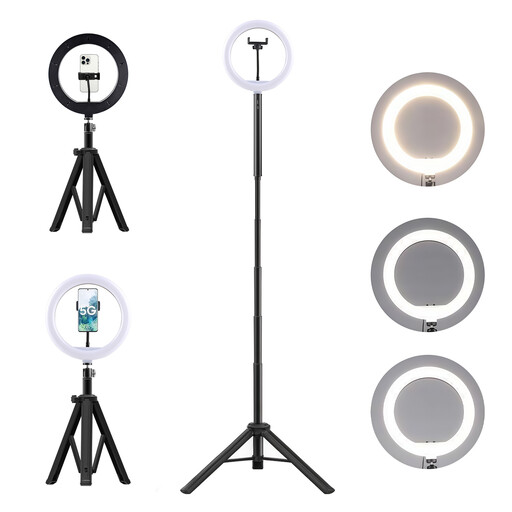
For recordings where you want to position the light on a tripod, independently of your monitor.
The product name mentions a 10,000 mAh power bank. Do not dismantle, crush or puncture the lithium-ion battery, and keep it away from heat, fire and water.
 No image available
For smartphone or camera recordings where you want to position the light on a tripod, independently of your monitor.
The product name mentions a 3-in-1 tripod and a 10,000 mAh power bank. Do not dismantle, crush or puncture the lithium-ion battery, and keep it away from heat, fire and water.
 No image available
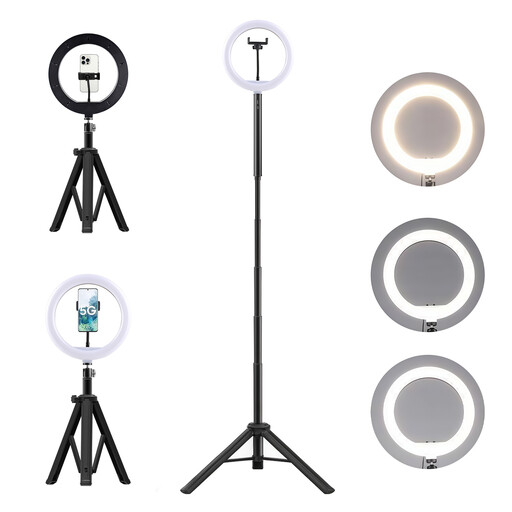
For talking-head videos where you want to set up the light on a tripod, independently of your monitor.
The product name mentions a 10-inch ring light, a remote control, a 63-inch tripod, three light colours and ten brightness levels.
 No image available
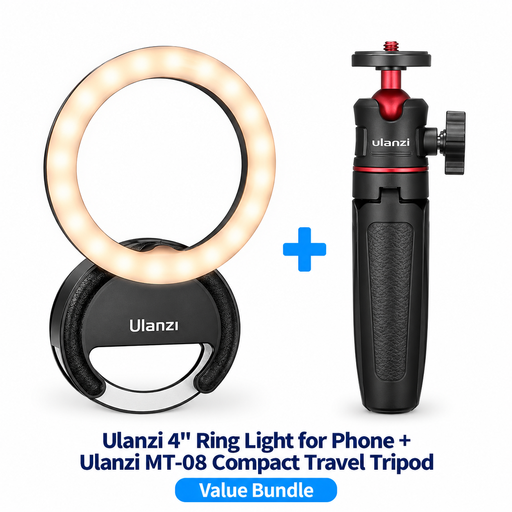
For a compact smartphone or vlogging setup where you want the ring light and small tripod together on your desk.
The product name mentions a 4-inch ring light and the MT-08 Compact Travel Tripod model.
 No image available
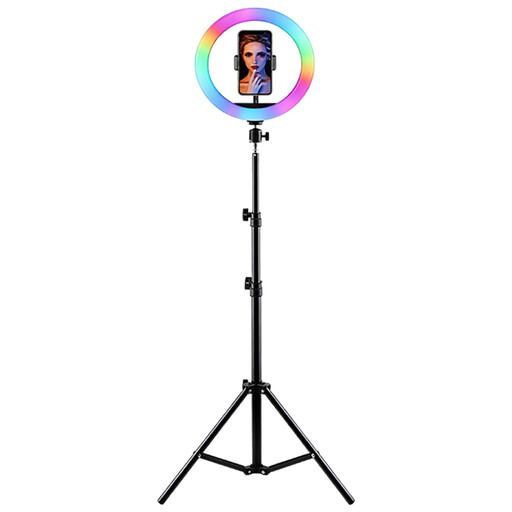
For smartphone talking-head videos where you want to position the light and phone together on a tripod.
The product name mentions RGB lighting, adjustable brightness and colour temperature, a height-adjustable tripod and a smartphone holder. According to the description, use on a stable surface and keep away from moisture.
Start by checking the mounting option: a monitor clamp, desk tripod and smartphone holder are different solutions. Also check that the light can reach the right height for your camera position; a thread alone doesn’t guarantee that your accessories will fit.
Start by positioning the light close to the direction of the camera, then adjust the brightness and, if needed, the colour temperature. Check your face and look for reflections in a test recording. Ulanzi also recommends adjusting the angle and distance and watching out for reflections.
It depends on the specific model and the connections you have available. NEEWER specifies a 5 V/2 A USB power supply for the BR60, while Hama lists an external 5 V/1.8 A USB power supply for the SpotLight Smart 80 II. Check what’s included and whether a suitable power source is available where you plan to film.
According to the European Commission, when you buy from a trader in the EU, you’re generally entitled to a legal guarantee of at least two years from the date you receive the goods. A voluntary manufacturer’s warranty is separate; your specific rights depend on the fault and the circumstances of the purchase.
No. The German Federal Ministry for the Environment explains that waste electrical and electronic equipment must be handed in at an authorised collection point, such as a local collection centre or a retailer’s designated take-back point. Retailers’ take-back obligations depend, among other things, on the retailer and the size of the equipment.