For tutorial makers with limited table space
If you film gameplay at a small table, you’ll need to find a secure spot for your light and camera without taking up space needed for the playing area or game components.


For a board game video filmed at a small table, a ring light that can be positioned securely and dimmed is a sensible starting point, provided there’s room for the tripod or mount beside the game. If your cards are reflective, diffused light positioned off to one side may be a better option. A ring light or smartphone mount won’t guarantee glare-free cards or a perfectly vertical overhead view, so check both with a test clip using your game and device.
If you film gameplay at a small table, you’ll need to find a secure spot for your light and camera without taking up space needed for the playing area or game components.
If your cards are prone to reflections, the angle needs to keep text and symbols legible. The position of the light may matter more than its ring shape.
If you want to show moves from above, check whether the mount and angle give you the framing you want, including the game board and your hands.
If you’re choosing a light for board game tutorial videos at a small table, your priorities will depend on the game components, the space available and how you plan to film.
| Consideration | What to check before buying | Who will find this most important? |
|---|---|---|
| Legibility of the game board and cards | Check that the light can be dimmed and tilted; test it with the actual cards you’ll be using. | If glossy cards are in shot, I want to be able to read text and symbols clearly; around 36% of consumers put legibility first. |
| Clear table space and a stable base | Compare the footprint of a stand with the playing area. If you’re using a clamp, make sure it fits the table edge and clamping area. | At a small gaming table, I don’t want to move game components to make room for a stand; around 29% of consumers prioritise keeping the table clear. |
| Visible hand movements and an overhead view | Check the device mount and framing with the game board and your hands in shot. A smartphone mount doesn’t tell you whether it will work with another camera. | If I’m showing moves from above, I want both my hands and the game information to stay in shot; around 21% of consumers prioritise visible hand movements. |
| Power supply and what’s included | Check the power requirements and included accessories for the specific model; route cables so they stay clear of the playing area. | For a straightforward filming session, I want to plan for the power supply and any mounts I’ll need in advance; around 14% of consumers prioritise having everything needed for the setup. |
Soft light doesn’t automatically prevent reflections on glossy cards. Bright spots can obscure text or symbols.
Record a short clip with the cards and your hands in shot. If details are hard to read, adjust the angle of the light or try positioning it off to one side.
The mount, distance and angle all affect whether you can get the framing you want. A smartphone mount doesn’t prove that it will work with other devices or give you a vertical camera angle.
Check the mount and the full framing with your device and the game set up.
If the mount you already have isn’t suitable for your table or device, you may need a different one.
Tripods, mounts and power supplies vary from one set to another. According to the manufacturer, the Hama SpotLight Smart 80 II needs an external USB power supply; the Godox LR150 manual lists an adapter but not a floor stand.
Before buying, check the details for the specific offer: what’s included, the power supply and the space needed at your filming location.
If the specific package doesn’t include a power adapter or tripod you need, you’ll have to add one to your setup.
The SpotLight Smart 80 II is described as a ring light set with a table tripod and smartphone mount; the SpotLight Steady 120 III is a separate version with a tall tripod.
The N25/N22 Desk Ring Light Kit comes in different table-top versions; the technical specifications apply to each specific model.
According to the manufacturer, the LUMIS Comfort Bi-Color combines a ring light, smartphone mount and extendable light stand.
The LR150 is a larger ring light, so you’ll need to plan for its position and power supply when putting your setup together.
Ulanzi offers compact ring lights and smartphone solutions, including a 4-inch smartphone ring light.
These product suggestions are for smartphone filming with adjustable lighting, a mount or a tripod. Check the framing and reflections with your game before deciding on a setup.
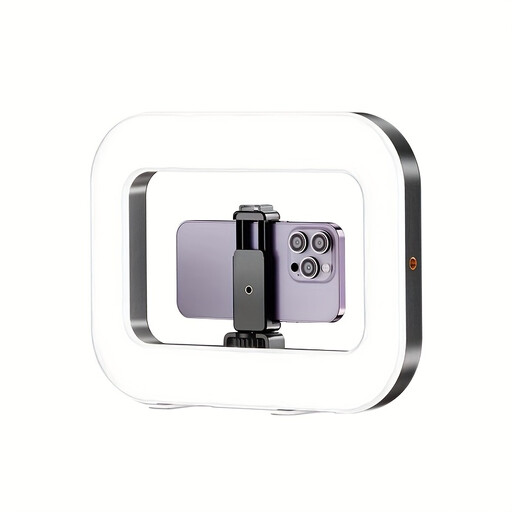 No image available
An option for smartphone filming if you want to adjust the light and mount; test the framing with your game setup.
The product description lists a built-in battery, three colour temperature and brightness settings, and 1/4-inch threads on the bottom and sides.
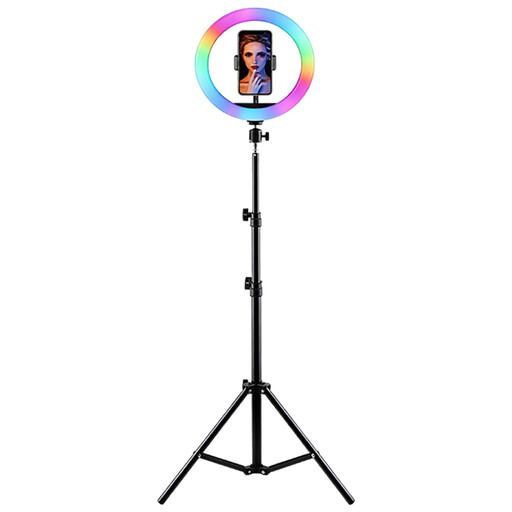 No image available
Having the light and smartphone mounted together could work for video filming, provided there’s room for the tripod on a stable surface.
The title lists RGB colour lighting, a height-adjustable tripod, a central smartphone mount, and adjustable brightness and colour temperature. The product description says to keep it away from moisture and use a suitable power supply.
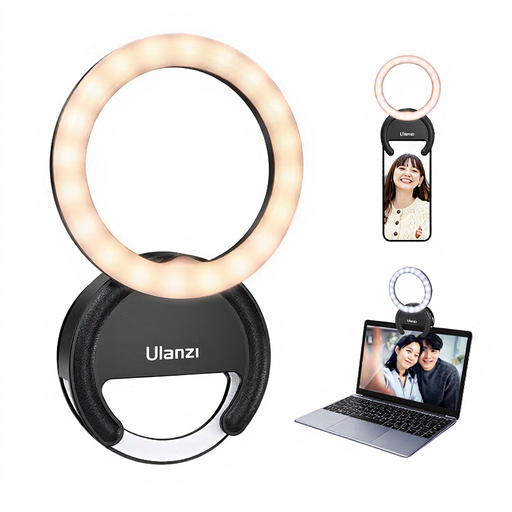 No image available
A compact light for smartphone video; test separately whether it covers enough of the game board and cards in your setup.
The product title lists five brightness settings and three colour temperatures, from 3000 K to 7000 K. The description mentions uses including selfies, streaming and video calls.
Not necessarily. A smartphone mount doesn’t prove that it can support another camera or give you the right framing. Hama describes the SpotLight Smart 80 II as having a smartphone mount and adjustable ball head; check that the mount, load capacity and full framing are suitable for your device.
Start by recording a short test clip with the actual cards you’ll be using. Then adjust the angle and position of the light. If details are still obscured, try moving the light off to one side and, if needed, diffusing it. Nikon and Canon offer general advice on reflections and product lighting, but this doesn’t guarantee a particular game will film without glare.
Check the power requirements for the specific model and keep cables out of the playing area. Hama lists an external 5 V/1.8 A USB power supply for the SpotLight Smart 80 II; the Godox LR150 manual lists a DC adapter and warns against damp conditions. Follow the instructions for the specific light when cleaning and caring for it.
According to the Verbraucherzentrale, online orders generally come with a 14-day right to cancel, starting from the day you receive the goods. Check the terms of the specific offer and whether a power adapter, mount and tripod are included; the packages vary between the models described.
No. The European Union explains that by applying the CE mark, the manufacturer declares that the product meets the relevant requirements; there is no central EU body that generally grants approval for this. The Bundesnetzagentur recommends checking details such as the markings, manufacturer information and German-language instructions.