For crafters who need an overhead view
If you’re demonstrating techniques over paper, yarn or a craft project, the most important thing is a clear, stable camera position.


First, decide where the camera needs to sit above or beside your work surface. A smartphone holder attached to a ring light doesn’t necessarily give you a clear, stable overhead view. If a test clip shows distracting reflections, compare it with diffused lighting that you can position to the side. Adjustable brightness and colour temperature, along with a controlled white balance, can help when the light from your window changes. Hama and NEEWER document different mounting options, while Canon Europe explains why white balance matters.
If you’re demonstrating techniques over paper, yarn or a craft project, the most important thing is a clear, stable camera position.
If the colours of your materials or their glossy surfaces are the focus, check the colour temperature, white balance and any reflections in the actual camera image.
If you want the camera and light to take up as little room as possible, the desk edge, mounting options and what’s included are important things to consider.
A good fit if: you can set up your smartphone and light together and achieve the angle you want with the specific tripod.
Bear in mind: tripod legs need floor space, and height and tilt alone don’t guarantee a clear overhead view.
A good fit if: you need the camera fixed above your project and have a suitable place to attach a mount to your desk.
Bear in mind: the mount, connections, load capacity and desk edge all need to be compatible. An overhead arm isn’t automatically included with the light.
A good fit if: a test clip of glossy materials shows distracting reflections, or you want to position the light independently of the camera.
Bear in mind: diffusion and mounting may require extra parts, and the result depends on the material and the light’s position.
| What you need | What to check before buying | Who it matters most to |
|---|---|---|
| Clear overhead view | Test the camera angle with the camera you’ll use; consider the desk edge, arm reach and space for both hands. | If I need to show every step from above, I need a clear, stable view of my hands and project. Around 31% of consumers say an overhead view is their top buying priority. |
| Control over light and colour | Compare the brightness and colour temperature settings of the exact model; test it with your usual materials and at the time you normally film. | If I want to show the colours of my materials in changing window light, the lighting and white balance need to suit the filming conditions. Around 25% of consumers put control over light and colour first. |
| Reflections and shadows | Film glossy and matt materials from the angle you plan to use; compare the light’s position and diffusion. | When filming glossy projects, I want to assess reflections in the image rather than assume a particular type of light will work. Around 25% of consumers prioritise how reflections and shadows appear. |
| Space and what’s included | Check the space available and the desk edge; for the exact variant, check the mount, tripod or clamp, as well as the power supply and connections. | If I want to keep my desk clear for working while I film, the right mounting option and any necessary accessories are essential. Around 19% of consumers prioritise saving space and easy setup. |
The tripod’s height and smartphone holder don’t prove that you can position the camera freely above your project.
Mark out the area you want in shot on your desk, then test the arm’s reach, mounting options and room for your hands during a trial setup.
If the kit doesn’t include a suitable mount, you may need an extra camera arm or another mounting option.
Different model numbers or dimensions may indicate different versions and what’s included in the box.
Check the full model name, dimensions and contents of the specific listing.
If the mount, tripod or power supply isn’t suitable for your setup, you may need additional accessories.
Reflections depend on the surface and the light’s position. Lighting that works for one material may not give you the same result with another.
Test glossy materials from the angle you plan to use. If reflections are distracting, compare the results with diffused light positioned to the side.
Hama’s documented smartphone ring light kits include the SpotLight Steady 120 III and the foldable SpotLight FoldUp 102 II.
The documented RL-18 kit pairs a ring light with a tripod and smartphone holder; desk and overhead mounts are also described separately.
The LUMIS Comfort Bi-Color is listed as a smartphone kit with a tilting light, holder and tripod.
Kaiser Fototechnik lists the halo 16 for uses including tabletop photography.
The Ring Light is listed as a desk clamp option with a camera mount and adjustable colour temperature.
These Joybuy products combine ring light or smartphone lighting with mounts and tripods for filming at your desk.
 No image available
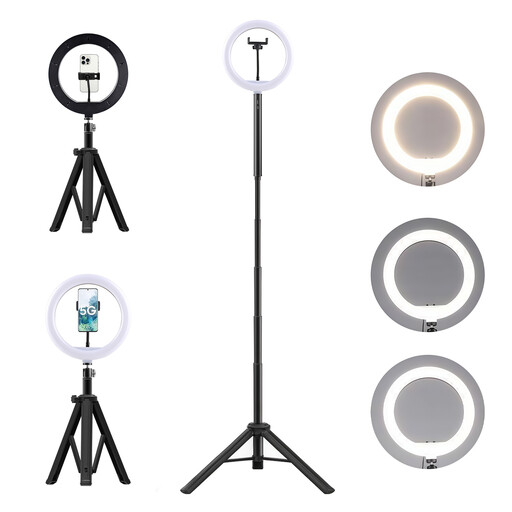
The kit is listed as having an adjustable mount and an overhead angle. Test the setup to make sure the camera has a clear view of your project.
It includes a floor and desk tripod, a 360° head and a 10000mAh power bank.
The battery contains lithium-ion cells. Don’t dismantle, crush or pierce it, and keep it away from heat, fire and water.
 No image available
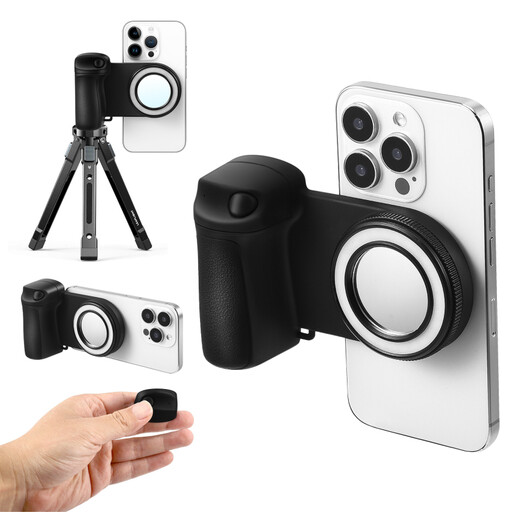
The stand combines a smartphone holder and ring light for hands-free filming. Check that the mount is compatible with your smartphone.
The title lists five brightness levels; the description also mentions a Bluetooth remote control and a 1/4-inch connection.
Direct magnetic attachment is designed for MagSafe-compatible smartphones. According to the description, other smartphones need the supplied magnetic ring.
 No image available
The description lists mounts for a smartphone or camera. Check that the tripod setup gives you the right angle for your craft project.
It lists a 10-inch ring light, a 63-inch tripod, three colour modes and ten brightness levels.
 No image available
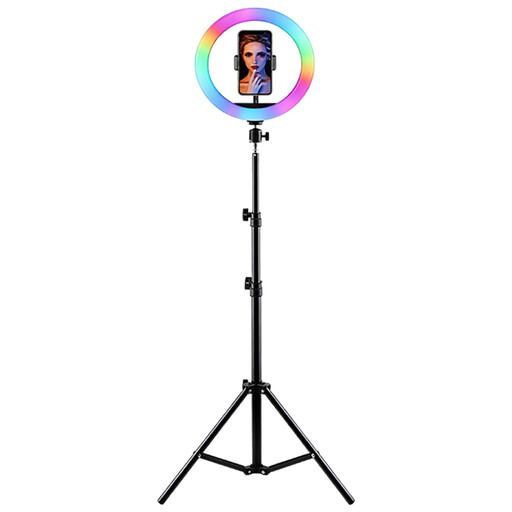
The kit combines a smartphone holder with a height-adjustable tripod. Check that the setup leaves room for the camera position you want.
The title lists RGB lighting, adjustable brightness and colour temperature; the description mentions a tilting ring light.
According to the description, use on a stable surface, keep away from moisture and only use with the correct power supply.
 No image available
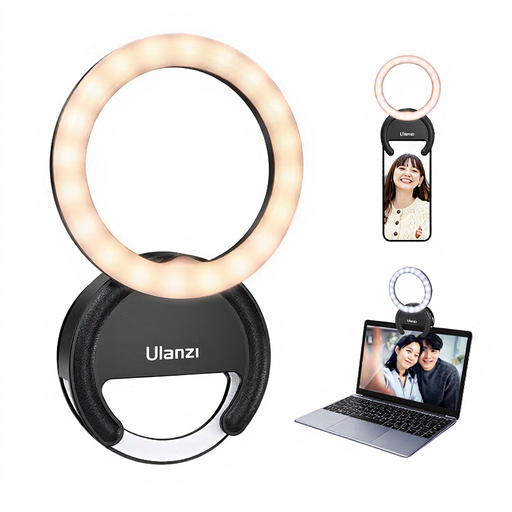
According to the description, this compact light can be attached to a smartphone, laptop or tablet. Check that there’s room for it on the device you’ll be using.
The title lists three colour temperatures from 3000K to 7000K and five brightness levels.
Not necessarily. What matters is the camera’s actual position above your project, a clear view of both hands and a secure mount. You may need an additional overhead arm to get the right view.
Film the same material at the time you’d normally record, then adjust the light settings and white balance to suit the light on your project. Canon Europe points out that natural light can look different depending on the conditions.
Check the desk edge or tripod base, connections and what’s included before setting it up. Follow the safety and care instructions for the model you buy, as setup requirements may vary between versions.
For a typical online distance purchase, you generally have 14 days from delivery to cancel. Exceptions apply, and you should check the information about return costs. If the goods are faulty, you also have statutory rights against the seller, with a minimum two-year period. This is separate from any voluntary manufacturer’s guarantee.
The Bundesnetzagentur lists CE marking, product identification, manufacturer details and safety information in German among the points checked during market surveillance. According to the Umweltbundesamt, unwanted electrical appliances should be taken to separate collection, not put in household waste.