What should you consider when choosing?
When a camera or microphone is in use, people affected must be able to tell that recording is taking place. The German Federal Network Agency explains this requirement for Germany. So check the indicator for the specific recording and remote-access modes, rather than relying on decorative lights or a visible camera casing.
| What matters when buying |
What to check |
Who is this particularly important to? |
| Visible recording and controlled access |
Check for indicators during live viewing, audio and automatic recording, as well as account settings and access permissions. |
If other people may be at my home, I want them to be able to tell when video or audio is being recorded, and I want to control access. Around 42% of consumers prioritise visible recording and controllable access. |
| Remote views of different areas |
Check remote control, which rooms are accessible, obstacles, the charging position and any patrol features. |
If I want to view different accessible areas while I’m out, being able to change the viewing angle matters more than having a fixed camera position. Around 33% of consumers prioritise remote views of different areas. |
| A view of a fixed area |
Decide what area you need to see and choose a suitable, visible position for the camera. |
If I mainly want to check a particular area, I don’t need the camera to travel between rooms. Around 17% of consumers prioritise monitoring a fixed area. |
| Storage and set-up |
For the model and app, check account requirements, storage location, cloud features, deletion options and included accessories. |
If I want to keep set-up and storage straightforward, I need to know in advance which features I’ll enable and what accessories I’ll need. Around 8% of consumers place the greatest importance on storage, set-up and potential ongoing costs. |
Joybuy products for keeping an eye on your home
This selection includes mobile camera robots for checking in remotely and stationary indoor cameras for monitoring a specific area. We haven’t been able to confirm a clear recording indicator for all active video and audio modes on any of these models, so check this before using one.
 No image available
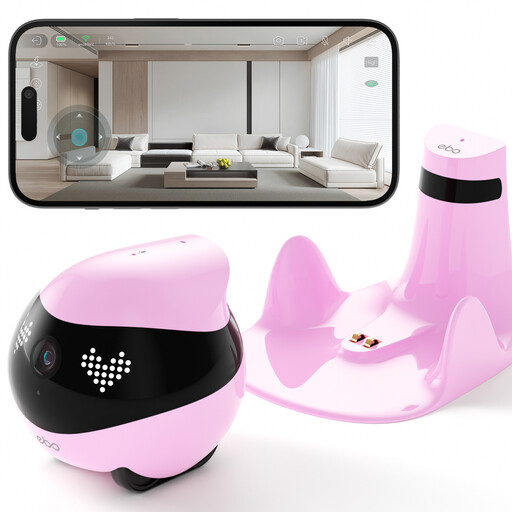
Enabot EBO Air 2 Companion Robot, Robin Pink
For mobile checks via the app; the product description lists remote monitoring and two-way audio.
The charging station needs a suitable space with room around it, away from mirrors or glass.
View at Joybuy
 No image available
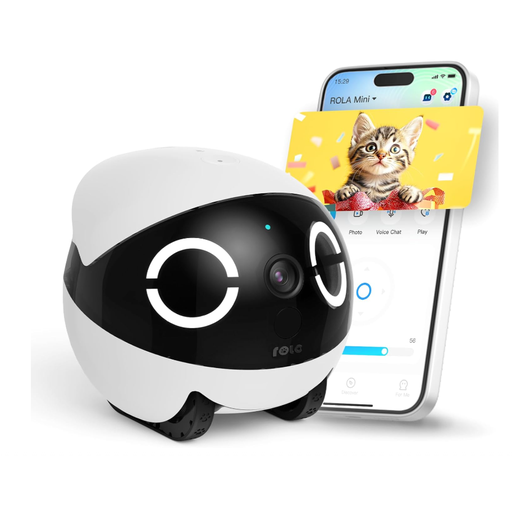
Enabot ROLA Mini 2K, White Version
For changing the viewing angle via the app; the product description lists remote video and two-way audio.
The charging station needs a clear, level surface, away from mirrors or glass.
View at Joybuy
 No image available
Enabot EBO Air Smart Home Robot Camera, White
For remote views around the home; the product description lists remote viewing via the app and automatic movement.
Set-up is via the app and Wi-Fi; you’ll need a suitable space for the charging station.
View at Joybuy
 No image available
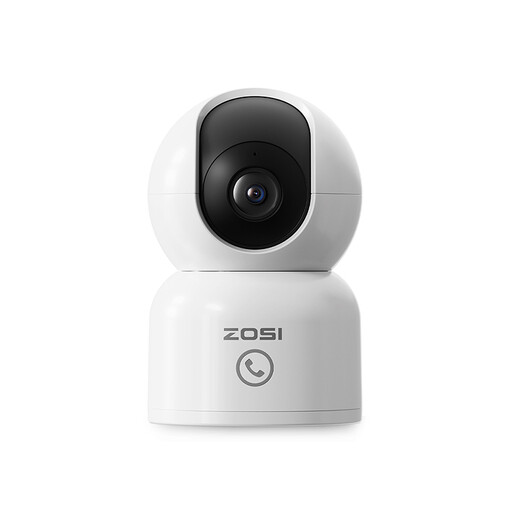
ZOSI C518 2MP Indoor Security Camera
A stationary alternative for monitoring a specific area; the product description lists remote viewing via the app, pan-and-tilt and two-way audio.
The product description says the memory card isn’t included.
View at Joybuy
 No image available
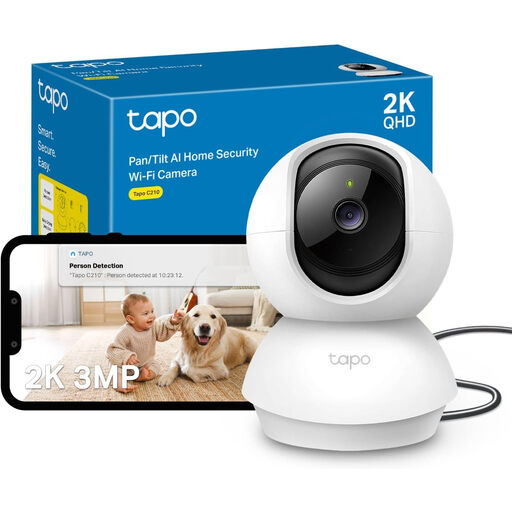
TP-Link Tapo C210 2K 3MP Indoor Security Camera
For a fixed area of your home; the product description lists remote viewing via the app, pan-and-tilt and two-way audio.
The microSD card is optional and, according to the product description, isn’t included.
View at Joybuy
Frequently asked questions
Is it enough for the camera to be visible on the robot?
Not necessarily. The German Federal Network Agency says people being recorded must be able to tell clearly that recording is taking place, for example through visible or audible signals during recording. Check live viewing, audio and automatic recording separately for the specific model.
Do I need a user account for remote access?
It depends on the model. KEYi Robot says a Loona app account is required for initial activation; Enabot describes verification of EBO-HOME account details. Check the requirements for the relevant device and app version.
Does using a memory card mean all the data stays at home?
You can’t tell from the memory card alone. For the EBO Air 2, Enabot says recordings are saved to the SD card and files created manually are stored on the phone. The company also says that certain enabled cloud features involve processing on its platform. What matters is which features you enable.
What should I bear in mind when positioning the camera?
Position an indoor camera somewhere visible, where it covers the area you need. For a mobile robot, make sure there’s an accessible charging station and clear routes to travel along. Enabot says planned patrols for the EBO Air 2 Plus must start at the charging station.
Might I need to buy extra accessories?
Yes, it depends on the model and how you want to use it. TP-Link says a microSD card for the Tapo C220 is sold separately. Check whether the storage accessories you need are included with the specific camera.


