What should your school look out for?
First, decide whether the children should enter a command sequence using a remote control or create a programme with blocks. You can then assess software access, teaching resources and group organisation more effectively.
| Priority |
What to check before buying |
Who will find this most important? |
| Command sequences without pupil devices |
Check that you can enter and replay your own action sequence, rather than just choosing pre-installed tricks. The Lexibook instructions describe this process for the DOG01. |
If I want to plan and repeat movements with the class without pupil computers, I need more than a demonstration. Around 23% of consumers put command sequences without pupil devices first. |
| Custom block-based programmes |
For the exact variant, check the full process from creating a block-based programme to running it on the robot. Petoi documents Coding Blocks for Bittle, while ELECFREAKS lists MakeCode for the XGO Robot Kit V2. |
Anyone wanting children to create their own sequences using visual blocks will need suitable workstations and time to set them up. Around 18% of consumers prioritise custom block-based programmes. |
| Use without mandatory pupil accounts |
Check whether sign-in, cloud storage or personal pupil data are required to set up the specific software, transfer programmes and use it in lessons. An offline editor alone does not prove that the entire process works offline. |
If I need to avoid mandatory accounts containing pupils’ personal data, I want to understand the complete software workflow before buying. Around 23% of consumers prioritise lessons that require as few accounts as possible. |
| Ready-to-use teacher guidance |
Check that the activities and teacher guidance are in German and cover the exact hardware. The RAABE unit covers offline coding; Petoi’s Bittle X guide is in English. |
Anyone who needs a ready-to-use sequence of activities and support with lesson preparation should check the language and model covered. Around 18% of consumers prioritise prepared teaching resources. |
| Running groups in parallel |
Decide how many devices each group needs and test simultaneous use of the specific robot and software combination. Charging and battery changes should also be factored into your plans. |
If several groups are to work at the same time, I want to be able to plan device-sharing and supervision into the lesson. Around 18% of consumers prioritise parallel group work. |
Robot dogs on Joybuy: checks to make before using them in lessons
The Joybuy products below are described as robot dogs. Check whether they can support your own programming activities by considering your software and teaching requirements.
 No image available
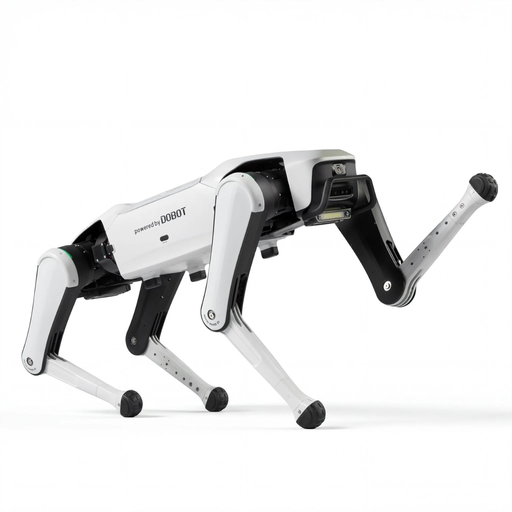
DOBOT Rover X1 Pro AI Robot Dog
Before using it in lessons, check whether the model supports custom movement programmes; the product name alone does not confirm this learning feature.
Features listed in the product name: Vision, UWB Follow and Voice Interaction.
View on Joybuy
 No image available
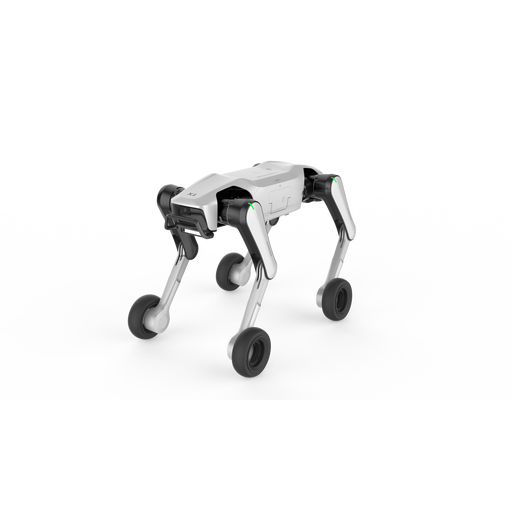
DOBOT Rover X1-W Pro AI Robot Dog
If children are to work through their own programming activities, check in advance whether the required software lets them do so with this model.
Features listed in the product name: Wheel-Leg Dual Mode, UWB Follow, Vision Follow and Voice Interaction.
View on Joybuy
 No image available
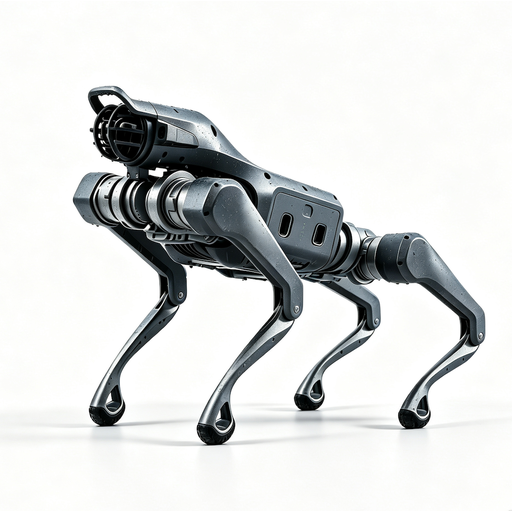
Unitree As2 Pro
For a coding activity with the whole class, your school should check in advance whether the model can run custom programmes and what devices are needed.
Features listed in the product name: Voice Interaction, Follow and Obstacle Avoidance.
View on Joybuy
Frequently asked questions
Is Hubi, the robot dog in the RAABE unit, a programmable robot?
No. RAABE lists an offline coding teaching unit for Years 3 and 4, not a corresponding programmable Hubi robot dog. A teaching story featuring a robot dog is not automatically a hardware kit.
Can a class programme robots without internet access or pupil accounts?
For the Lexibook DOG01, the instructions describe entering and playing back an action sequence using the remote control. There is a MakeCode offline app for micro:bit on Windows and macOS, but this does not prove that setting up and transferring the entire XGO V2 workflow will work offline and without pupil accounts. Your school should also check the specific sign-in and software requirements for its planned Petoi block-coding activities in advance.
Are German-language teaching resources available for these specific robot dogs?
Funduino offers a German-language technical guide to the original Petoi Bittle, but this is not the same as a complete teacher’s guide. Petoi’s Bittle X project guide is in English. The RAABE unit covers offline coding, but does not include a programmable Hubi robot dog.
What should your school plan for several working groups and maintenance?
Plan devices, programming workstations, charging routines and supervision according to the number of groups you expect to have. A guide from the Joachim Herz Foundation and MINT-digital plans for one device per group with a different robot system; this does not indicate the capacity of robot dogs. Lexibook specifies one rechargeable battery for the DOG01 and two AA/LR6 batteries for the remote control.
Which safety and data protection issues matter to schools?
Devices sold as toys in the EU must carry CE marking; this does not demonstrate their suitability for teaching. If your school uses an online learning platform, check how it processes personal data in your specific use case and consult the Data Protection Conference guidance on online learning platforms in school lessons. The European Commission states that the new EU Toy Safety Regulation entered into force on 1 January 2026, but will not apply until 1 August 2030. According to the German Environment Agency, used batteries and rechargeable batteries must not be put in household waste.


