A robot vacuum can be a practical way to clean up after a crafting session while you’re at work, as long as you remove sharp or hard craft debris and loose cables from the floor first. Obstacle detection won’t prevent every snag: eufy outlines these limitations for certain models, and the Roborock Saros 20 Series manual explicitly rules out hard or sharp objects. For areas that are safe to clean, consider the navigation features and, if you’ll be running it frequently, how much effort emptying it will take. Mopping is most useful for stains on suitable hard floors, but it does mean extra maintenance.
Who is a robot vacuum suitable for after crafting?
Crafters who want to run the vacuum unattended
If you’d like to run the vacuum while you’re at work after crafting, first check which materials and loose items need to be cleared from the floor. Roborock rules out hard or sharp decorative debris, while eufy warns of possible problems with cables and paper.
Crafters who regularly deal with dry floor debris
If you want to clear up dry debris regularly, compare how well the specific model cleans, how it navigates and how much effort emptying it takes. CHIP assesses individual devices on factors including cleaning performance and navigation.
Crafters with hard floors suitable for mopping
If you get stains as well as dry debris, check whether mopping is right for your floor and routine, and how much maintenance the station needs. Dreame and MOVA’s information on mopping systems relates to specific models.
What should you look for when buying?
| What matters |
What to check before buying |
Who is it particularly important to? |
| Safe operation and obstacles |
The Roborock manual rules out hard or sharp debris, while eufy explains that the robot may snag on cables or paper. Check the manual for the specific model and its options for setting no-go zones. |
If I run the robot while I’m at work, I want to remove sharp debris and cables from its path first. Around 36% of consumers prioritise obstacle avoidance and safe operation. |
| Dry debris |
Compare cleaning results for the specific model and your type of floor; CHIP assesses individual devices for cleaning performance and navigation. |
If there’s dry debris regularly, I want to check whether the robot can pick up the type of debris I need it to handle. Around 29% of consumers prioritise cleaning dry floors. |
| Maintenance between runs |
According to CHIP, an auto-empty station reduces the need to empty the robot by hand, but doesn’t eliminate maintenance. Check whether the version you’ve chosen includes a station and which parts are compatible with it. |
If I run the robot repeatedly while I’m at work, I want to know how often I’ll need to empty or maintain the device and its bin. Around 21% of consumers prioritise having to do as little as possible between runs. |
| Mopping and different floor types |
Check the mopping method, carpet protection and maintenance requirements for the exact version. Dreame and MOVA describe different mopping systems for specific models. |
If I get stains on hard floors that are suitable for mopping, I want to choose a cleaning method that works for my floor. Around 14% of consumers prioritise mopping and different floor coverings. |
Common misconceptions
-
Obstacle detection means you don’t need to tidy up
According to eufy, even a model with obstacle detection can snag on cables or paper. The Roborock Saros 20 Series manual rules out hard or sharp objects.
Remove cables and unsuitable craft debris before starting the robot, and check the limitations in the manual for your specific model.
If the robot gets stuck, it may interrupt the cleaning run you’ve planned. Roborock also warns that hard or sharp objects can scratch the robot, the station or the floor.
-
An auto-empty station means maintenance-free operation
According to CHIP, an auto-empty station reduces the need to empty the robot by hand, but doesn’t remove the need for regular maintenance.
Check which station and accessories are included with the exact version, and which replacement parts are compatible.
Even with a station, you’ll still need to spend time maintaining the brushes, rollers or sensors. Depending on the model, you may also need compatible consumables and replacement parts.
-
A mopping function is useful after every crafting session
An extra mopping run isn’t automatically worthwhile if you mainly have dry debris to clean up. Mopping systems and their maintenance requirements vary from model to model.
Decide whether you need mopping based on your floor type and the mess you make, and check the maintenance requirements for the specific device.
Mopping components need extra care, which may not be worth it if you only need to clean up dry debris.
A guide to relevant brands
Dreame
The X60 Pro Ultra Complete and Matrix10 Ultra are robot vacuum and mop models with a station. For the Matrix10 Ultra, Dreame describes automatic mop pad changes depending on the area being cleaned.
- The station and mop pad features mentioned apply to specific models and may be useful for households that mop regularly.
- The manufacturer’s information does not show that these models are suitable for craft debris. A CHIP review of individual Dreame models does not apply to the whole brand.
Roborock
Roborock describes the Saros 20 as offering planned, zone-based cleaning and a multifunction station.
- Zone planning may be useful if you want to target specific areas that you’ve prepared for cleaning.
- The Saros 20 Series manual explicitly rules out hard or sharp decorative debris, glass and nails.
MOVA
The Z60 Ultra Roller Complete is a robot vacuum and mop with a roller mop and station.
- For this model, MOVA lists roller mopping and a barrier to protect carpets from moisture.
- The manufacturer’s information does not prove that it can clean specific craft stains. Check whether it’s suitable for your carpet and the setting you’ve selected.
iRobot
The Roomba j9+ is a vacuum-only option with an auto-empty station for households that don’t need a mopping function.
- iRobot lists cables as one of the obstacles the Roomba j9+ can recognise.
- This doesn’t guarantee flawless detection and isn’t a reason to leave cables on the floor before an unattended run.
eufy
The X10 Pro Omni and S1 are examples of models with camera-based obstacle detection.
- The obstacle detection described may be worth considering when planning cleaning runs.
- eufy warns that these models may occasionally snag on cables, paper or carpets.
ECOVACS
According to the manufacturer, the DEEBOT range includes robot vacuums and mops with mapping and a station.
- These features may be useful when comparing cleaning plans and station maintenance.
- Information about the range does not automatically apply to every DEEBOT model.
Robot vacuums at Joybuy
This selection of Joybuy products includes robot vacuums and robot vacuums and mops, with a range of station, navigation and control features. Check the features and limitations of each version to make sure it suits your floor and how you plan to use it.
 No image available
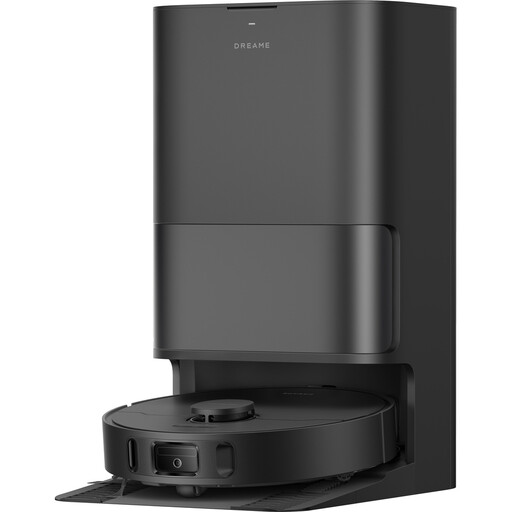
Dreame D30 Ultra robot vacuum and mop
For automated vacuuming and mopping, if the base station’s features suit your routine.
25.000 Pa suction power; self-emptying and self-cleaning base; hot-air drying for the mop pads at 50 °C.
Remove loose cables, lightweight fabrics and breakable items before starting the robot; do not vacuum hard or sharp objects.
View at Joybuy
 No image available
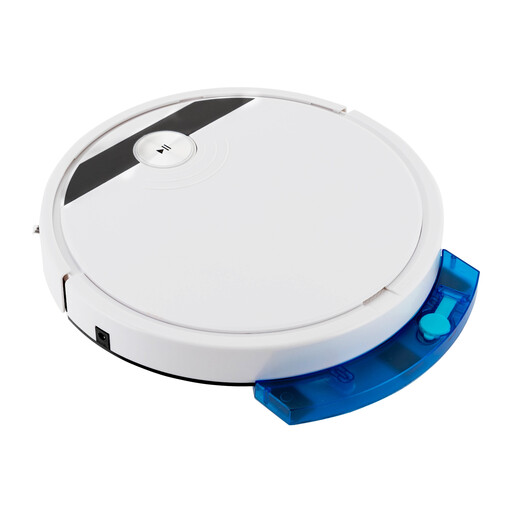
3-in-1 robot vacuum and mop, 1,800 Pa
May suit scheduled vacuuming and mopping if the listed modes and remote control work for your routine.
1,800 Pa suction power; 90-minute run time; six cleaning modes; app or remote control; low-profile design at 1.77 inches.
Designed for hard floors and low-pile carpets. Remove loose cables and unsuitable debris before an unattended run.
View at Joybuy
 No image available
Eureka J15 Pro Ultra robot vacuum and mop
For vacuuming and mopping with a self-cleaning base station, if you’re prepared to maintain the station as well.
16,200 Pa suction power; hot-water cleaning of the mop pads at 75 °C; self-cleaning base station.
Do not vacuum hard or sharp objects such as glass and nails.
View at Joybuy
 No image available
Eureka E20 Plus robot vacuum
For planned vacuuming if app control and a bagless auto-empty station suit your routine.
8,000 Pa suction power; LiDAR navigation; app scheduling; bagless station; 180-minute run time; 3D obstacle avoidance.
The safety instructions rule out hard or sharp objects such as glass and nails.
View at Joybuy
 No image available
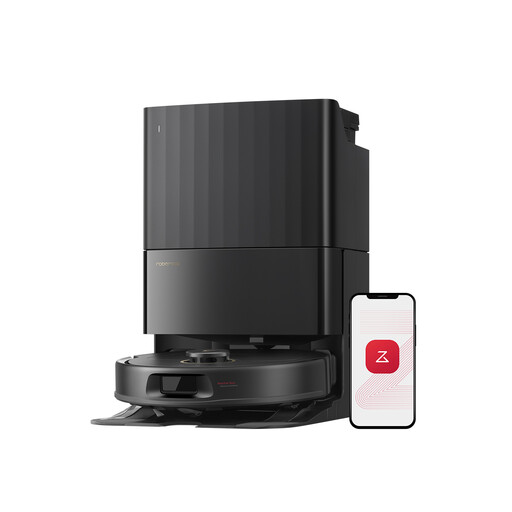
Roborock Qrevo S5V Black
For vacuuming and mopping with a station, if you want to use the listed navigation and mopping features.
12,000 Pa suction power; FlexiArm mop pads; dual anti-tangle system; hot-air drying; obstacle avoidance and intelligent navigation.
Remove small cables, loose clothing and breakable items before starting the robot.
View at Joybuy
Frequently asked questions
Can I run the robot straight after crafting while I’m at work?
Not without checking first: remove unsuitable materials and loose cables. The Roborock Saros 20 Series manual rules out hard or sharp objects such as decorative debris, glass and nails. eufy warns that models can still snag on cables or paper despite obstacle detection. Check your device’s manual and test the prepared area while you’re at home first.
What should I set up before the first scheduled cleaning run?
Check that the routes are clear, position the station and set up the areas you want the robot to clean. The exact steps depend on the model. For the X10 Pro Omni and S1, eufy recommends removing small obstacles before a run and cleaning the sensors.
What ongoing costs and consumer rights should I consider?
Check which bags and replacement parts are compatible with the specific station. The Verbraucherzentrale distinguishes between your statutory rights against the seller and a voluntary guarantee. Online purchases generally come with a right to cancel; the Verbraucherzentrale says this is usually 14 days from receiving the goods. Check the terms and any possible exceptions for your specific purchase.
What should I check about a robot vacuum’s CE marking?
According to the Federal Network Agency, products covered by relevant EU harmonisation legislation and placed on the market in the EU must carry the required CE marking. Check the marking and documents for the specific offer; they are not an independent performance test.
What should I check about the app and camera before setting the robot to clean while I’m at work?
Check the app’s privacy policy and permissions, as well as which remote features you actually need. The Verbraucherzentrale notes that you can limit app permissions in your settings. To find out what data a specific model processes, check the information provided for that model.


