Large, clear floor areas
If you want to clean as much accessible floor as possible before handing over your flat, look for orderly cleaning paths, suitable clearance through doorways and a cleaning range that works with your floor plan.


When cleaning open floor areas before handing over your flat, the key is to make sure the robot vacuum methodically covers all accessible areas. Mopping only makes sense if the floor is suitable and the level of dirt calls for it. Check that the robot can pass through the available spaces, consider the upkeep needed for its station or mop pad, and check edges and missed spots yourself.
If you want to clean as much accessible floor as possible before handing over your flat, look for orderly cleaning paths, suitable clearance through doorways and a cleaning range that works with your floor plan.
If you want to tackle light marks as well as loose dirt, check whether the floor covering is suitable for the robot’s mopping system and whether the extra upkeep is worth it for you.
If you mainly plan to use the robot for a one-off flat handover, weigh the benefits of extra automation against the set-up, space required and manual work you’ll still need to do.
First, work out what cleaning the floor actually needs. Then you can weigh up navigation, mopping and station upkeep to suit your schedule.
| What matters | What to check before buying | Who this matters most to |
|---|---|---|
| Covering a continuous floor area | Check the mapping method, cleaning paths, and the height and width needed to pass through the spaces you have in mind. | If I need to clean a large, open area, I want to see which accessible spaces the robot will cover. For around 36 % of consumers, floor coverage is the top priority. |
| Checking areas before handover | Look at the model’s edge cleaning and reach. Then check edges, corners and any missed spots yourself. | If I don’t want to miss visible edges or areas the robot has skipped, I won’t rely on its run alone for the final check. This is a key concern for around 29 % of consumers. |
| Mopping hard floors appropriately | Check the floor covering and its care instructions. Consult the model’s manual for its mopping mode, how it handles carpets and which cleaning products are approved. | If my floor can be damp-mopped and there are light marks to clean, I want to weigh up whether the extra care required by the mopping system is worthwhile. For around 21 % of consumers, mopping that’s suitable for their floor is the top priority. |
| Set-up and upkeep | Consider what’s included, where the station will go, whether you’ll need replacement pads or bags, and what cleaning is required after use. | If I only need the robot for the handover, I don’t want to spend more time setting it up and looking after it than cleaning. Keeping effort to a minimum is the top priority for around 14 % of consumers. |
A single specification doesn’t tell you whether dried-on stains will disappear in one pass. IMTEST reported that the DJI ROMO P2 needed another pass to remove them.
Choose a model to suit your floor and the type of dirt, then check the area yourself at the end.
Before mopping with the Roomba Combo Essential, iRobot requires you to remove carpets from the mopping area and prepare the tank and mop pad, among other steps. You’ll also need to look after the tank and pad after use.
Check the instructions for the exact model variant and allow time for the steps required before and after mopping.
A robot covers accessible floor areas, but you may still need to check corners, edges and other spots it has missed yourself.
Check the condition of the flat before handover and record it in the handover report if needed.
The German product range includes robot vacuums as well as models with mopping functions, laser navigation or an auto-empty station.
iRobot describes the Roomba Combo Essential as a robot vacuum and mop with methodical navigation and controls on the device or through the app.
According to Dreame, the D10 Plus Gen 2 combines vacuuming and mopping with automatic dust collection.
The DEEBOT mini is a compact robot vacuum and mop with an OMNI station.
The ROMO P2 is a robot vacuum and mop that IMTEST has reviewed for navigation and cleaning.
The range includes robot vacuums and models that vacuum and mop. For a one-off flat handover, consider whether a mopping function or auto-empty station is worth the extra set-up and upkeep.
 No image available
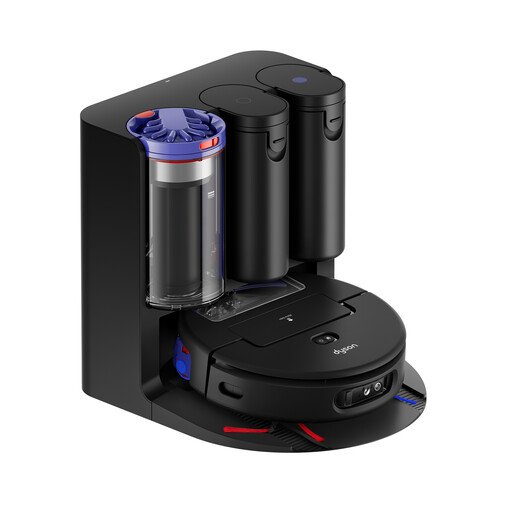
This vacuum and mop could be worth considering if you want to clean suitable hard floors with moisture as well as pick up dry dirt.
Wet and dry cleaning.
 No image available
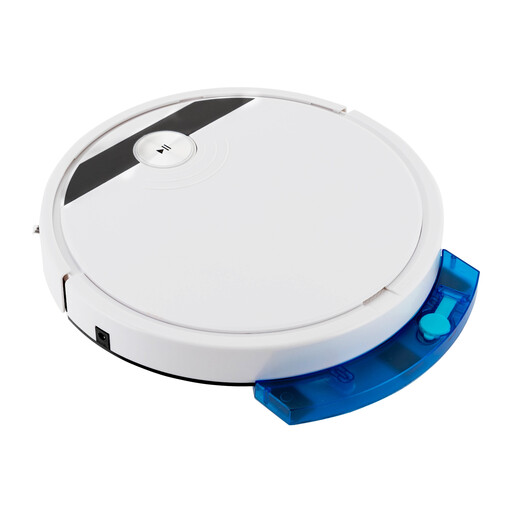
If you’re looking for one device to vacuum and mop, check how it’s designed to handle carpeted areas before starting a mopping run.
Specifications listed in the product name: 1800Pa suction power, 1.77in profile, 90min runtime, plus app and remote control.
 No image available
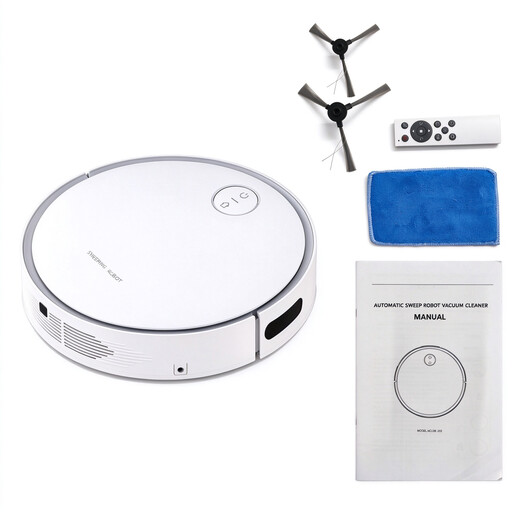
If you want to combine vacuuming and mopping, make sure you check edges and any missed spots yourself.
The product name lists edge cleaning, side brushes, remote control and mop pad accessories.
 No image available
If saved maps would be useful for cleaning connected floor areas, you could consider this model.
Specifications listed in the product name: 4.000Pa, laser navigation, storage for 5 maps, 55 dB and app control.
 No image available
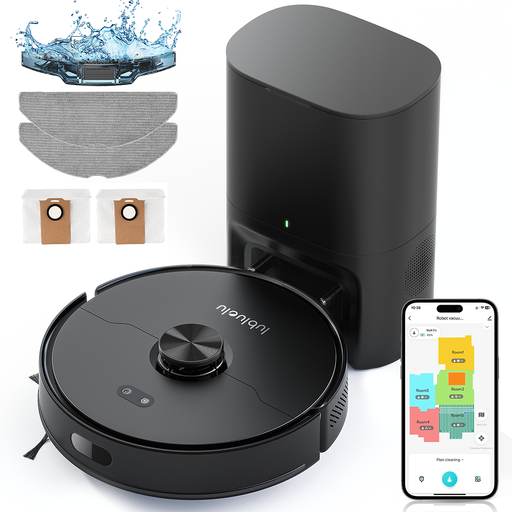
If you’re planning longer cleaning runs and want automatic emptying, factor in the space required and upkeep for the station.
Specifications listed in the product name: 8.000 Pa, automatic emptying station, 3D obstacle detection, anti-tangle function and up to 180 minutes of runtime.
No. Section 546 of the German Civil Code (BGB) requires you to return the rented property, but doesn’t prescribe a particular cleaning method. The condition required depends on the circumstances of the tenancy, so check your agreement and the actual condition of the flat.
Move loose items out of the robot’s path and check that it can fit through the spaces you want it to clean. For mopping with the Roomba Combo Essential, iRobot requires you to remove carpets from the mopping area and prepare the tank and mop pad. For other devices, follow the relevant instructions.
It depends on the model. After using the Roomba Combo Essential to vacuum and mop, iRobot requires you to empty the water tank and change the mop pad. Devices with a station also have their own care requirements.
Before buying, check whether you’ll need replacement pads, dust bags or other accessories, and what’s included in the box. If a product is faulty, statutory consumer rights are separate from a voluntary manufacturer’s warranty. The Verbraucherzentrale explains the difference.