
Lieferung heute & morgen

Qualitätsgarantie

Willkommens-Angebote freischalten: KOSTENLOSE Lieferung | Bis zu 80 % RABATT | Kostenlose 30-Tage-JoyPlus-Testphase
App herunterladen
A robot vacuum cleaner with a mopping function can combine vacuuming and damp mopping, but it won’t automatically replace every manual clean. Many buying decisions are based on specifications that don’t tell you much about how a product performs day to day. A high Pa rating, for example, doesn’t tell you on its own how well a device cleans carpets. And an extensive app is of little use if the robot regularly struggles to navigate around cables or under low furniture.
Before you buy, check for these three common pitfalls:
A robot vacuum cleaner with laser navigation will usually create a structured map of your rooms and let you manage cleaning areas, no-go zones and room layouts. Sensors that detect obstacles and drop-offs are important too. Even advanced systems can misidentify very small objects, thin cables or shiny surfaces.
Look for:
Before its first run, remove loose cables, small objects, spills and delicate decorations. This isn’t specific to any one manufacturer; it’s a sensible safety measure.
For a robot vacuum cleaner for pet hair, an anti-tangle system is often more important than the highest possible suction figure. Dual brushes, cutting mechanisms or specially shaped rollers can reduce the amount of maintenance needed. Even so, you should check the brushes and filters regularly.
Suction power ratings in this selection range from 4,000 Pa for the Lubluelu SL60D+ to 25,000 Pa for certain ECOVACS models. These figures come from the respective product specifications and can’t be directly compared without standardised test conditions. For robot vacuum cleaners for carpets and hard floors, automatic suction adjustment and reliable carpet detection are also useful features.
A basic mop attachment uses a cloth to spread water across the floor. More convenience-focused models, on the other hand, have rotating pads or a roller mop, automatic water supply, and a station that washes and dries the mop.
When choosing a self-cleaning robot vacuum cleaner, check exactly which tasks the station takes care of:
A robot vacuum cleaner with hot-water cleaning may, for example, clean its mop pads with water heated to up to 75 °C, according to the product description. Children and pets should not touch hot surfaces or water tanks during or immediately after a cleaning cycle. You’ll still need to empty, refill and check the water tanks regularly.
The selection below groups specific models by their features and typical use. Specifications such as suction power, running time and temperature are taken from the product information provided by each supplier.
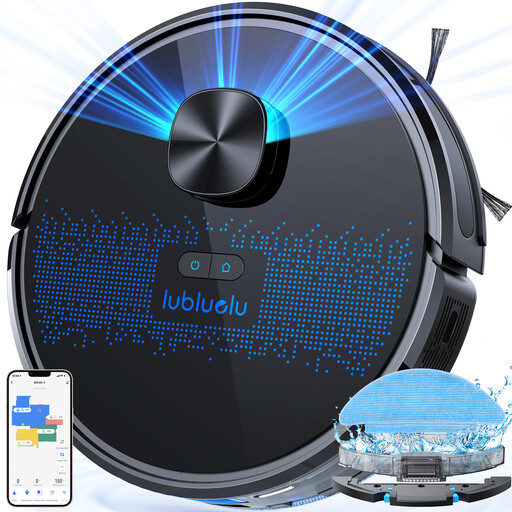
Why this product suits this household: This 2-in-1 model combines vacuuming and mopping, with laser navigation, app control and a stated suction power of 4,000 Pa. It’s designed for homes with hard floors and carpets.
The app lets you set schedules and no-go zones. The supplier also advises removing cables and small objects before starting a clean.
Laser navigation, support for up to five maps according to the product information, and a stated noise level of 55 dB.
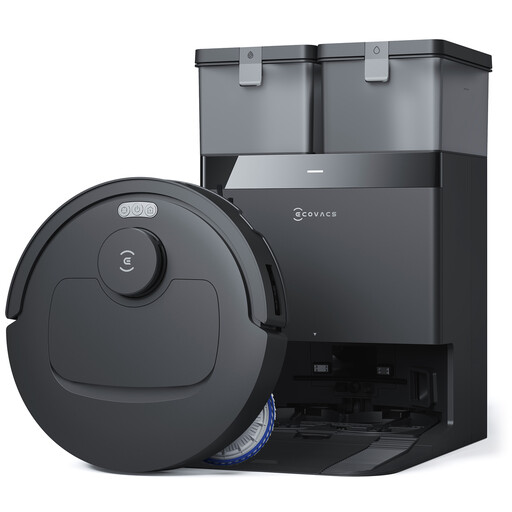
Why this product suits this household: The OMNI station combines dust emptying, mop-pad washing with 75 °C hot water, warm-air drying and automatic cleaning-solution dosing.
According to the product description, automatic carpet detection lifts the mop pads. Even so, check carpeted areas in the app and mark them as no-go zones if needed.
A stated suction power of 25,000 Pa, ZeroTangle 3.0, laser navigation and a running time of up to 180 minutes.

Why this product suits this household: For homes with pets and frequent cleaning needs, the supplier lists 16,200 Pa suction power, FlexiRazor to prevent hair tangles, and a station with hot-water cleaning.
The product information lists detection of both dry and wet dirt, as well as automatic adjustment of the cleaning strategy. Small objects still need to be picked up first.
Mop-pad washing at 75 °C, warm-air drying at 55 °C, and a stated running time of up to three hours.
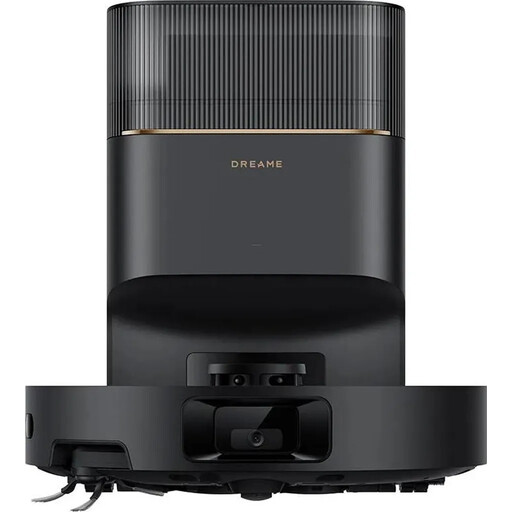
Why this product suits this household: With a 5-litre dust bag, app control, carpet detection and a stated running time of up to 285 minutes, this model is aimed at busy households.
The large dust bag means you won’t need to empty it as often. The water tanks, filters, brushes and mop pad will still need regular maintenance.
13,000 Pa according to the product information, a 5-litre dust bag, 3D obstacle detection and the ability to cross thresholds up to 2 cm high.
We’ve put together a complete, regularly updated list of products that meet these strict selection criteria and fully comply with the safety regulations in force in the EU.
Place the station on a level, hard surface with enough space around it. Depending on the model, you may need to leave specific clearances at the sides and in front of the station. Once the robot vacuum and mop with app control is fully charged, connect it to your Wi-Fi and let it map your home before its first clean.
Ongoing costs include:
How long a device will actually last depends on battery quality, care, how often it’s used and the availability of spare parts. Greater automation means fewer manual tasks, but it doesn’t eliminate maintenance altogether.
Yes, as long as the model detects carpets and lifts its mop pads, or lets you exclude carpeted areas in the app. If you have deep-pile carpets, delicate materials or small rugs, it’s worth checking how the robot handles them yourself.
It depends on how dirty your floors are, the size of your home and the model. Check the mop pads after cleaning particularly dirty floors. Filters and brushes also need regular care, even if the station washes the pads and empties the dust container.
For homes with pets, children or large floor areas, an auto-empty station can reduce the need to empty the robot every day. However, it takes up extra space, uses electricity and requires consumables such as dust bags. The key question is whether the reduced effort is worth the higher purchase and running costs.