
Lieferung heute & morgen

Qualitätsgarantie

Willkommens-Angebote freischalten: KOSTENLOSE Lieferung | Bis zu 80 % RABATT | Kostenlose 30-Tage-JoyPlus-Testphase
App herunterladen
A robot vacuum cleaner with a mopping function can make everyday floor care much easier. However, models vary considerably in their navigation, maintenance requirements and mopping technology. If you focus only on a high Pascal rating or an impressive-looking docking station, you could end up buying a model that isn’t right for your home.
Figures such as 10,000 Pa, 16,200 Pa or 25,000 Pa describe maximum suction power under certain conditions. On their own, they don’t tell you how well a robot picks up pet hair from carpets. Brush design, airflow, carpet detection and the ability to adjust suction power automatically all play a part too.
If you have pets, it’s worth looking for:
A basic mopping attachment spreads water across the floor, while more advanced models can lift, wash and dry the mop. If your home has carpets, automatic mop lifting is useful to stop damp pads from moving over carpeted areas.
A dock that washes the mop with hot water also reduces manual effort, but it doesn’t eliminate all maintenance. You’ll still need to check the dirty-water tank, filters, brushes and sensors as instructed by the manufacturer.
Laser or AI navigation can help with mapping, but it won’t necessarily detect every thin cable, small toy or delicate object. Before the first run, clear loose cables, sharp objects and breakable items from the floor. The charging dock also needs enough clear space to help the robot return reliably.
A robot vacuum and mop for carpets and hard floors should offer different cleaning modes. If you have pets, anti-hair technology and an easy-to-access brush are useful. The Pa rating is only a point of comparison within the product specifications.
Look for:
A robot vacuum cleaner with laser navigation will usually create systematic maps and let you manage rooms, restricted areas and virtual walls. Models with additional 3D obstacle detection can help the robot navigate around furniture, cables and other objects. However, actual detection depends on lighting, object size and the layout of your home.
Key features include:
A robot vacuum cleaner with an auto-empty dock empties the dust container automatically. Depending on the model, all-in-one docks may also wash and dry the mop, refill the water tank or dispense cleaning solution. Before you buy, check the size of the dock, the cost of dust bags and how often the tanks need cleaning.
A quiet mode can be useful for families and open-plan living areas. However, quoted decibel levels are measured under specific operating conditions and won’t necessarily apply to every cleaning setting.
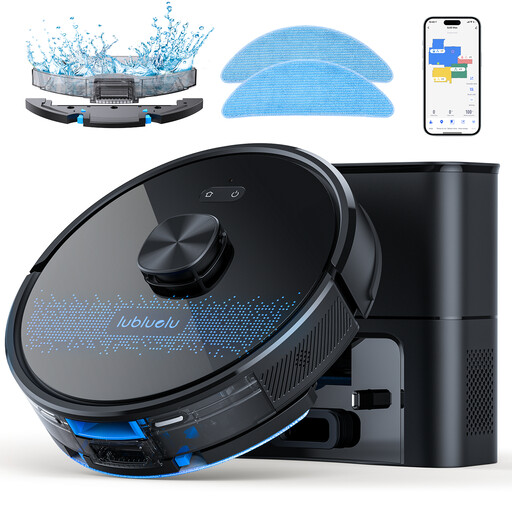
Why this product suits this household: According to the manufacturer, this model vacuums and mops, offers 4,000 Pa of suction power and can be controlled via an app using laser navigation. It’s a good fit for small to medium-sized homes looking for automatic dust emptying.
The choice isn’t based on the Pa rating alone: app control, mapping and an auto-empty dock are also taken into account.
3-in-1 functionality, 4,000 Pa according to the manufacturer, laser navigation and automatic dust collection at the dock.
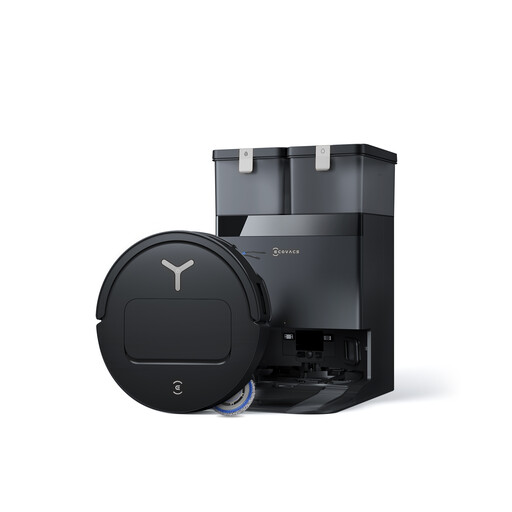
Why this product suits this household: According to the manufacturer, this robot vacuum and mop offers 25,000 Pa of suction power, an OMNI station, mop lifting, TrueMapping 2.0 and TrueDetect 3D. It’s worth considering if you’re looking for automated cleaning and easy transitions between hard floors and carpets.
Its high suction power is backed up by navigation, obstacle detection and automatic mop lifting, making it easier to assess the overall feature set.
25,000 Pa according to the manufacturer, hot-water mop washing, 9 mm mop lifting and an OMNI station.

Why this product suits this household: According to the manufacturer, this model offers 16,200 Pa of suction power, FlexiRazor to prevent hair tangles, liquid detection and a dock that washes the mop at 75 degrees Celsius and takes care of routine maintenance automatically.
Anti-tangle technology and separate cleaning functions address common maintenance challenges caused by pet hair and frequent mopping.
16,200 Pa according to the manufacturer, mop washing at 75 degrees Celsius, and automatic dust and mop maintenance.
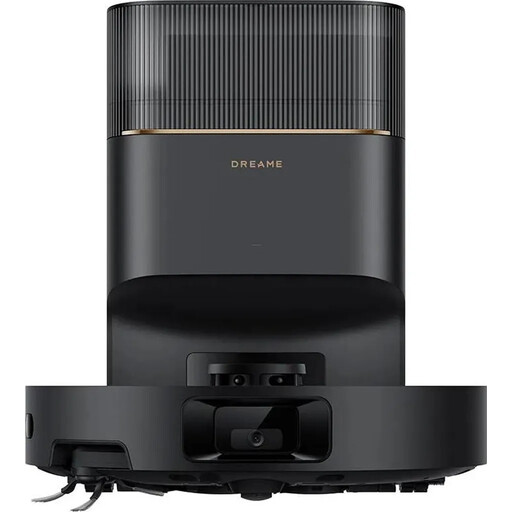
Why this product suits this household: According to the manufacturer, this model combines 13,000 Pa of suction power, a 5-litre dust bag, a tangle-reducing DuoBrush and 3D obstacle detection. It’s a good option for larger homes that need regular cleaning.
The large dock and tangle-reducing brush design mean you’ll need to refill and clean it less often, but regular filter maintenance is still essential.
13,000 Pa according to the manufacturer, a 5-litre dust bag, app control and 3D obstacle detection.
We’ve put together a complete, regularly updated list of products that meet these strict selection criteria and fully comply with the safety regulations in force in the EU.
Yes, as long as the model has carpet detection and, ideally, automatic mop lifting. If you have delicate or deep-pile carpets, set up no-go zones as well and check the stated maximum climbing height.
It depends on the size of your home, how much pet hair there is and how often you clean. Check the brushes and sensors regularly for hair and dust. Depending on how often you use the robot, the mops, filters and water tanks may need more frequent attention. A self-emptying dock mainly saves you from having to empty the dust container by hand.
As well as electricity, you may need to pay for dust bags, filters, mops and cleaning products. Bagless docks don’t need dust bags, while models with dust bags may go longer between emptying. Before you buy, check both the accessories available and the prices of replacement parts.