If you want to mop hard floors and vacuum carpets in the same run, the specific model’s carpet strategy matters: lifting the mop lets the robot travel over the carpet, while avoiding it means the carpet is skipped during that run. For delicate carpets or ones you move frequently, separate vacuuming and mopping runs may be easier to control. Check the carpet pile, mapping features and any extra maintenance involved. Manufacturers’ descriptions of these features do not guarantee flawless detection in every home.
Which option suits you?
Homes with hard floors and fixed carpets
If you want to mop hard floors and vacuum carpets in as few runs as possible, check the specific model’s carpet strategy and the clearance between its raised mop and the carpet pile. Roborock, ECOVACS and iRobot describe different solutions for individual models.
Homes where carpets are moved around
If you often move rugs or runners, it’s important to be able to edit your maps and follow clear steps to update them. iRobot Support says that, for the Roomba Combo j7+/j9+, a dry cleaning or mapping run can update the carpet’s position.
Buyers who want to keep vacuuming and mopping separate
If you only want carpets vacuumed dry and are happy to mop hard floors yourself, a robot vacuum may suit your preference for separate cleaning. iRobot lists the Roomba Max 705 Vac as a robot vacuum, not a robot vacuum-mop.
What should you consider when choosing?
Robot vacuum-mop
Best for: You want to vacuum and mop in a single automated routine wherever possible.
Consider: The way the mop moves and the carpet settings vary by model. A raised mop is not the same as a pad that folds away.
Vacuuming and mopping separately
Best for: You’d rather keep carpets dry-vacuumed and mop hard floors yourself than have the robot mop automatically.
Consider: Mopping hard floors remains a separate task.
| Your priority |
What to check before buying |
Who might find this especially important? |
| Keeping carpets dry |
Check whether the exact model lifts the mop, folds it away or avoids carpets, and which mode is selected. |
If I want to avoid a damp mop travelling over my carpet, the way the model handles it is crucial. Around 36% of consumers put keeping carpets dry first. |
| Vacuuming carpets regularly |
Check whether the carpet is vacuumed during the mopping run with the mop raised, cleaned in a separate run or avoided altogether. |
If I want my carpets cleaned automatically on a regular basis, simply avoiding them during a mopping run isn’t enough. Around 29% of consumers prioritise carpet vacuuming. |
| Moving carpets and adjusting zones |
Check how to edit maps and no-go zones, and what the model needs after you move a carpet. |
If I move runners around often, I want to be able to adjust the map and know whether any further runs are needed afterwards. Around 21% of consumers focus mainly on adjustable zones. |
| Maintenance and ongoing effort |
Check where the robot will be kept, how easy the tanks are to access, and which bags, filters and mops are compatible with the model. |
If I want to spend as little time as possible on the dock and accessories, I want to understand the upkeep before buying. Around 14% of consumers prioritise easy maintenance. |
Common buying mistakes
-
Assuming carpet detection means carpets will be vacuumed automatically
For the Roborock Qrevo S, the manufacturer describes both lifting the mop and avoiding carpets. When the robot avoids a carpet, it skips it during that run.
Check the manual for the exact model to compare its lift, carpet-avoidance and vacuum-only modes.
You may need an extra vacuum-only run or to clean the carpet yourself if the selected mode skips it.
-
Confusing mop lifting with folding the mop completely away
Manufacturers describe different designs. A raised mopping unit remains attached to the robot, and that doesn’t mean there will be enough clearance for every carpet pile.
Check the design and the carpet settings for the full model name rather than relying on the word ‘Lift’ alone.
-
Relying on the old map after moving a carpet
According to iRobot Support, updating the carpet’s position on the Roomba Combo j7+/j9+ may take one to three cleaning tasks after a dry cleaning or mapping run.
After making a change, check the map and cleaning mode. iRobot’s guidance applies to the models named and should not be assumed to apply to other devices.
Mapping or making corrections may take extra time.
-
Assuming the dock is maintenance-free
According to ECOVACS, the DEEBOT T30e OMNI’s OMNI station handles functions including automatic emptying and water refilling. This doesn’t remove the need to maintain the station and its water tanks.
Before buying, check the space needed, access to the tanks and the accessories that fit the exact model.
The water tanks, station and consumables still need regular care.
Key brands at a glance
Roborock
The Qrevo S is worth considering if you want to choose between lifting the mop and avoiding the carpet.
- Roborock Support describes both modes for the Qrevo S.
- This information applies to this model and does not guarantee flawless carpet detection in every home.
ECOVACS
For the DEEBOT T30e OMNI, ECOVACS describes a combined routine that cleans carpets before wet mopping.
- ECOVACS Germany lists ‘Carpet First’, mop lifting and an OMNI station for this model.
- ‘Carpet First’ describes the cleaning order, not the physical removal of the mop. Claims about keeping carpets dry are based on the manufacturer’s information.
iRobot
The range includes the Roomba Combo j9+ robot vacuum-mop and the Roomba Max 705 Vac, which only vacuums.
- iRobot Germany says the Combo j9+ has a pad that folds up onto the top of the robot.
- iRobot Support says that, after carpets are moved, updating the map for the Combo j7+/j9+ may take one to three cleaning tasks.
Kärcher
The RCV 5 is a robot vacuum-mop with LiDAR navigation, worth considering if you want to check out zone-based control.
- Kärcher Germany lists this model as having LiDAR navigation.
- Check the model’s manual to find out how it handles carpets in the mopping mode you plan to use.
Joybuy products for carpets and hard floors
The Joybuy products below are robot vacuum-mops whose product descriptions mention carpet detection or liftable mopping modules. Before choosing, check which strategy suits your carpet pile and the settings in your home.
 No image available
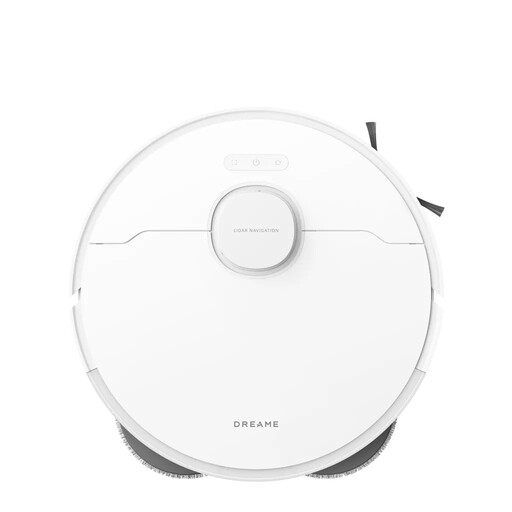
Dreame L10s Pro Gen3, 13,000 Pa, White
Worth considering if you want to mop hard floors and include carpets in a combined vacuuming and mopping routine.
The product name lists 13,000 Pa, a DuoScrub mop, automatic mop lifting of up to 7 mm and a 5,200 mAh battery.
The stated mop lift is up to 7 mm; check that this gives enough clearance for your carpet.
View at Joybuy
 No image available
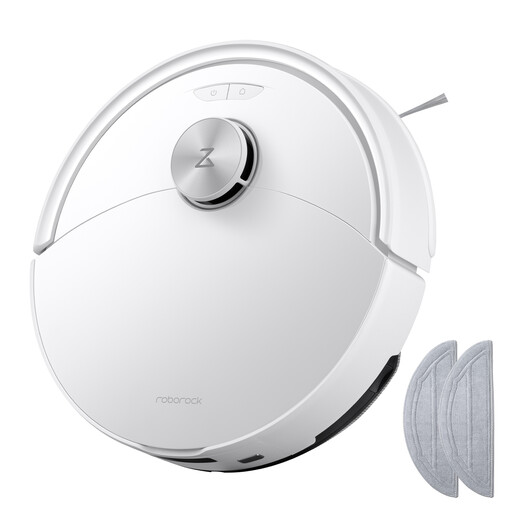
Roborock Q10 S5 robot vacuum-mop
An option if you’re considering a robot vacuum-mop with a liftable mopping unit and carpet-care features.
The product name lists 10,000 Pa, a DuoScrub mopping system, a Dual Anti-Tangle system and automatic mop lifting.
Check the settings for the exact model to see how it handles carpets during your chosen mopping run.
View at Joybuy
 No image available
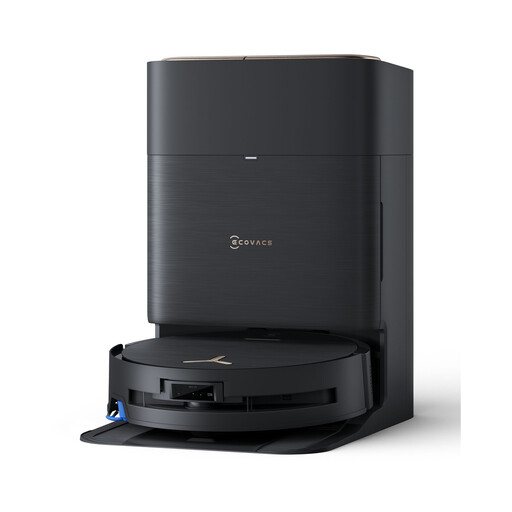
ECOVACS DEEBOT X9 PRO Omni (Early Access)
Worth considering if you’re looking for a robot vacuum-mop with a liftable mopping system and an OMNI station.
The product name lists 16,600 Pa, an OZMO Roller and an OMNI station with hot water washing and hot air drying.
According to the product information, keep children and pets away from the station during hot water washing and hot air drying.
View at Joybuy
 No image available
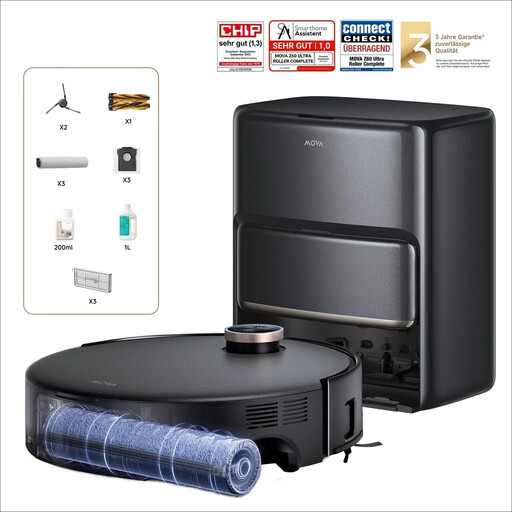
MOVA Z60 Ultra Roller Complete
An option if you want to look into its stated carpet detection and roller cover as part of a combined cleaning routine.
The product name lists 28,000 Pa, HydroForce high-pressure mopping, AutoShield carpet protection and FlexScope navigation.
According to the product information, the mopping roller and station may be hot after the self-cleaning cycle; let them cool before touching them.
View at Joybuy
 No image available
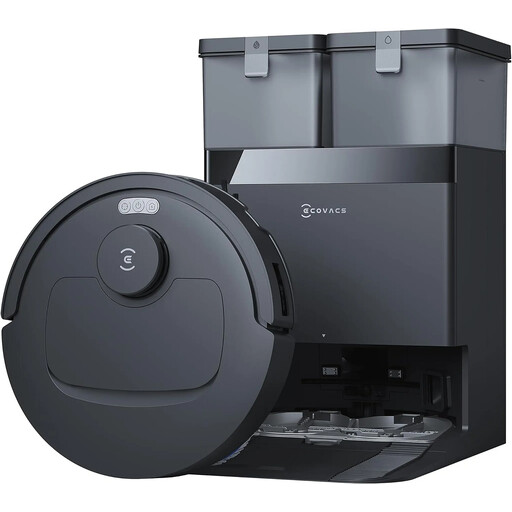
ECOVACS DEEBOT T30e OMNI, Black
Worth considering if you want to combine carpet detection and mop lifting with a station that automatically empties the robot and cleans its mop.
The product name lists 25,000 Pa, ZeroTangle 3.0 and an OMNI station with automatic emptying and mop cleaning.
According to the product information, keep children and pets away from the station during hot water washing and hot air drying.
View at Joybuy
Frequently asked questions
Do all robot vacuum-mops lift the mop on carpets?
No. Carpet strategies vary by model. Roborock describes options including lifting the mop and avoiding carpets on the Qrevo S; iRobot Germany says the Roomba Combo j9+ has a pad that folds up onto the top of the robot. Check the manual for the full model name and the selected mode.
What should I do if I move a carpet and the robot responds incorrectly?
For the Roomba Combo j7+/j9+, iRobot Support recommends a dry cleaning or mapping run. Updating the carpet’s position may take one to three cleaning tasks. For other models, follow the relevant manufacturer’s instructions.
Do I need an app for map and zone features?
The intelligent room plans described by iRobot require an iRobot Home account and up-to-date app and robot software. Not every Roomba model supports the same zone features, so check the requirements for the specific model.


