What should you look for when choosing one?
First, check that the device can clean your rooms and return to its dock. Then choose features such as dock maintenance, floor-type compatibility and connected functions to suit your daily routine.
| What matters |
What to check before buying |
Who is it most important for? |
| Scheduled cleaning |
Scheduling, room selection and return to the dock; also check which app or network connection the model needs. |
If I want the robot to clean while I’m at work, I need a suitable schedule and a reliable return to the dock. Around 29% of consumers prioritise the convenience of scheduled cleaning. |
| Obstacles and reach |
Measure thresholds, opening widths and clearance under furniture, then compare them with the specifications for the exact model variant. |
If I have narrow openings or low furniture, I want to know which rooms the device can actually reach. Around 23% of consumers put accessibility first. |
| Hard floors and carpets |
Consider the mix of flooring in your home and check how the model handles carpets when mopping. |
If my flat has both carpets and floors suitable for mopping, the cleaning mode I choose needs to work for both. Around 18% of consumers make this their main consideration. |
| Space and dock maintenance |
Check the floor space available and whether containers and dust bags will be easy to access where you plan to put the dock. |
If I have limited floor space, I want to know whether the dock will fit comfortably and remain accessible for maintenance. Around 18% of consumers prioritise the space needed and dock maintenance. |
| Privacy and connectivity |
Check whether the specific device has a camera, microphone or remote access, and review its recording notices and available privacy settings. |
If I don’t want to use recording features, I want to know in advance which sensors and data functions the device actually has. Around 12% of consumers put privacy first. |
Robot vacuums at Joybuy
Depending on the version, these models combine scheduled cleaning with mapping or docking-station features. Check which areas the robot can reach, what maintenance the dock needs and whether the mopping function suits your mix of flooring.
 No image available
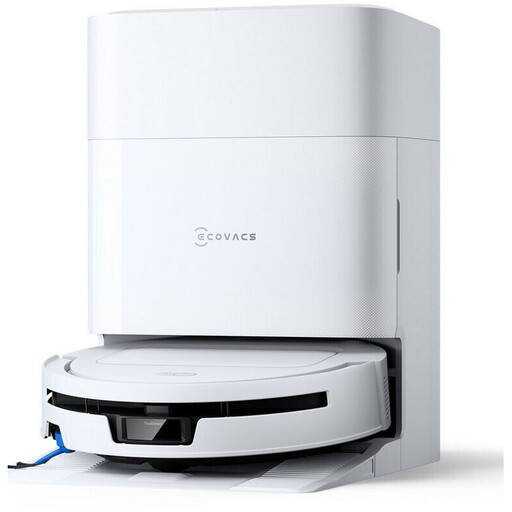
ECOVACS DEEBOT T90 MAX OMNI
For scheduled vacuuming and mopping with automatic return and emptying, the product description lists the relevant features.
30,000 Pa suction power; 257-minute runtime; AIVI 3D 4.0 and D-ToF LiDAR navigation; mopping function.
The dock needs a level surface and enough space. The dirty-water tank needs emptying and the clean-water tank refilling.
View at Joybuy
 No image available
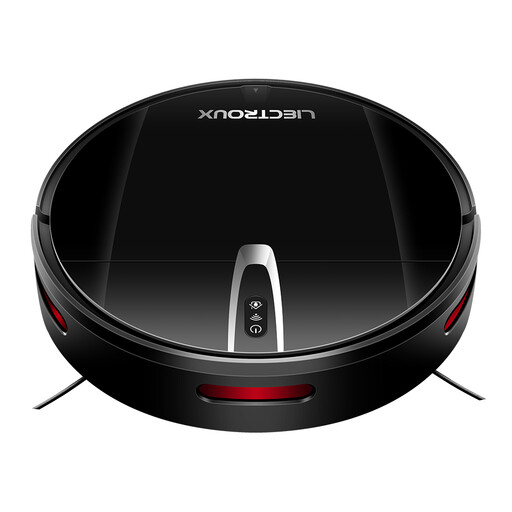
LIECTROUX V3S PRO
If you want to schedule cleaning times and choose specific areas of your home, the product title lists scheduling and room mapping.
2D map navigation; voice control; saved maps; adjustable suction power.
View at Joybuy
 No image available
Eureka E20 Plus
For scheduled cleaning with an auto-empty station, the product description also lists obstacle detection and carpet handling while mopping.
8,000 Pa suction power; 180-minute runtime; 3D obstacle avoidance.
According to the product description, app control is compatible with 2.4 GHz Wi-Fi only.
View at Joybuy
 No image available
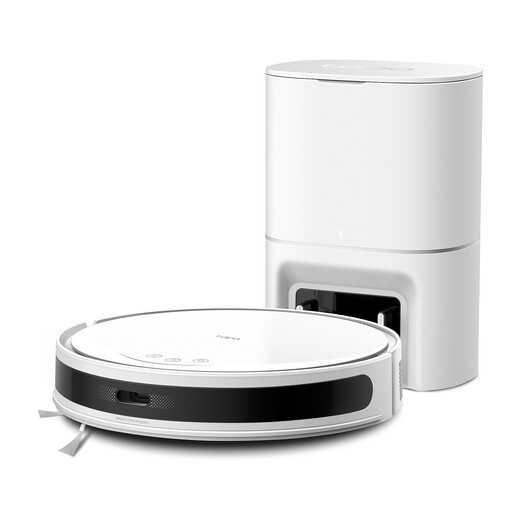
TP-Link Tapo RV20 Max Plus
If you want to select specific cleaning areas and need a low-profile device, the product description lists room mapping, schedules and a height of 83 mm.
5,300 Pa suction power; MagSlim LiDAR navigation; automatic emptying station; mopping function.
According to the product description, carpet areas need to be set manually in mopping mode.
View at Joybuy
 No image available
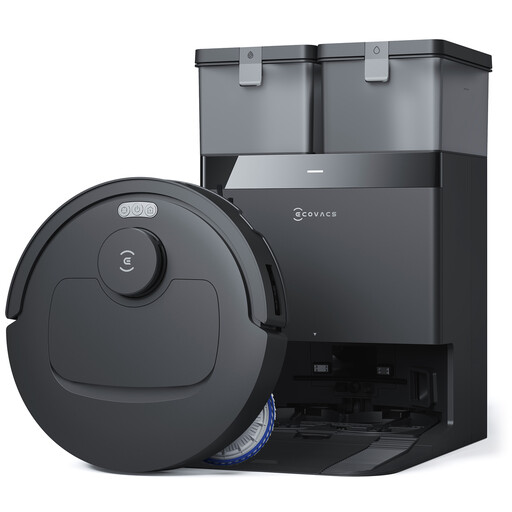
ECOVACS DEEBOT T30C OMNI Gen2
For scheduled cleaning with automatic return to the dock, the product description lists customisable cleaning schedules and mop washing.
25,000 Pa suction power; OZMO Turbo 2.0 mopping function; mop washing at 75 °C.
The dock needs enough space. The water tanks and brushes need regular maintenance.
View at Joybuy
Frequently asked questions
What should I check if the robot doesn’t start as scheduled while I’m at work?
First, check the guidance for your specific model. For DEEBOT devices, ECOVACS Support recommends checking the power status, battery level and saved cleaning schedule, as well as whether the schedule overlaps with Do Not Disturb hours.
Is an auto-empty and mopping station maintenance-free?
No. Depending on the model, you’ll still need to maintain the dust bags and containers. Before buying, check exactly which consumables are compatible with your model and whether the dock will be easy to access where you plan to put it.
Are robot vacuums with cameras generally prohibited in Germany?
Having a built-in camera does not in itself mean a robot vacuum is generally prohibited. On 29 November 2024, the Bundesnetzagentur explained that robot vacuums are not permitted if they can secretly transmit image or audio files wirelessly. One factor is whether people affected can tell, by sound or sight, that they are being recorded. This does not automatically confirm that a particular model is permitted.
Who should I contact if the product is faulty?
Your statutory rights are with the seller and are separate from any voluntary manufacturer’s guarantee. The Verbraucherzentrale explains that, if a product is faulty, you should first ask the seller to put things right.
What should I consider when buying a connected device for the German market?
For the electrical and radio products it oversees, the Bundesnetzagentur lists requirements including CE marking, identification of the device and manufacturer, instructions and safety information in German, and a declaration of conformity. Check the details for the specific product; a product image alone won’t answer these questions.


