If you want to keep on top of dust every day
If you mainly want to have accessible floor areas cleaned regularly, check how well the vacuum performs on your type of flooring. You don’t necessarily need an additional mopping function for this.


For everyday floor dust after a move, a robot vacuum needs to reach the areas that are actually clear. Its navigation and documented ability to handle obstacles and thresholds should therefore suit your home. An auto-empty dock means you need to empty the robot by hand less often, while a mopping function is most useful if you want to mop suitable hard floors as well as vacuum. The CHIP test centre points out that robot vacuums cannot completely replace a traditional vacuum cleaner.
If you mainly want to have accessible floor areas cleaned regularly, check how well the vacuum performs on your type of flooring. You don’t necessarily need an additional mopping function for this.
If there are still moving boxes around, the areas the robot can actually reach will depend on clear routes, mapping and the capabilities of the specific model.
An auto-empty dock can reduce how often you need to empty the robot by hand. If you choose a dock, remember to allow for the space it needs and the maintenance it requires.
A good fit if: you mainly want to vacuum accessible floors regularly and are happy to empty the robot yourself.
Things to consider: You’ll have to do more yourself. Check the cleaning performance and obstacle handling of the specific model.
A good fit if: you plan to clean often and want to empty the robot’s dustbin less frequently.
Things to consider: The dock takes up floor space and may require dust bags or other consumables, depending on the model.
A good fit if: you want to mop suitable hard floors regularly as well as vacuum up dry dust.
Things to consider: Water tanks and mop pads need looking after. If you have carpets, check the mopping approach of the specific model.
This table groups your options according to what matters most when tackling everyday dust after a move.
| What matters to you | What to check before buying | Who it matters most to |
|---|---|---|
| Picking up dust from your floors | Check independent test results for the specific model on hard floors or carpets like yours; consider its brushes and the areas it can reach. | If you mainly want to pick up loose dust from your existing floors, cleaning performance matters more than extra features. Around 33% of consumers put dust pick-up first. |
| Getting around rooms that are still being set up | Clear the routes, then check that the mapping, no-go zones, height and documented threshold handling suit your home. | If boxes or furniture are still in the way, you’ll want to know which areas the robot can actually reach. Around 27% of consumers prioritise a robot that can navigate their home. |
| Emptying it less often by hand | Check the automatic emptying feature, dock dimensions and compatible consumables for the exact model. | If you run it often, you’ll want to empty the dustbin yourself as rarely as possible, and make room for the dock. Around 20% of consumers prioritise less frequent emptying. |
| Vacuuming and mopping mixed flooring | Check how the specific model handles carpets while mopping and which areas can be mopped. | If you want it to mop hard floors as well as vacuum, make sure its mopping approach works with your carpets. Around 20% of consumers prioritise cleaning hard floors and carpets by vacuuming and mopping. |
A manufacturer’s maximum figure on its own doesn’t tell you how well the robot cleans your hard floors or carpets.
Compare cleaning results for your type of flooring and the exact model instead of basing your decision on a single marketing figure.
If boxes and loose items are blocking its route, the robot won’t be able to reach the areas beyond them.
Clear the routes you want it to use before its first run, and check thresholds and where you plan to position the dock.
Allow time to clear the way and to clean areas the robot can’t reach.
Automatic emptying and mop-pad cleaning shift some of the upkeep to the dock, but they don’t eliminate it altogether.
Before buying, check how much space it needs, whether its tanks are easy to access and which replacement parts are compatible with the exact model.
Depending on the model, you may need to buy and replace dust bags, mop pads or other consumables.
The range includes the Q, Qrevo and Saros series. Compare features by checking the specifications for each model version.
Dreame lists vacuuming and mopping, automatic emptying and self-cleaning mops among the features of the X50 Ultra Complete.
The DEEBOT range includes the mini, N and T series, as well as more fully equipped X models.
The Robot Vacuum X20+ is described as featuring LDS mapping, automatic emptying and a mopping dock.
The Roomba 105 Combo is available as a robot on its own or with an AutoEmpty Dock.
This selection includes robot vacuums and vacuum-mop robots for regular floor cleaning, including models with automatic emptying and a full-service dock.
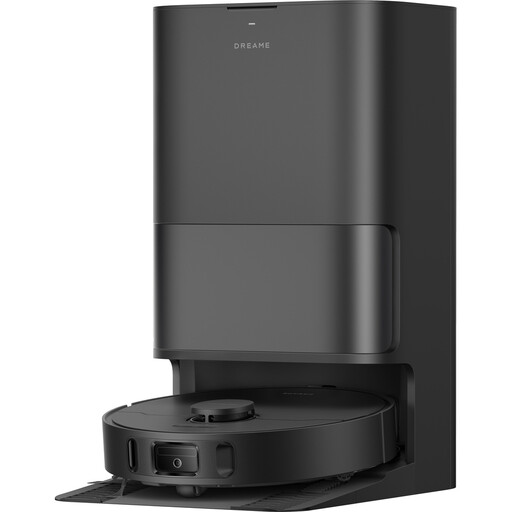 No image available
For regular vacuuming with an extra mopping function and automated dock features.
25,000 Pa; self-emptying and self-cleaning base; mop drying with 50 °C hot air.
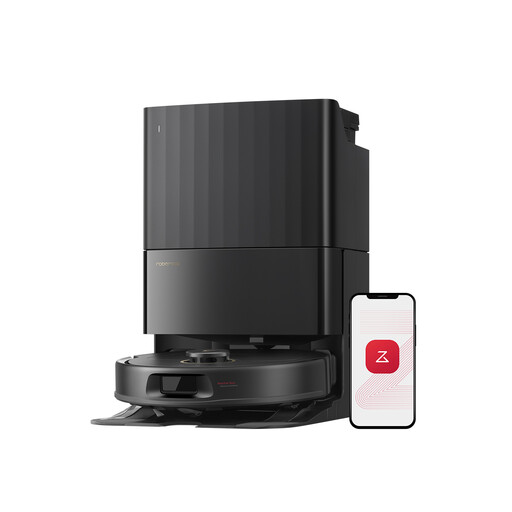
 No image available
For regular vacuuming if automatic emptying and obstacle detection are among your priorities.
8,000 Pa; self-emptying dock; 3D obstacle detection; stated run time of up to 180 minutes.
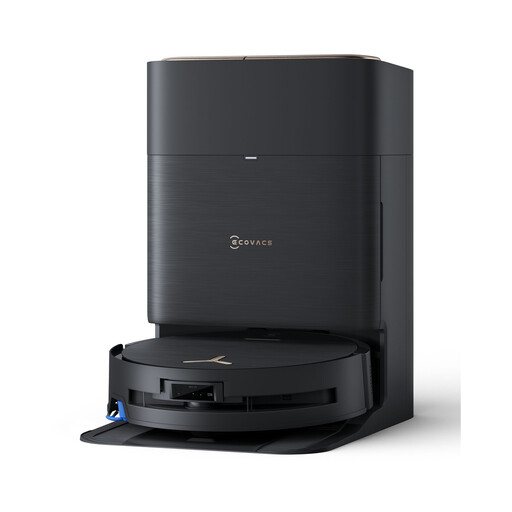
 No image available
For vacuuming and mopping with automatic dust emptying. Make sure its mopping approach suits your flooring.
12,000 Pa; FlexiArm mops; anti-tangle system; hot-air drying and obstacle avoidance.
 No image available
For regular vacuuming and mopping with automatic emptying and mop care. Clear loose cables and other items from the floor before starting.
16,600 Pa; roller mop; Omni Station with hot-water mop washing and hot-air drying. The recommended clearance is at least 8 cm on both sides of the dock and 1.2 m in front.
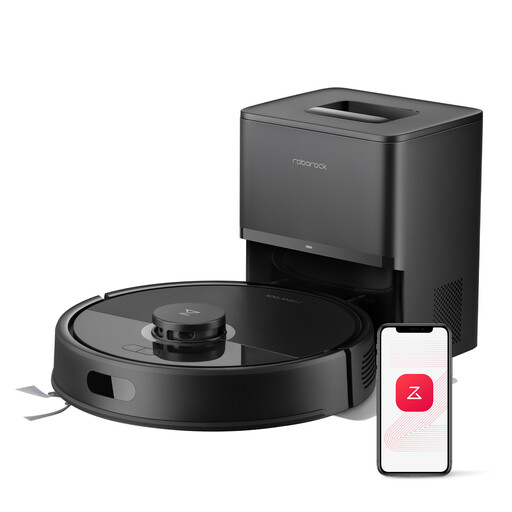 No image available
For regular vacuuming with automatic dust emptying and LiDAR mapping. If you have mixed flooring, check how the model handles mopping and carpets.
8,000 Pa; automatic dust emptying; LiDAR navigation; mopping function; Dual Anti-Tangle system.
Yes. Clear the routes you want it to use and the area around the charging dock. Navigation helps the robot find its way, but it can’t clear a path through boxes. Check the manual for the specific model to see how much space it needs.
It depends on whether the selected model’s mopping approach is suitable for both hard floors and carpets. iRobot says the Roomba 105 Combo detects carpets and avoids mopping them; this doesn’t necessarily apply to other models.
Check the dust bag or bin, as well as the brushes and filters specified by the manufacturer. Mopping docks also require you to look after the mop pads and water tanks. How often you need to empty the robot depends on the model and how you use it.
The seller is responsible for your statutory warranty rights, which are separate from a voluntary manufacturer’s guarantee. The Verbraucherzentrale generally describes a two-year statutory warranty period from the date of purchase or delivery. For purchase contracts from 31 July 2026, it also mentions a possible one-off extension of 12 months if you choose a repair when a fault occurs.
No. The German Environment Agency recommends returning electrical waste separately, for example to a recycling centre or a retailer that accepts it. If the battery can be removed easily, it should be taken separately to a battery collection point.